OpenManage Enterprise version 4.6.0 deprecates SHA-1 web server certificates
Summary: OpenManage Enterprise version 4.6.0, released January 2026, no longer supports uploading web server certificates where the SHA-1 secure hash algorithm is used. This includes the leaf certificate or any of the certificate authority certificates in the chain. ...
Symptoms
Uploading a web server certificate where the SHA-1 secure hash algorithm is used is blocked and produces the following error message in the web user-interface:
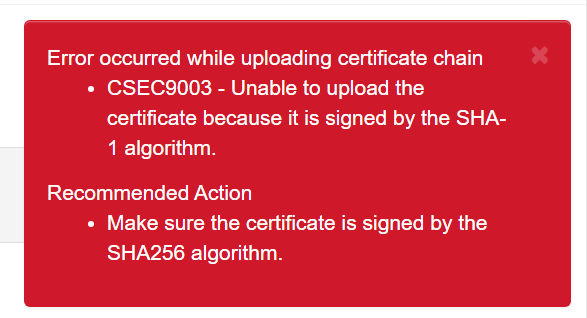
This includes the leaf certificate or any of the certificate authority certificates in the chain.
To verify which secure hash algorithm used to sign the web server certificate, perform the following steps:
- Open the OpenManage Enterprise user interface using a web browser.
- Click the 'lock' or 'Not secure' icon to the left of the URL.
- Click the site security message 'Connection is Secure' or 'Your connection to this site isn't secure' to view the certificate validity message.
- Click the certificate icon at the upper right of the message window to bring up the certificate viewer.
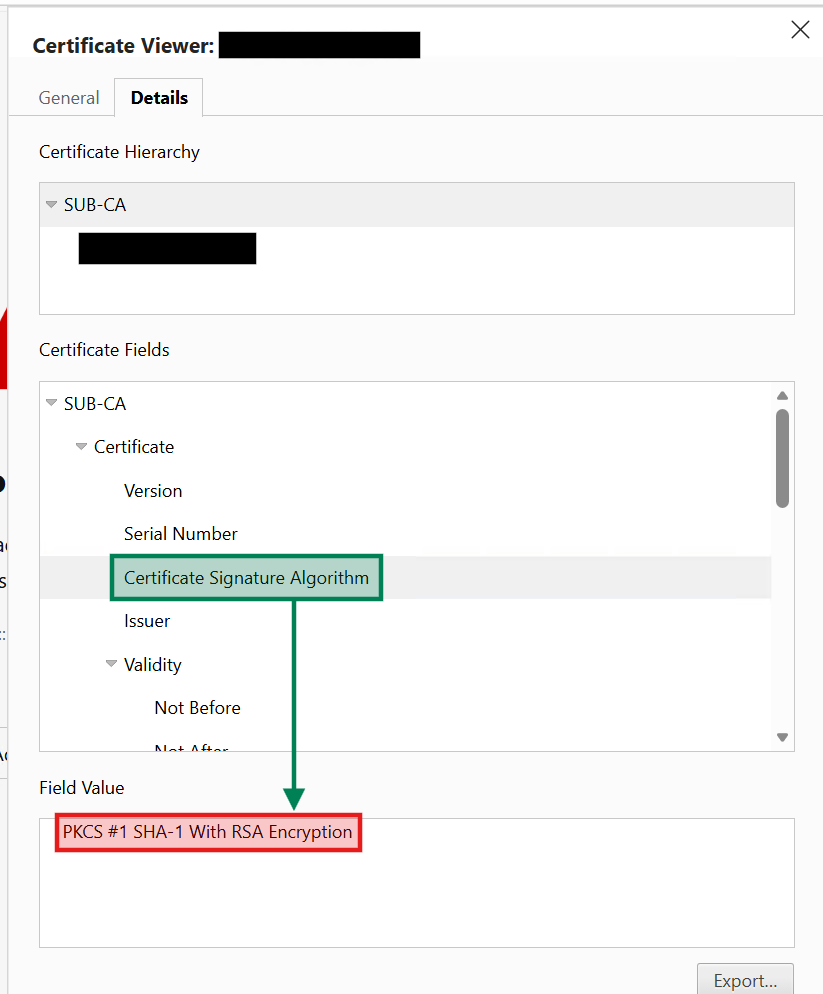
- Select the details tab to bring up the Certificate Hierarchy and Certificate Fields.
- For each certificate in the hierarchy, select the 'Certificate Signature Algorithm' under the Certificate Fields section. If SHA-1 is listed under any of the certificates, then your certificate should be updated as soon as possible. Work with your signing authority to submit a new certificate signing request (CSR) to retrieve an updated certificate.
Figure 1: Server certificate chain where the certificate authority is using SHA-1 algorithm.
Cause
Not applicable
Resolution
Dell Technologies recommends updating the OpenManage Enterprise web server certificate at your earliest convenience. To take advantage of the higher security standards introduced in version 4.6.0, use a secure hash algorithm of SHA-256 or higher. Work with your signing authority to submit a new certificate signing request (CSR) to obtain an updated certificate.
Instances that leverage a certificate where the SHA-1 secure hash algorithm is used will continue to function even after the upgrade.