ECS: OBS: Error 3000 (http 403) Pop Up Error when namespace Administrator access to IAM
Summary: Error 3000 (http 403) Pop Up Error when namespace Administrator access to IAM in OBS UI
This article applies to
This article does not apply to
This article is not tied to any specific product.
Not all product versions are identified in this article.
Symptoms
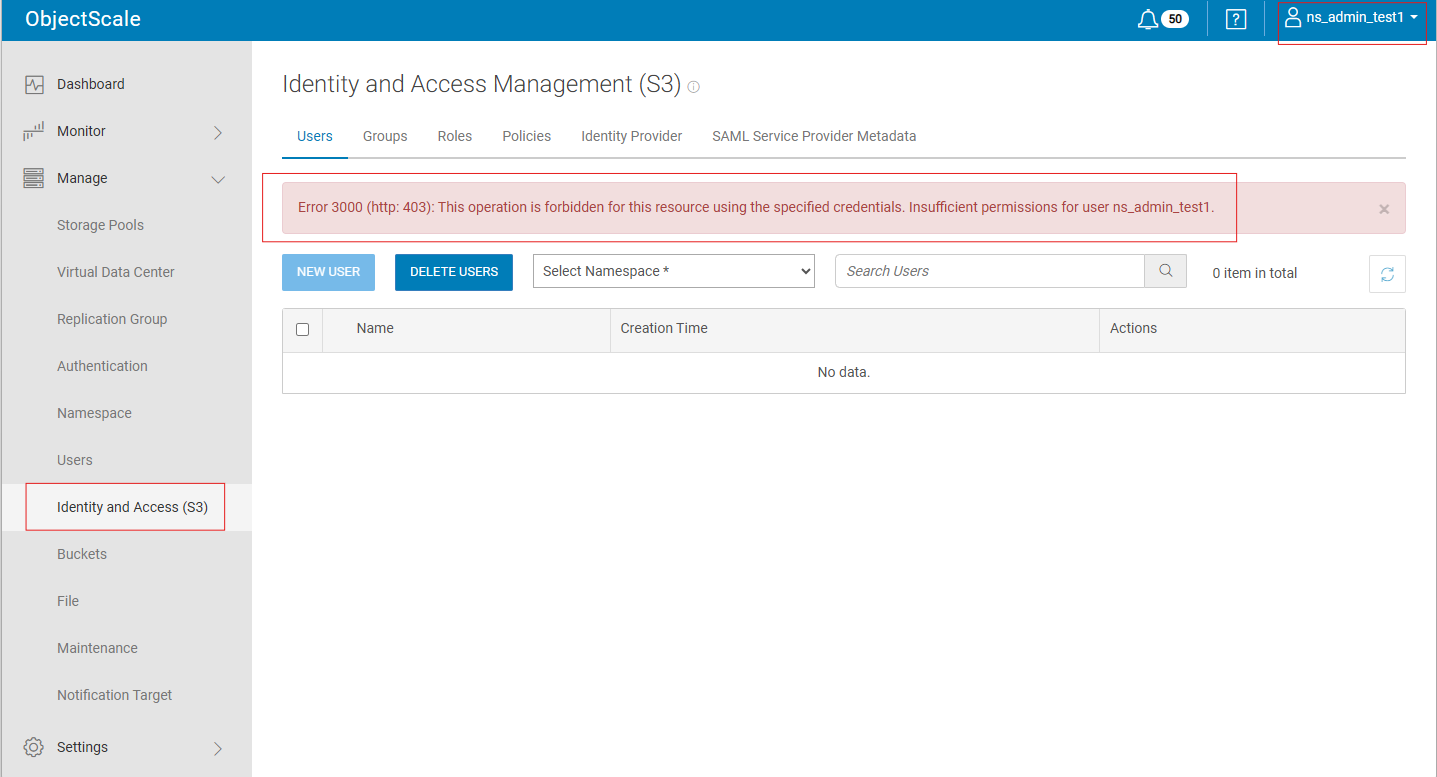
In OBS 4.1, OBS 4.2 and OBS 4.3, when the namespace Administrator is trying to access to OBS UI -> Manage -> Identity and Access Management (S3), the below error is displayed:
Error 3000 (http 403): This operation is forbidden for this resource using using the specified credentials. Insufficient permissions for user <namespace administrator>
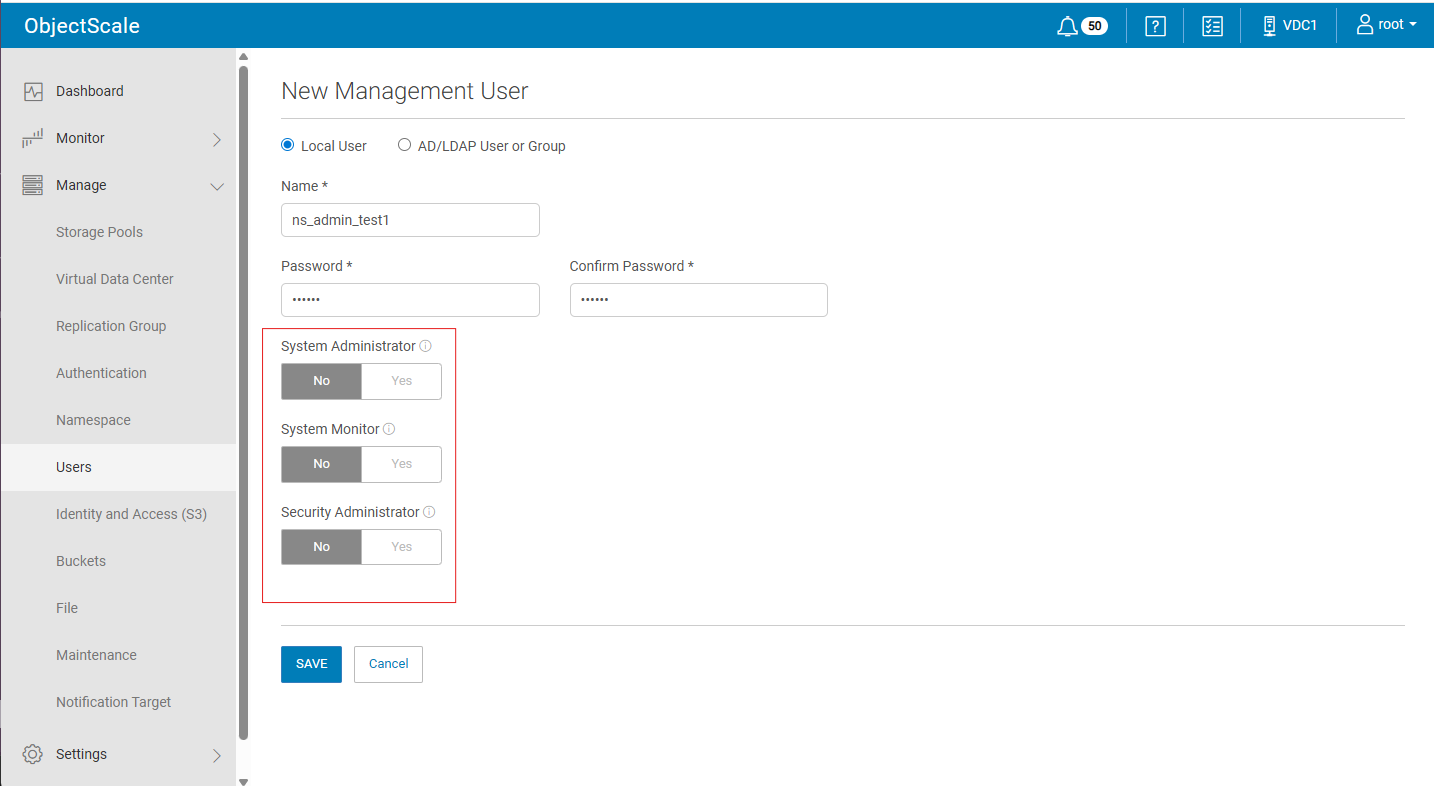
- Create New Management User with or without "System Administrator" "System Monitor" "Security Administrator"
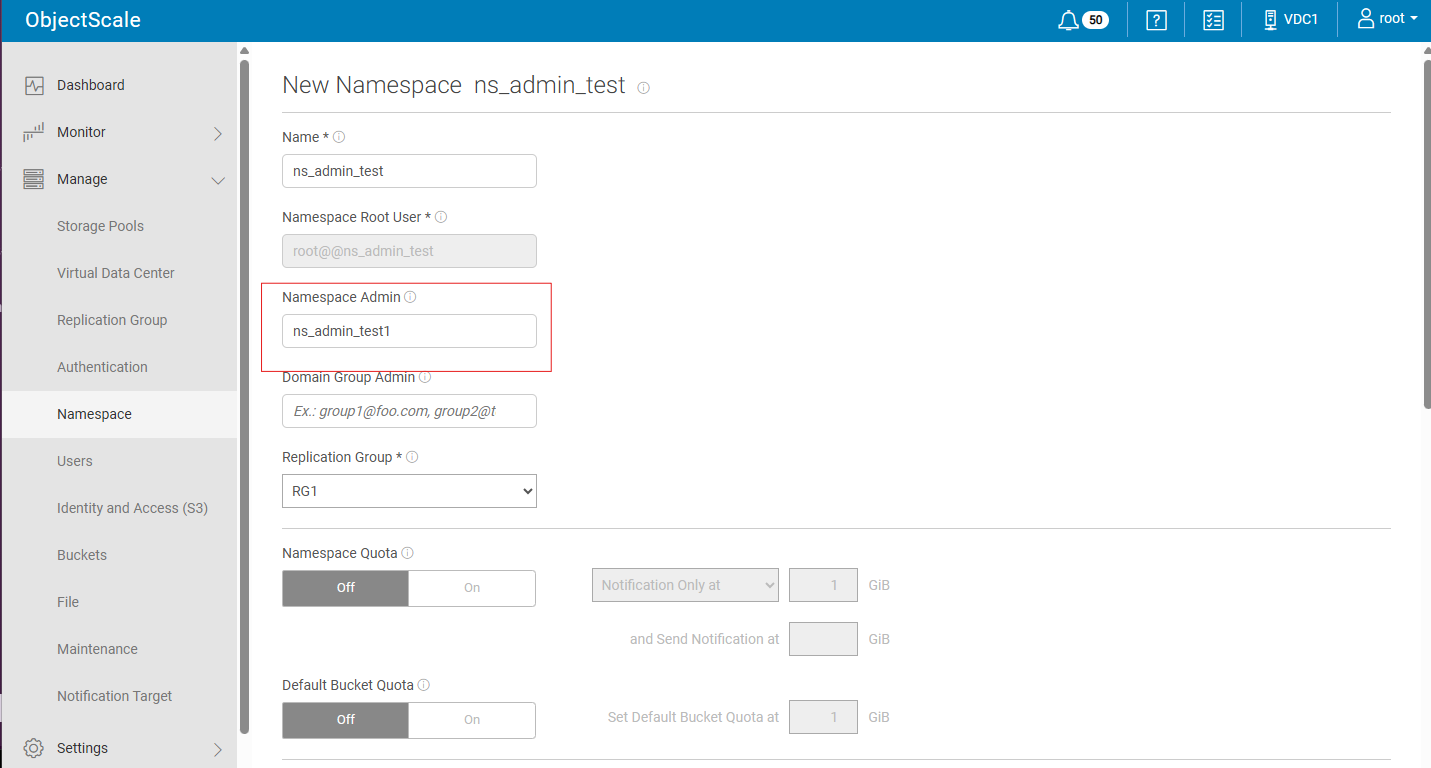
- Create a New namespace and assign "namespace Admin" created in Step 1:
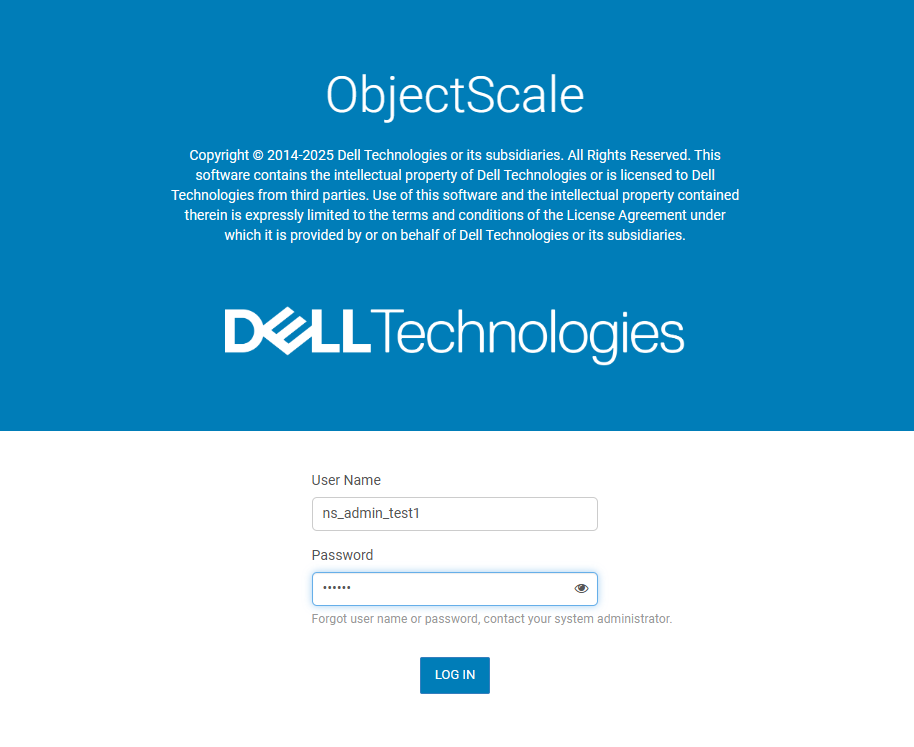
- Log out and Log in with namespace Administrator
- Click Manage -> Identity and Access Management (S3), and the error appears:
Cause
Code issue in OBS UI
Resolution
- Close the Error Window by clicking "x":
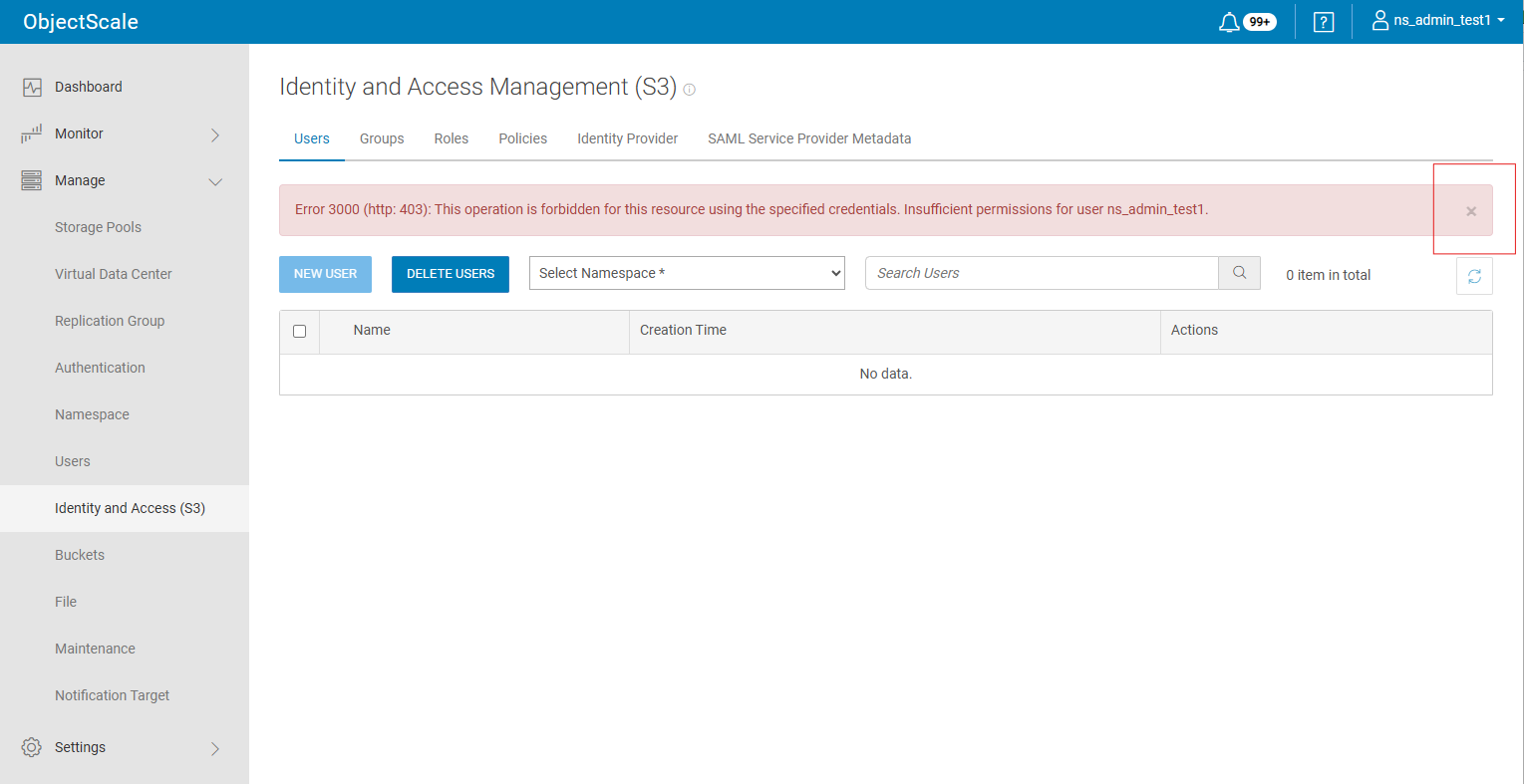
- Continue creating IAM user.
This issue is fixed in OBS 4.4.
Affected Products
ObjectScale Software with Encryption, ObjectScale Software without Encryption, ObjectScale Appliance SeriesProducts
ObjectScale, ObjectScale Software Series, ObjectScale X560 Appliance, ObjectScale XF960 ApplianceArticle Properties
Article Number: 000469025
Article Type: Solution
Last Modified: 16 Jun 2026
Version: 1
Find answers to your questions from other Dell users
Support Services
Check if your device is covered by Support Services.