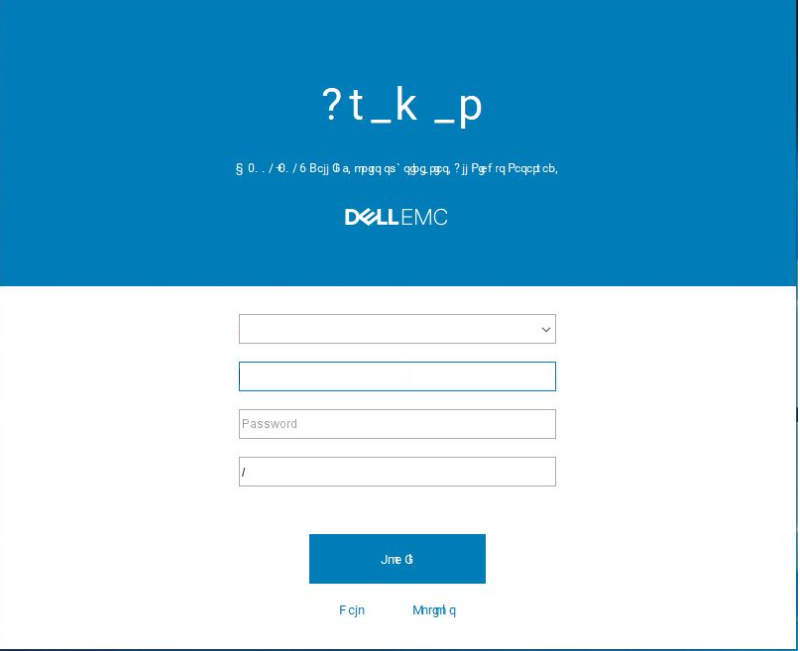
Avamar: UI display is unreadable due to the Roboto Font
Summary: Avamar: UI display is unreadable due to the Roboto font.
This article applies to
This article does not apply to
This article is not tied to any specific product.
Not all product versions are identified in this article.
Symptoms
The Avamar UI is unreadable:
Cause
Avamar uses an old version of the Roboto font.
Resolution
Workaround #1:
1. From the workstation where the Avamar UI is installed, go to the fonts in the control panel.
2. Delete the Roboto font.
3. Download the new Roboto font from https://fonts.google.com/specimen/Roboto (external link) and install it.
The issue should now be resolved, and the UI font should be displayed correctly.
Workaround #2:
1. On the Administrators Personal Computer, edit the following file: c:\Users\{USER_NAME}\.avamardata\var\mc\gui_data\prefs\mcclient.xml
2. Make the following changes:
From:
entry key="roboto_font_enabled" value="true"
To:
entry key="roboto_font_enabled" value="false"
Note: If the above flag does not exist, manually add it.
Affected Products
AvamarProducts
AvamarArticle Properties
Article Number: 000060433
Article Type: Solution
Last Modified: 13 Oct 2025
Version: 6
Find answers to your questions from other Dell users
Support Services
Check if your device is covered by Support Services.