SourceOne 搜尋 Web 伺服器網站憑證錯誤
Summary: Sourceone Web Search 傳回伺服器憑證錯誤
This article applies to
This article does not apply to
This article is not tied to any specific product.
Not all product versions are identified in this article.
Symptoms
存取 SourceOne Web 搜尋時,會傳回下列關於伺服器 certificate:
site 不安全的錯誤,並傳回錯誤:網站的安全性憑證尚未有效或已過期。錯誤代碼: DLG_FLAGS_SEC_CERT_DATE_INVALID
Cause
當 IIS TLS 憑證過期或無效時,就會發生此錯誤。
Resolution
安裝新的 IIS 證書,請注意,此過程未概述如何獲取新證書,僅概述如何將其應用於 IIS 中的伺服器。
1) 開啟 IIS 管理員。
2) 按一下 伺服器名稱 ,然後選取 伺服器憑證。
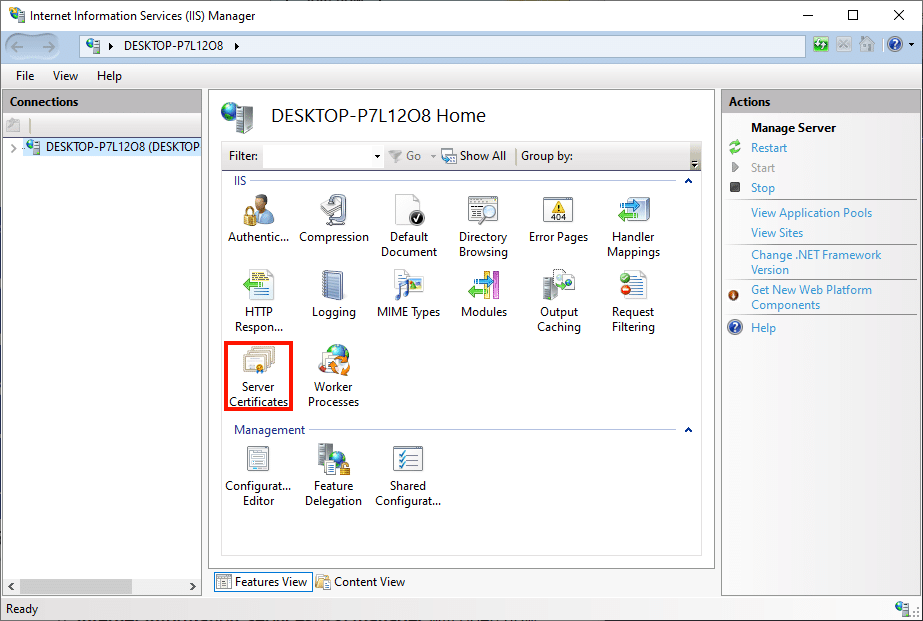
4) 刪除現有/舊的憑證。
5) 在右側按一下「完成憑證要求」。
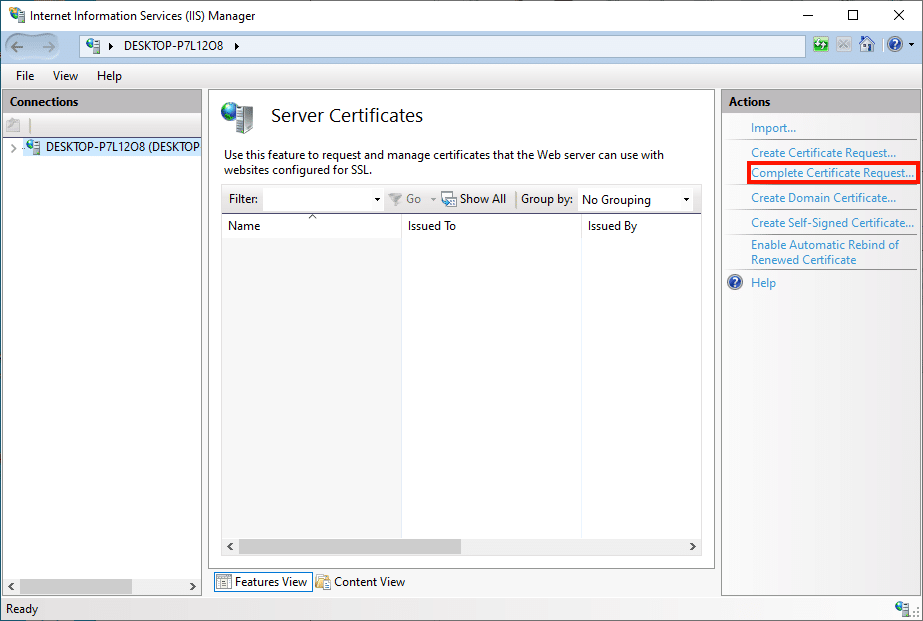
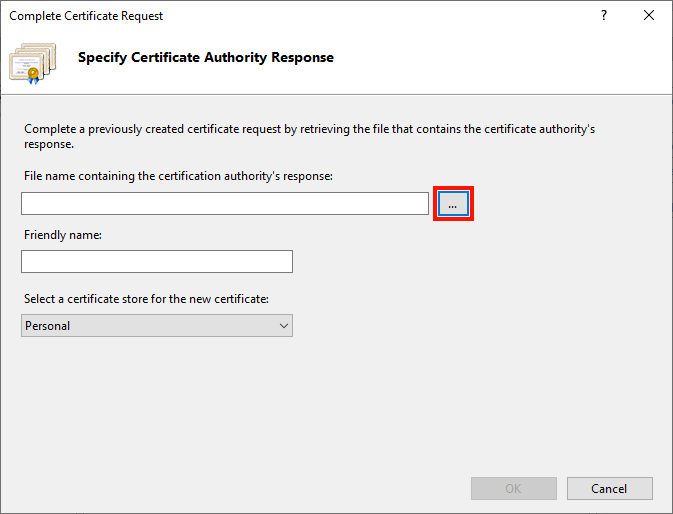
6) 「完成證書申請」嚮導將出現。首先,單擊標有“...”的按鈕以打開文件打開對話框。
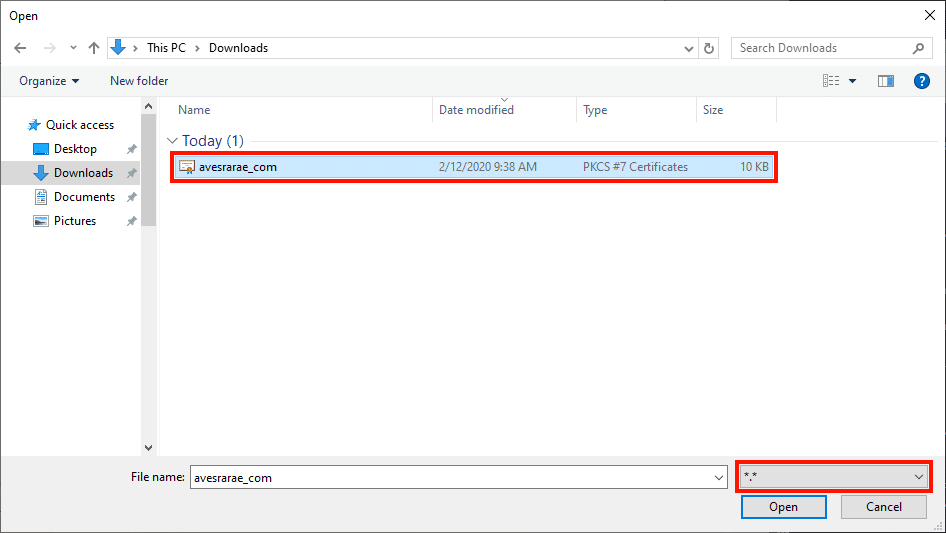
7) 導覽至 .p7b 我們從 SSL.com 下載的檔。請注意,我們必須將檔名欄位右側的下拉功能表從 *.cer 變更為 *.* 以查看檔。
8) 在「易記名稱」欄位中輸入令人難忘的證書名稱(此處我們只需輸入證書的通用名稱)。
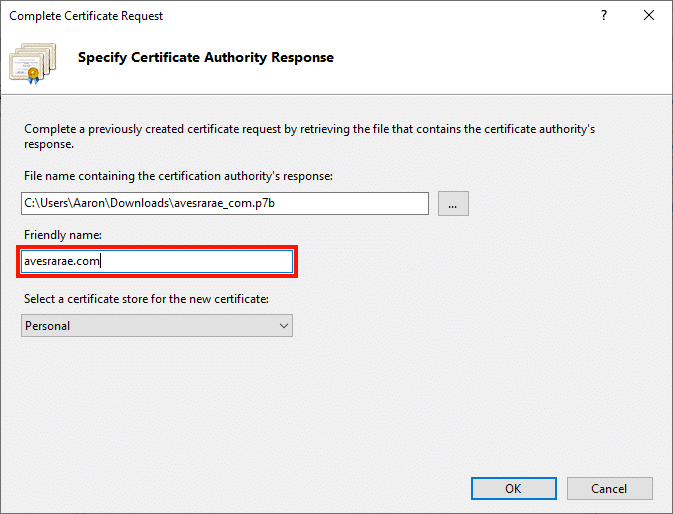
9) 按一下「確定」按鈕。
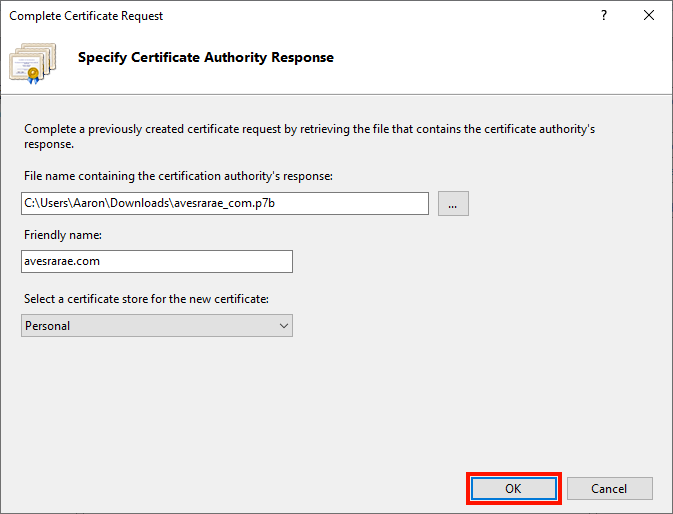
10) 完成重新啟動 IIS 後,並嘗試存取 Web 搜尋。
Affected Products
SourceOne Email ManagementArticle Properties
Article Number: 000184714
Article Type: Solution
Last Modified: 23 Jul 2026
Version: 5
Find answers to your questions from other Dell users
Support Services
Check if your device is covered by Support Services.