Dell Data Protection Enterprise Edition 9.0.0 server configuration utility crashes on open
Summary: This article describes a situation in Dell Data Protection | Enterprise Edition where opening the server configuration utility generates a windows dialog crash screen.
Symptoms
Affected Products:
- Dell Data Protection | Enterprise Edition
Affected Versions:
- v9.0.0
When opening Server Configuration Utility, you see a windows dialog crash screen like:
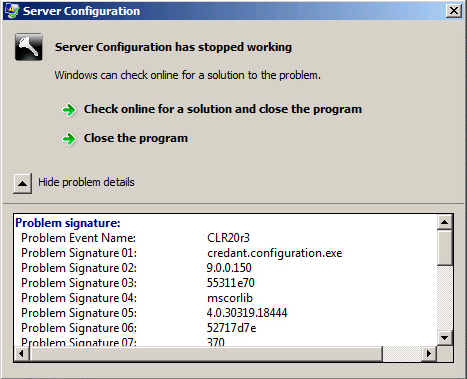
Figure 1: (English Only) Server Configuration
You also see an Event Id 1000 in the Windows application log.
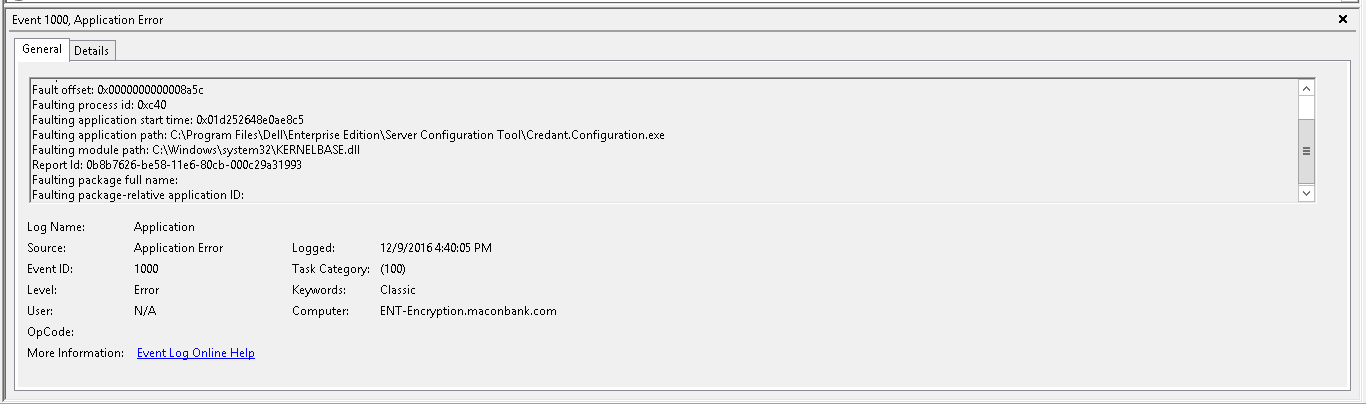
Figure 2: (English Only) Event 1000, Application Error
Cause
This issue occurs due to missing or corrupt values in db.properties files that are in the Dell Data Protection | Enterprise Edition install directory \Compliance Reporter\conf.
Resolution
This issue has been resolved in v9.7 and later.
Manual creation of missing entries or replacing with a known good db.properties file, fixes this issue.
db.properties is editable in notepad. Ensure that db.name and db.host are populated with the database name and the hostname of the database server:
#Database password is encrypted
db.password=
db.name=YourDBNameHere
db.type=mssql
db.host=YourSqlHostnameHere
db.username=sa
db.trusted=TRUE
To contact support, reference Dell Data Security International Support Phone Numbers.
Go to TechDirect to generate a technical support request online.
For additional insights and resources, join the Dell Security Community Forum.