Unisphere for PowerMax: Unisphere UI Lists Remote Arrays but not Local Arrays. Symcli Lists Both Local and Remote Arrays
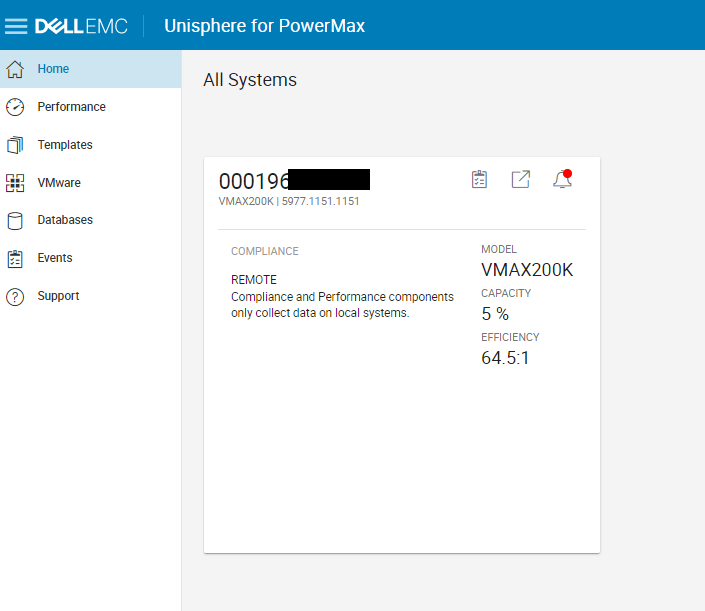
Summary: Unisphere UI lists only remote arrays but not local arrays. Symcli lists both local and remote arrays.
This article applies to
This article does not apply to
This article is not tied to any specific product.
Not all product versions are identified in this article.
Symptoms
Unisphere for PowerMax UI lists only remote arrays but not local arrays. However, from
Ran
Found that the array had both
symcli we can list both local and remote arrays.
C:\>symcfg list

                                   S Y M M E T R I X

                                              Mcode    Cache      Num Phys  Num Symm
    SymmID       Attachment  Model            Version  Size (MB)  Devices   Devices

    000197XXXXX Local       PowerMax_8000    5978      880640         4      5440
    000197YYYYY Local       PowerMax_8000    5978      880640        14      4476
    000197ZZZZZ Local       VMAX950F         5978      1939456        2      5004
    000196*******  Remote      VMAX200K      5977      446464         0      3879
Tried logging in with multiple Admin users including smc but no changes:
Ran
syminq and verified arrays have gatekeepers configured.
Found that the array had both
symacl and symauth enabled.Cause
Symacl access permission issueResolution
See article Solutions Enabler: Symcli commands fail with error "Symmetrix access control denied the request" for resolution of
Once
symacl access permission issue.
Once
symacl issue is resolved, we can discover local arrays on the Unisphere UI.Affected Products
Solutions Enabler, Unisphere for PowerMaxArticle Properties
Article Number: 000204042
Article Type: Solution
Last Modified: 11 Jul 2024
Version: 3
Find answers to your questions from other Dell users
Support Services
Check if your device is covered by Support Services.