PowerEdge: GPU firmware update considerations
Summary: There are special considerations for GPU firmware updates outlined in this article.
This article applies to
This article does not apply to
This article is not tied to any specific product.
Not all product versions are identified in this article.
Instructions
When instructed to update or considering updates to the GPU firmware, ensure to follow the outlined steps to find the correct firmware and use the correct steps to apply the update.
How to find the firmware needed: [Examples here are for the NVIDIA H100 and A16]
- Go to https://www.dell.com/support/home/products

- Enter the GPU model in the search field followed by "firmware update"
- Remove the tick from "Show only results for XXX"

- The relevant firmware if available should show up in the first couple results
- Follow the link to the page
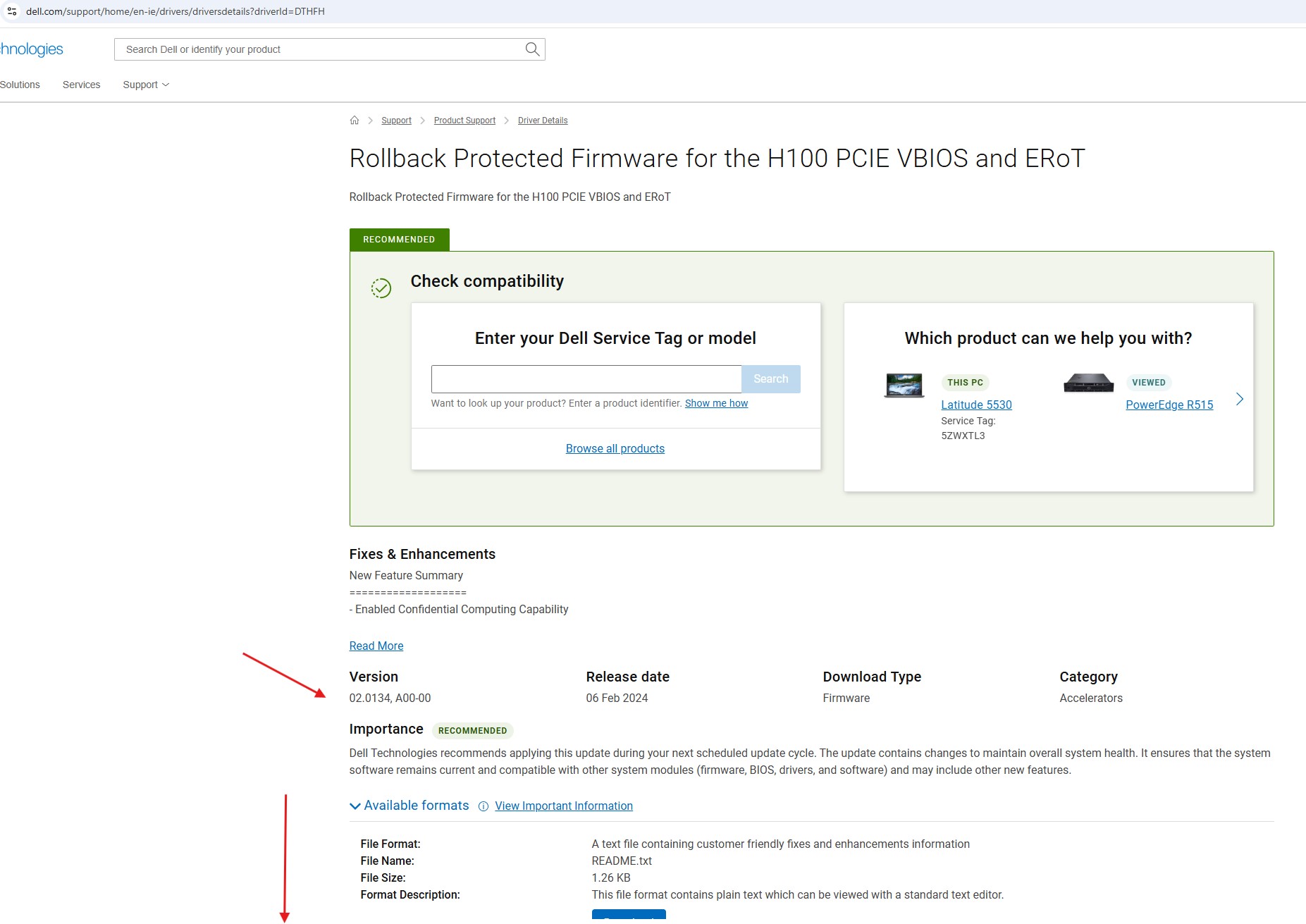
- Check the installation instructions found at the bottom of the page
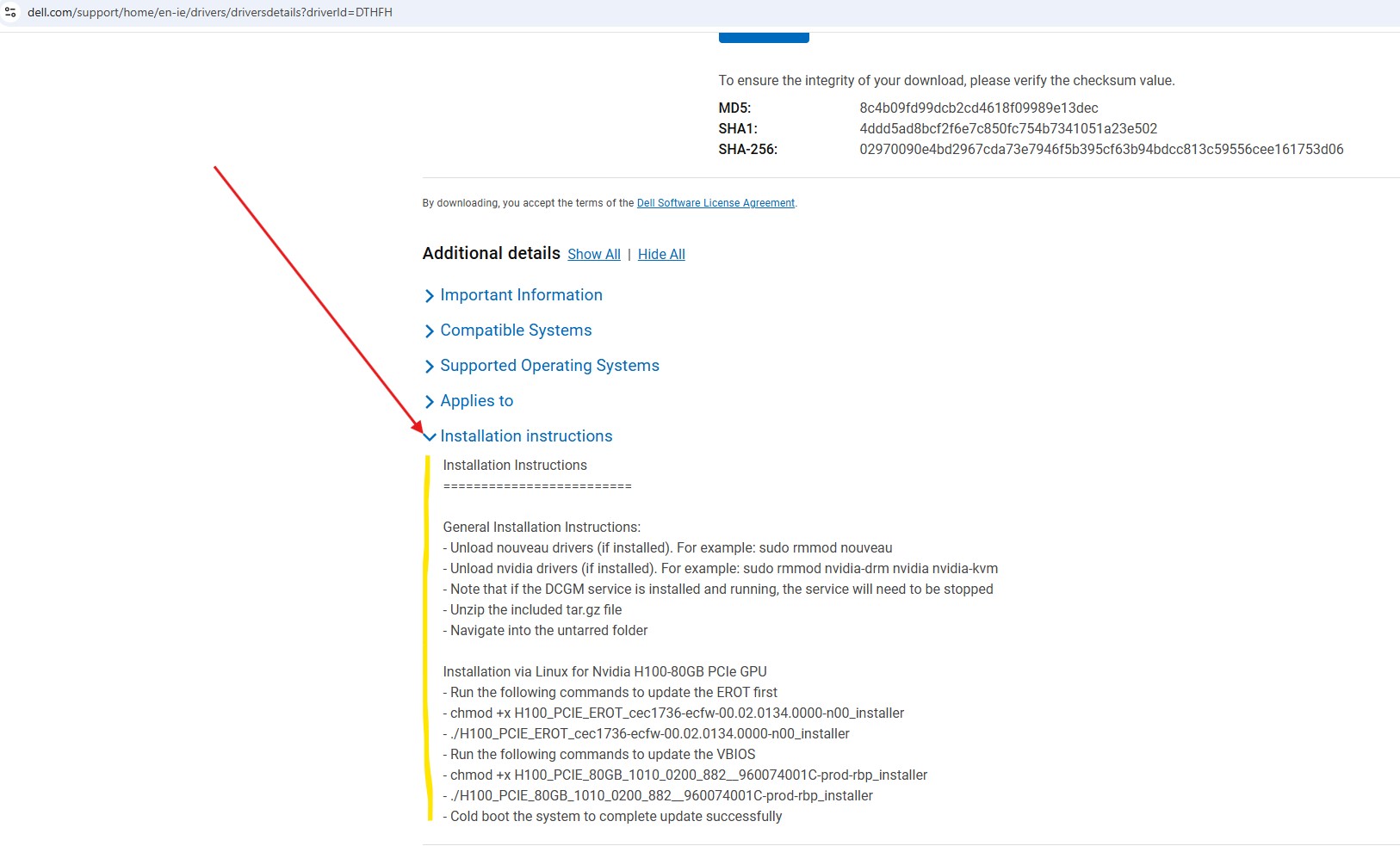
- Alternatively the instructions are part of the download links
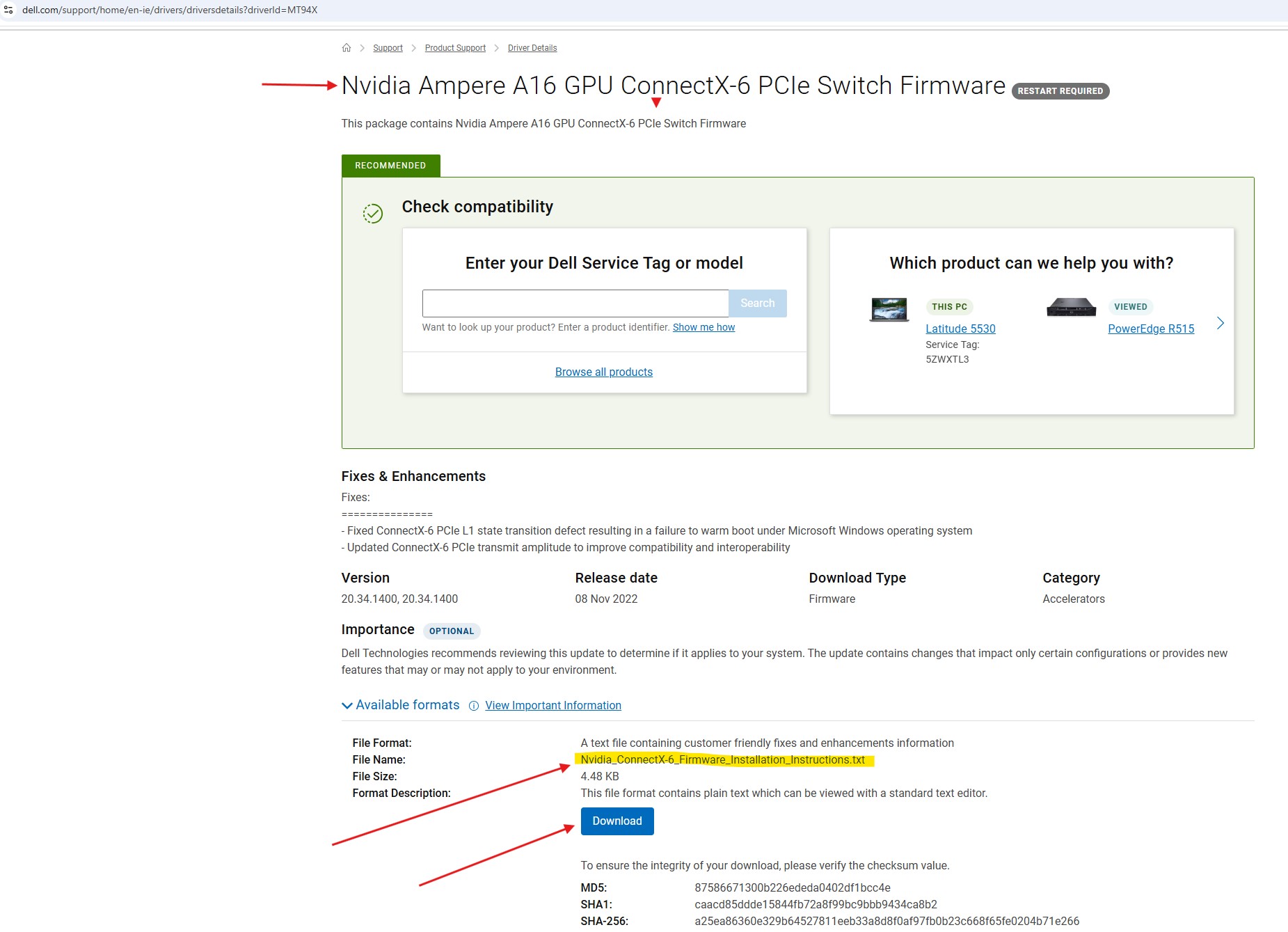
Note: For some models, the firmware update instructions are a separate download (an example is this A16 update)
Affected Products
Poweredge C4140, PowerEdge C6420, PowerEdge C6520, PowerEdge C6525, PowerEdge C6615, PowerEdge C6620, PowerEdge R440, PowerEdge R450, PowerEdge R540, PowerEdge R550, PowerEdge R640, PowerEdge R6415, PowerEdge R650, PowerEdge R650xs, PowerEdge R6515
, PowerEdge R6525, PowerEdge R660, PowerEdge R660xs, PowerEdge R6615, PowerEdge R6625, PowerEdge R740, PowerEdge R740XD, PowerEdge R740XD2, PowerEdge R7415, PowerEdge R7425, PowerEdge R750, PowerEdge R750XA, PowerEdge R750xs, PowerEdge R7515, PowerEdge R7525, PowerEdge R760, PowerEdge R760XA, PowerEdge R760xd2, PowerEdge R760xs, PowerEdge R7615, PowerEdge R7625, PowerEdge R840, PowerEdge R860, PowerEdge R940, PowerEdge R940xa, PowerEdge R960, PowerEdge XE2420, PowerEdge XE7420, PowerEdge XE7440, PowerEdge XE8545, PowerEdge XE8640, PowerEdge XE9640, PowerEdge XE9680, PowerEdge XR7620
...
Article Properties
Article Number: 000291566
Article Type: How To
Last Modified: 06 Mar 2025
Version: 1
Find answers to your questions from other Dell users
Support Services
Check if your device is covered by Support Services.