Service Tag, Product ID Search Error, or Part Number Results
Summary: This page is designed to appear under certain circumstances when searching for your Service Tag, Express Service Code, or Serial Number or part number.
This article applies to
This article does not apply to
This article is not tied to any specific product.
Not all product versions are identified in this article.
Instructions
We couldn’t find your product – Let’s fix that
We’re here to help you identify your Dell product and get the support you need. Follow these simple steps to get started.
- If you entered a code, check for typos.
Ensure you are typing the alphanumeric Service Tag code. Do not add any additional information, such as "Service Tag" or "ST" (Figure 1).
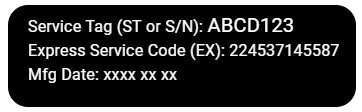
Go to our Find your Service Tag page for more information.
- If it's a new product, wait 1–2 days and try again.
- If your product is older, it may not be supported. You can still Browse All Products and select your model to get information and self-help resources for your product.
- Use the 'Identify My Product' tool to automatically detect your device.
Go to the Dell Support website. Above the Search box, select How to find your product identifier.
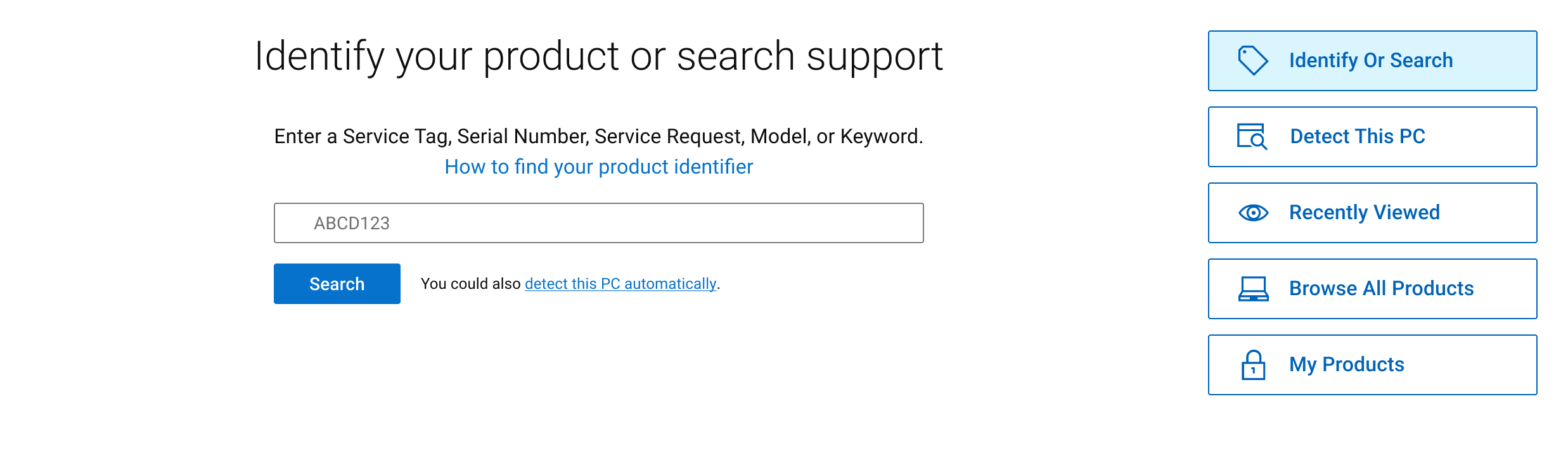
Still having issues? Try these steps.
- Press the F5 key or CTRL + R key to refresh the page and try again.
- Wait a few minutes and try again.
- Try using another browser (if available).
- Clear the cache and cookies from the browser and try again. See the help section of your browser.
For support with your Dell product, see our Contact support page.
To find which parts are available for your Dell product, See Dell Knowledge Base article Dell Parts and Accessories Selector.
Affected Products
Chromebox, Alienware, Dell All-in-One, Dell Pro All-in-One, Dell Pro Max Micro, Dell Pro Max Slim, Dell Pro Max Tower, Dell Pro Micro, Dell Pro Slim, Dell Pro Tower, Dell Slim, Dell Tower, Inspiron, Legacy Desktop Models, OptiPlex, Vostro, XPS
, G Series, Alienware and Dell Gaming Monitors, C Series, E Series, P Series, S Series, SE Series, UltraSharp Premier (UP) Series, UltraSharp (U) Series, Dell Monitors, Dell Plus Monitors, Dell Pro Plus Monitors, Chromebook, G Series, Alienware, Dell Laptops, Dell Plus, Dell Pro, Dell Pro Max, Dell Pro Plus, Dell Pro Premium, Inspiron, Latitude, Dell Pro Rugged, Vostro, XPS, Legacy Laptop Models, SupportAssist, Fixed Workstations, Mobile Workstations, Dell Pro Max Micro XE FCM2250, Dell Pro Max Slim XE FCS1250, Dell Pro Max Tower T2 XE FCT2250, Dell Pro Max 16 XE MC16250, Dell Pro Micro Plus XE QBM1250, Dell Pro Slim Plus XE5 QBS1250, Dell Pro Tower Plus XE5 QBT1250
...
Article Properties
Article Number: 000196860
Article Type: How To
Last Modified: 07 Oct 2025
Version: 22
Find answers to your questions from other Dell users
Support Services
Check if your device is covered by Support Services.