AppSync:群集 SQL Server 实例未显示在 AppSync UI 中的以下位置: Copy Management > Copies > Microsoft SQL Server
Summary: 群集 SQL Server 实例未显示在 AppSync UI 中的以下位置:当群集 SQL Server 虚拟(或网络)名称或者关联的虚拟 IP (VIP) 未添加为 AppSync UI 中的主机时:Copy Management > Copies > Microsoft SQL Server。
This article applies to
This article does not apply to
This article is not tied to any specific product.
Not all product versions are identified in this article.
Symptoms
AppSync UI 未在如下所示位置显示预期的 SQL Server 实例:

Cause
SQL Server Virtual 服务器名称(也称为 SQL Server Virtual 网络名称)或关联的虚拟 IP (VIP) 不会作为主机添加到 AppSync 中。
Resolution
必须确保《AppSync 用户和管理指南》第 114 页的以下内容:
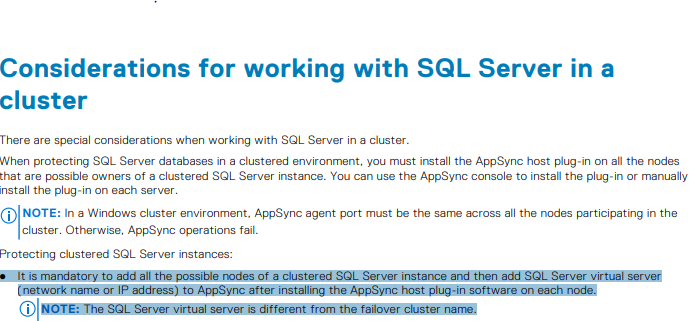
SQL Server 虚拟名称只是客户端访问名称,如此处示例中的故障切换管理器中所示:

SQL Server 虚拟名称只是客户端访问名称,如此处示例中的故障切换管理器中所示:
Affected Products
AppSyncArticle Properties
Article Number: 000187892
Article Type: Solution
Last Modified: 23 Oct 2025
Version: 4
Find answers to your questions from other Dell users
Support Services
Check if your device is covered by Support Services.