AppSync: Geclusterde SQL Server-instanties worden niet weergegeven in de AppSync UI onder: Kopieerbeheer > kopieën > Microsoft SQL Server
Summary: Geclusterde SQL Server-instanties worden niet weergegeven in de AppSync UI onder: Copy Management > Kopieën > Microsoft SQL Server wanneer clustered SQL Server virtuele (of netwerk)naam of bijbehorende virtuele IP (VIP) niet wordt toegevoegd als host in de AppSync GEBRUIKERSINTERFACE. ...
This article applies to
This article does not apply to
This article is not tied to any specific product.
Not all product versions are identified in this article.
Symptoms
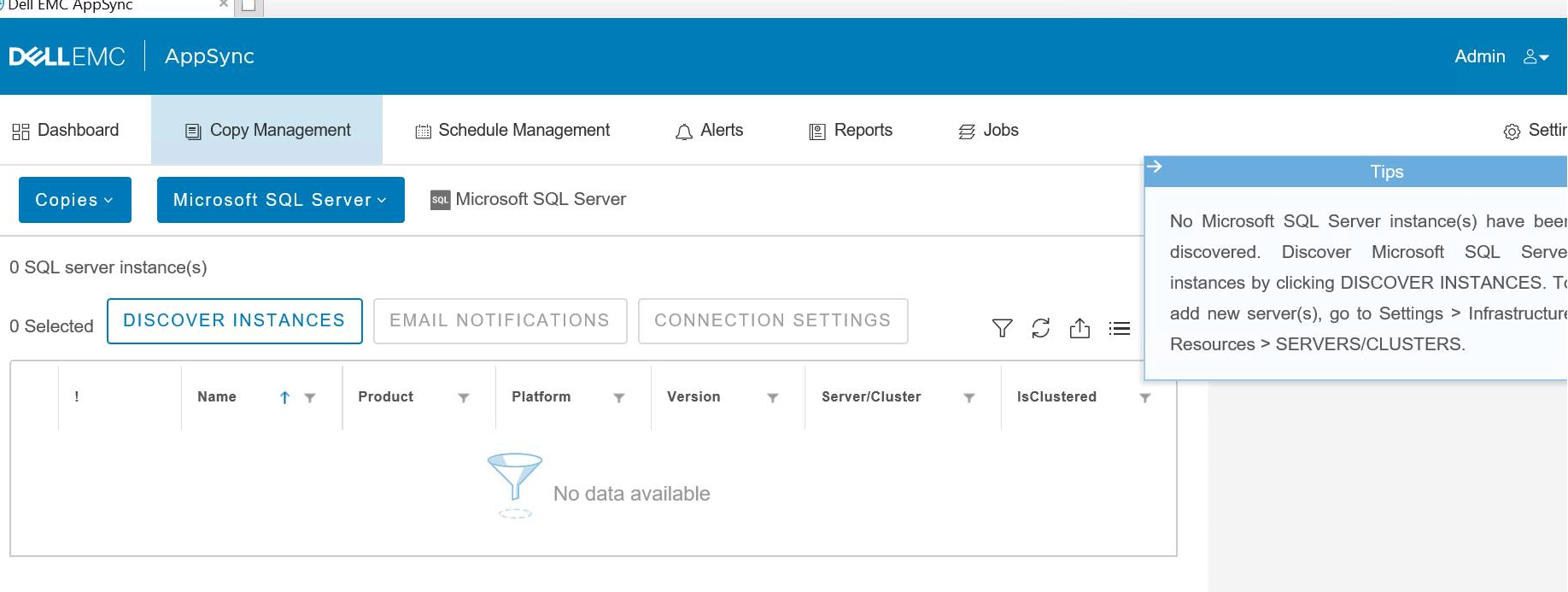
De verwachte SQL Server-instanties worden niet weergegeven in de AppSync UI op de locatie, zoals hier wordt weergegeven:
Cause
De naam van de SQL Server Virtual Server Virtual Server (ook wel de SQL Server Virtual Network Name) of de bijbehorende Virtual IP (VIP) wordt niet toegevoegd als host aan AppSync.
Resolution
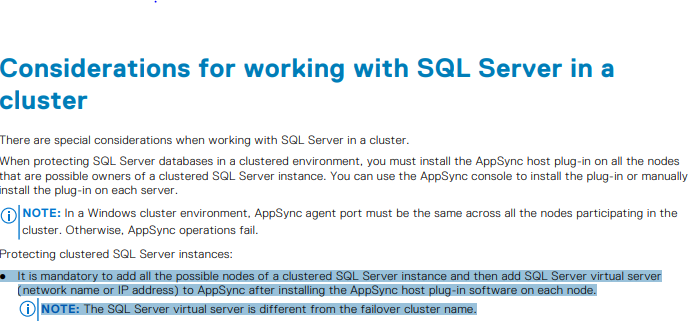
Moet ervoor zorgen dat het volgende geldt per pagina 114 van de AppSync gebruikers- en beheerhandleiding:
De virtuele naam van de SQL Server is niets anders dan de naam van de clienttoegang zoals wordt weergegeven in de Failover Manager in het voorbeeld:
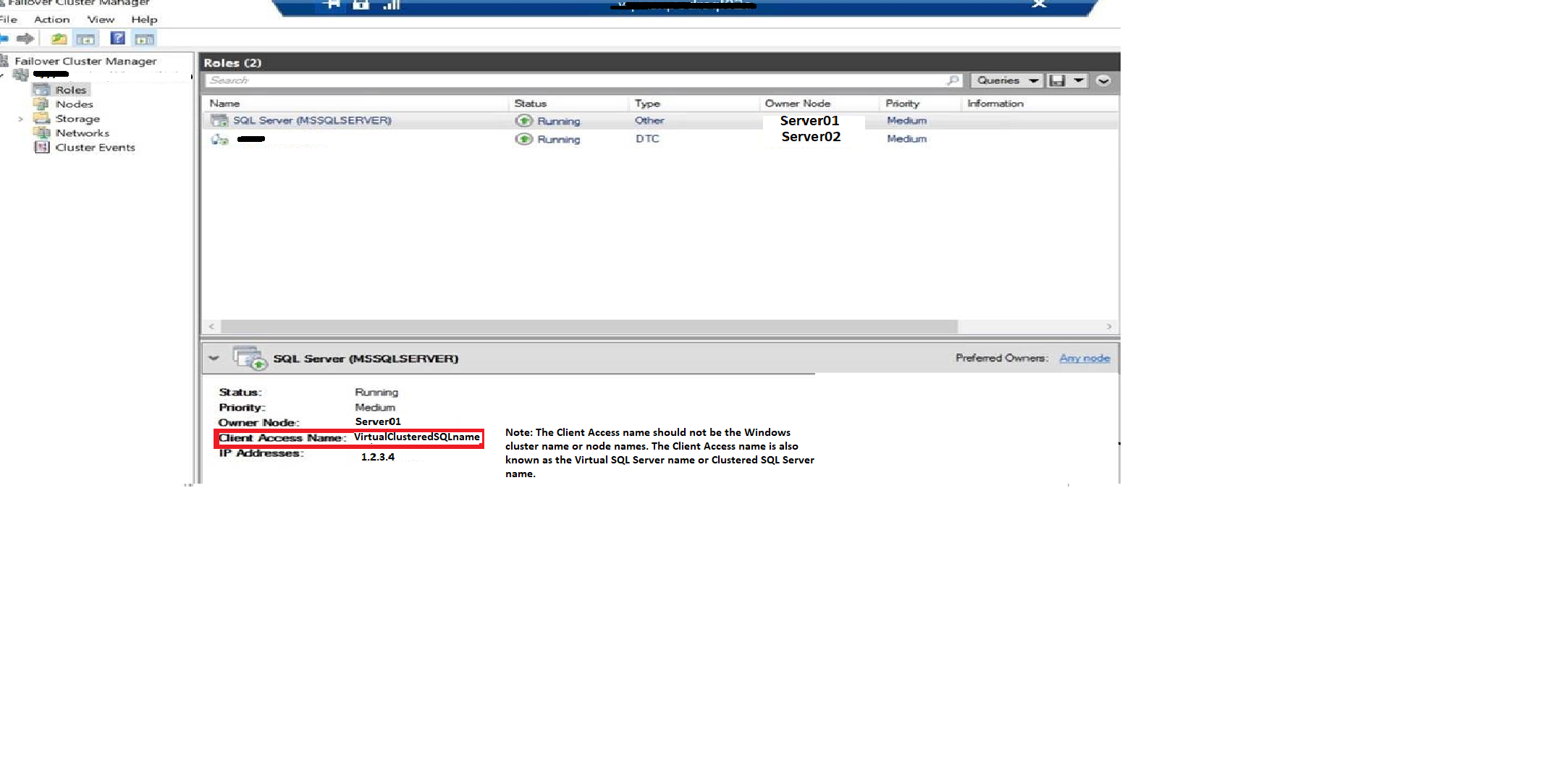
De virtuele naam van de SQL Server is niets anders dan de naam van de clienttoegang zoals wordt weergegeven in de Failover Manager in het voorbeeld:
Affected Products
AppSyncArticle Properties
Article Number: 000187892
Article Type: Solution
Last Modified: 23 Oct 2025
Version: 4
Find answers to your questions from other Dell users
Support Services
Check if your device is covered by Support Services.