Dell Trusted Device Displays No Data in Non-English Windows
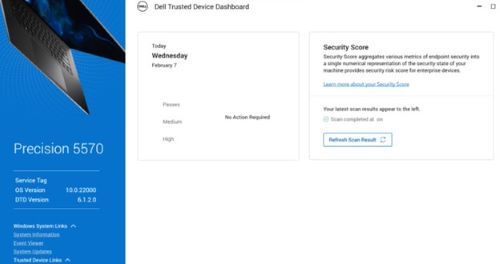
Summary: After the security assessment is performed for Dell Trusted Device, no data is displayed on the local console when using a non-English version of Windows.
This article applies to
This article does not apply to
This article is not tied to any specific product.
Not all product versions are identified in this article.
Symptoms
Affected Products:
- Dell Trusted Device
To reproduce:
- Boot the computer.
- Wait fifteen minutes.
- Launch the Dell Trusted Device local console.
- No data is displayed.
Cause
This is a known issue with Dell Trusted Device v6.1 to 6.2 when using a Non-English version of Windows.
Resolution
Upgrade to Dell Trusted Device v6.3 or later.
Affected Products
Dell Trusted DeviceArticle Properties
Article Number: 000224043
Article Type: Solution
Last Modified: 07 Apr 2025
Version: 3
Find answers to your questions from other Dell users
Support Services
Check if your device is covered by Support Services.