Dell Unity:升级上传的文件格式不正确(错误代码:0x6000cc4)(用户可纠正)
Summary: 当用户上传格式不正确或校验和无效的文件时,Unity 将返回以下错误代码:0x6000cc4 知识库文章介绍了识别已下载或上传到 Windows Server 或 Linux Server 的映像的 SHA256 校验和的方法。
This article applies to
This article does not apply to
This article is not tied to any specific product.
Not all product versions are identified in this article.
Symptoms
将图像文件上载到 Unisphere 用户界面时,返回以下错误:“
上载的文件格式不正确。请获取升级映像的新副本,然后重试。(Error Code: 0x6000cc4)”
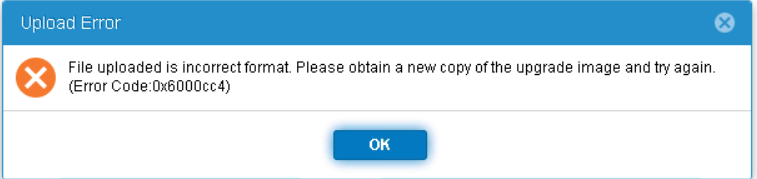
上载的文件格式不正确。请获取升级映像的新副本,然后重试。(Error Code: 0x6000cc4)”
Cause
Resolution
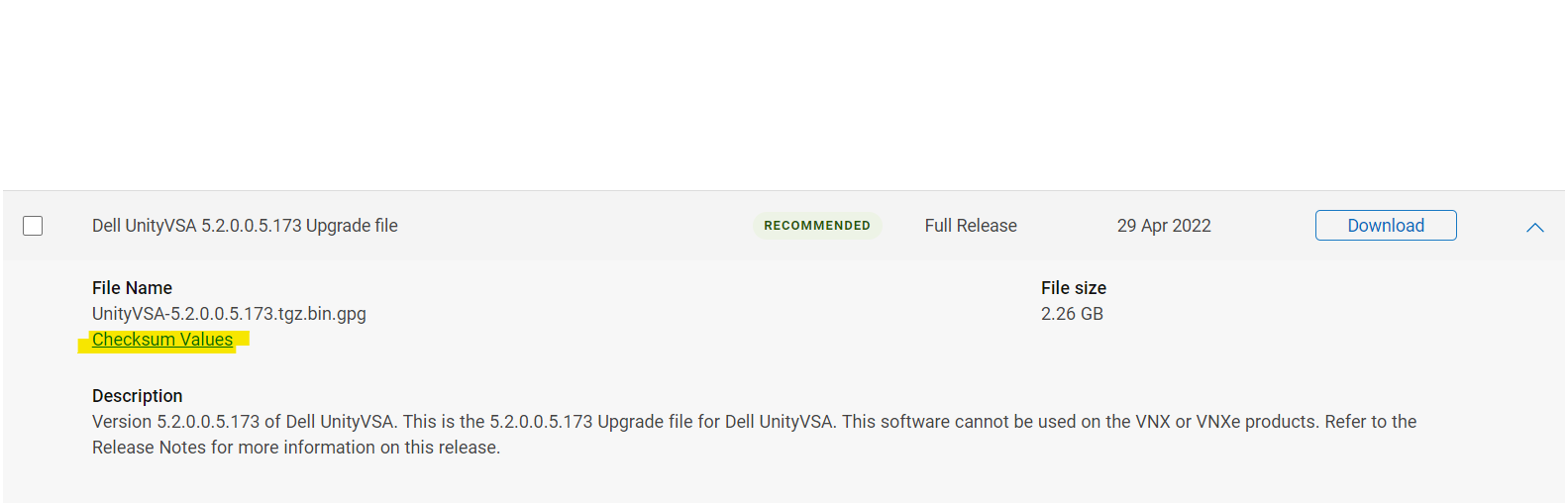
正确的校验和值列在 dell.com 支持网站上所需图像“Checksum Values”下。
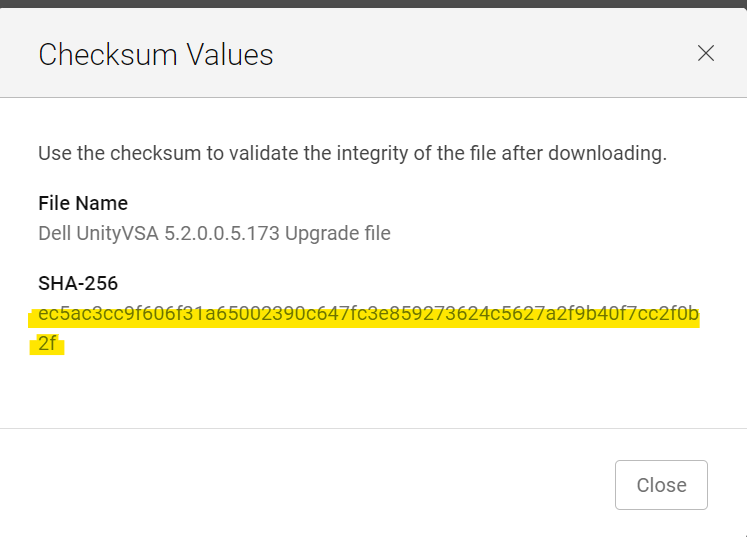
在 Windows 主机上,打开 CMD 并进入下载文件的位置。(确保文件在下载时未更改其名称;添加 (1) 或 (2),...到它的名字。
在 CMD 窗口中键入:
certutil -hashfile Unity-XXXXXX SHA256
示例:
C:\Users\zayedm\Downloads>certutil -hashfile Unity-Drive-Firmware-V19RC-2021-11-30.tgz.bin.gpg SHA256
SHA256 hash of Unity-Drive-Firmware-V19RC-2021-11-30.tgz.bin.gpg:
0fad835123c2508d7f581bead6eaf47f27ebb75ca119ee97b1db5b7e0944e5dd
CertUtil: -hashfile command completed successfully.
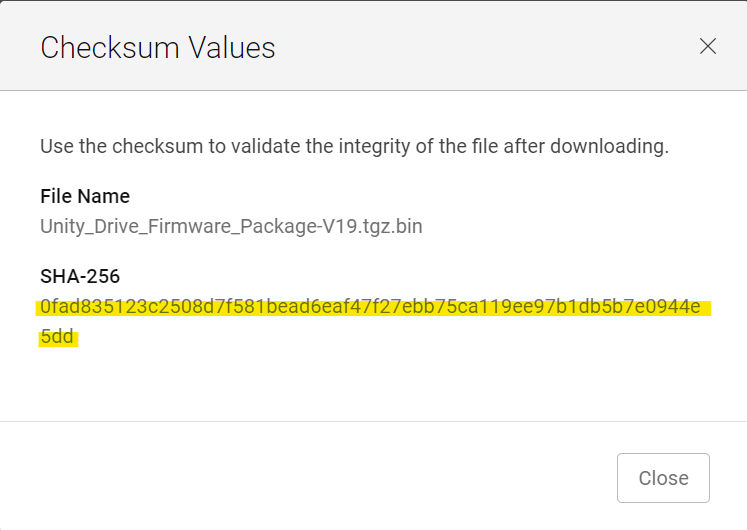
为了从 linux 主机(或在 Unity 阵列本身上,如果文件已手动上传
)进行验证:命令:
sha256sum 文件名
示例:
service@XXXX:/mnt/c/Users/xxxx/Downloads$ sha256sum Unity-Drive-Firmware-V19RC-2021-11-30.tgz.bin.gpg
0fad835123c2508d7f581bead6eaf47f27ebb75ca119ee97b1db5b7e0944e5dd  Unity-Drive-Firmware-V19RC-2021-11-30.tgz.bin.gpg
将返回的输出与戴尔支持网站上的校验和进行匹配。如果符合条件且仍然出现提到的错误,请联系 Dell EMC 支持。如果不匹配,则校验和不准确。尝试重新下载文件并再次匹配校验和。
Affected Products
Dell EMC Unity Family |Dell EMC Unity All Flash, Dell EMC Unity FamilyArticle Properties
Article Number: 000200001
Article Type: Solution
Last Modified: 14 May 2026
Version: 7
Find answers to your questions from other Dell users
Support Services
Check if your device is covered by Support Services.