Third-Party XMP Memory Does Not Support Overclocking
Summary: This article provides information about overclocking is not supported when using third-party XMP memory in Alienware Command Center (AWCC) or in the computers BIOS.
This article applies to
This article does not apply to
This article is not tied to any specific product.
Not all product versions are identified in this article.
Symptoms
Affected Platforms:
- Alienware Area-51 AAT2250
- Alienware Area-51 AAT2265
- Alienware Aurora ACT1250
The overclocking settings are available in AWCC, after installing third-party memory in Alienware laptops running an older BIOS. The overclocking settings are no longer available after updating the BIOS.
Note: The overclocking settings are not available in the computers BIOS or in AWCC.
Old BIOS:
Overclocking settings in AWCC
- Alienware Area51 AAT2250: Before 1.4.3
- Alienware Aurora ACT1250: Before 1.4.2
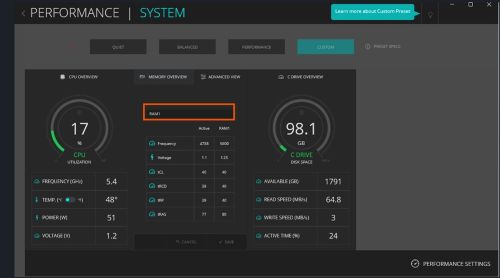
After updating to the latest BIOS:
There is no overclocking setting in AWCC.
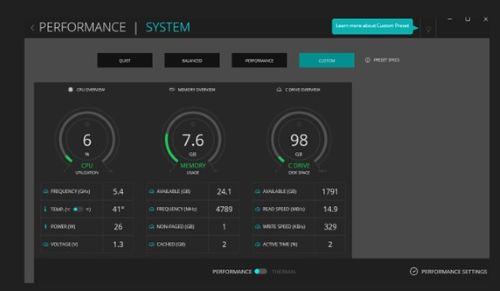
Cause
Dell computers do not support overclocking for third-party memory.
Resolution
This is working as designed. The computer only supports overclocking when using Dell qualified XMP memory.
Affected Products
Alienware Area-51 AAT2250, Alienware Area-51 AAT2265, Alienware Aurora ACT1250, Alienware Command CenterArticle Properties
Article Number: 000336267
Article Type: Solution
Last Modified: 28 Jul 2026
Version: 7
Find answers to your questions from other Dell users
Support Services
Check if your device is covered by Support Services.