如何下載私人雲端適用的 Wyse 管理套件
Summary: 瞭解如何下載 Wyse Management Suite 以用於 Windows 的私人雲端模式。瞭解如何找到最新的安裝程式檔。
This article applies to
This article does not apply to
This article is not tied to any specific product.
Not all product versions are identified in this article.
Instructions
Wyse Management Suite 可在私人雲端或公有雲端模式中使用。本文說明如何取得適用於私人雲端之 Wyse Management Suite 的最新安裝程式。
受影響的產品:
- Wyse Management Suite
受影響的作業系統:
- Windows
- 在網頁瀏覽器中,前往 Dell 支援。
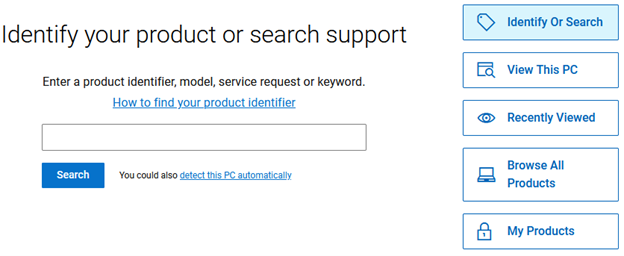
- 按一下瀏覽所有產品。
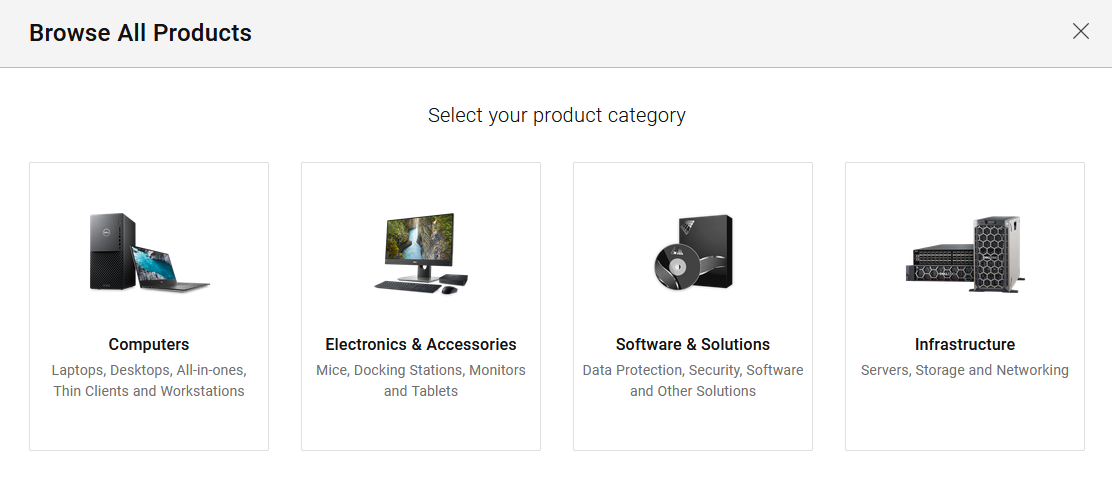
- 按一下電腦。
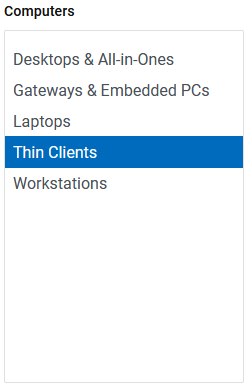
- 按一下精簡型用戶端。
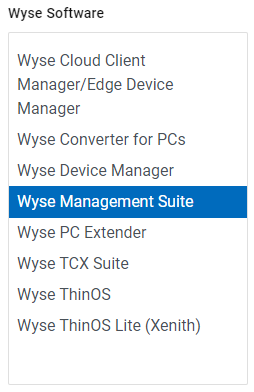
- 按一下 Wyse 軟體。

- 按一下 Wyse Management Suite。
- 按一下 選取此產品 按鈕。
- 按一下驅動程式與下載。

- Dell Wyse Management Suite 版本右側
<X.X>,按兩下向下箭頭。 注意:
注意:<X.X>= Wyse Management Suite 的版本- 發行日期可能與上述螢幕擷取畫面有所不同
- 從展開的資訊檢閱版本。
- 如果版本包含文字
HF,此下載為 hotfix,不包含完整的 Wyse Management Suite 軟體。按一下舊版,然後繼續執行步驟 11。 - 如果版本未包含文字
HF,按兩下 下載 按鈕。

- 如果版本包含文字
- 在 「較舊版本」中,找到最新的數字版本,然後按一下沒有
HF) 在範例影像中,這是 4.0.0.626、4.0。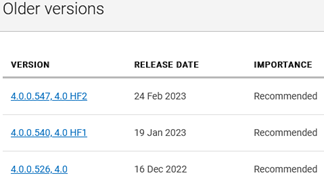
- 按一下以下載完整的 Wyse Management Suite 軟體。

請參閱 如何安裝 Wyse Management Suite (私人雲端), 以取得後續步驟的相關資訊。
Additional Information
建議的文章
以下是一些與本主題相關的建議文章,您可能會感興趣。
Affected Products
Wyse Management SuiteArticle Properties
Article Number: 000126153
Article Type: How To
Last Modified: 06 Oct 2025
Version: 13
Find answers to your questions from other Dell users
Support Services
Check if your device is covered by Support Services.