MyDell Application Does Not Display the Header Controls on Inspiron 3020
Summary: This article provides information about the Inspiron 3020 MyDell application does not display the Minimize, close, and option controls.
This article applies to
This article does not apply to
This article is not tied to any specific product.
Not all product versions are identified in this article.
Symptoms
MyDell Application Does Not Display the Minimize, Close, and Option Controls
The border color of the MyDell interface covers the application control buttons available on the header. Since the border color overlaps, it does not display the header controls sometimes on Inspiron 3020 System. Applications do not have a button to close or minimize.
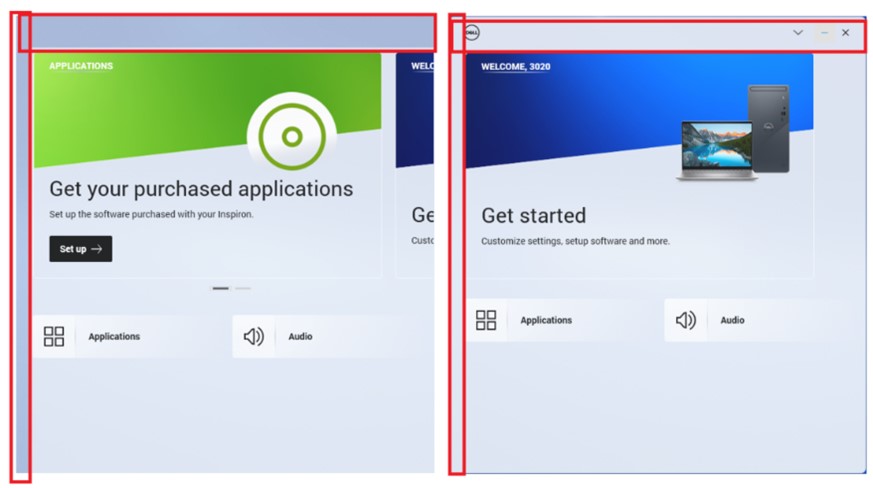
(Figure 1 - MyDell Interface)
Affected Systems
- Inspiron 3020
- MyDell
Cause
N/A
Resolution
Affected Products
Inspiron 3020 Desktop, MyDellArticle Properties
Article Number: 000207648
Article Type: Solution
Last Modified: 05 May 2025
Version: 7
Find answers to your questions from other Dell users
Support Services
Check if your device is covered by Support Services.