VxRail: Node Expansion Failed with Error "Expansion ESXI hosts pnic teaming policy initialize"
Summary: Node expansion fails due to missing Private Management Network, Private VM Network, or a vlan not configured.
This article applies to
This article does not apply to
This article is not tied to any specific product.
Not all product versions are identified in this article.
Symptoms
Error message: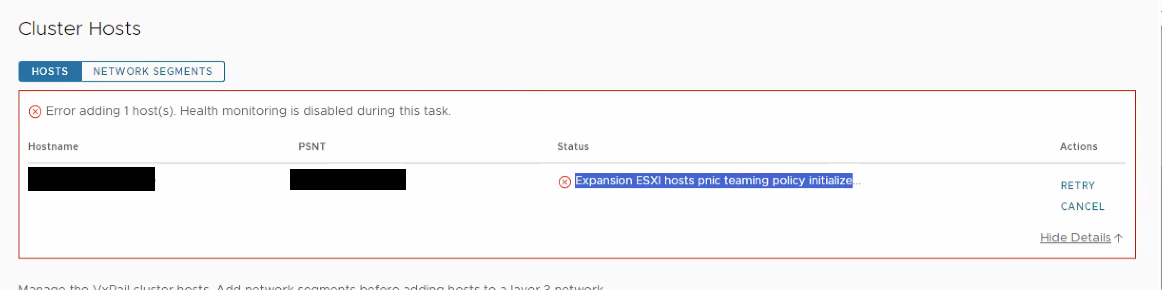
Cause
Failure in mapping the Team due to missing Private Management Network, Private VM Network, or a vlan not configuredDayone.log:
Resolution
On the new node, ensure that the Management Network is assigned to vmk2.
If the Private Management Network and Private VM Network are missing, create them with the commands below:
- Add portgroups (Private Management Network) & (Private VM Network) first to the standard switch:
esxcli network vswitch standard portgroup add --portgroup-name=portgroup --vswitch-name=vSwitch - Then attach the vlan which is configured from the customer side through the below commands:
esxcli network vswitch standard portgroup set -p "Private Management Network" -v [vlan]esxcli network vswitch standard portgroup set -p "Private VM Network" -v [vlan] - Add the Private Management Network port group to vmk0:
esxcli network ip interface add --interface-name=vmk0 --portgroup-name="Private Management Network" - Then restart the management services:
/etc/init.d/hostd restart/etc/init.d/vpxa restart
Affected Products
VxRail, VxRail Appliance Series, VxRail SoftwareArticle Properties
Article Number: 000221275
Article Type: Solution
Last Modified: 29 Dec 2025
Version: 2
Find answers to your questions from other Dell users
Support Services
Check if your device is covered by Support Services.