PowerFlex 4.x How to set I/O Priority for Storage Pools
Summary: While performing the "RCM" upgrade, it is recommended to set the I/O priority for Rebuild, Rebalance, and Maintenance Mode Policy to unlimited.
This article applies to
This article does not apply to
This article is not tied to any specific product.
Not all product versions are identified in this article.
Instructions
Follow the below steps to do it:
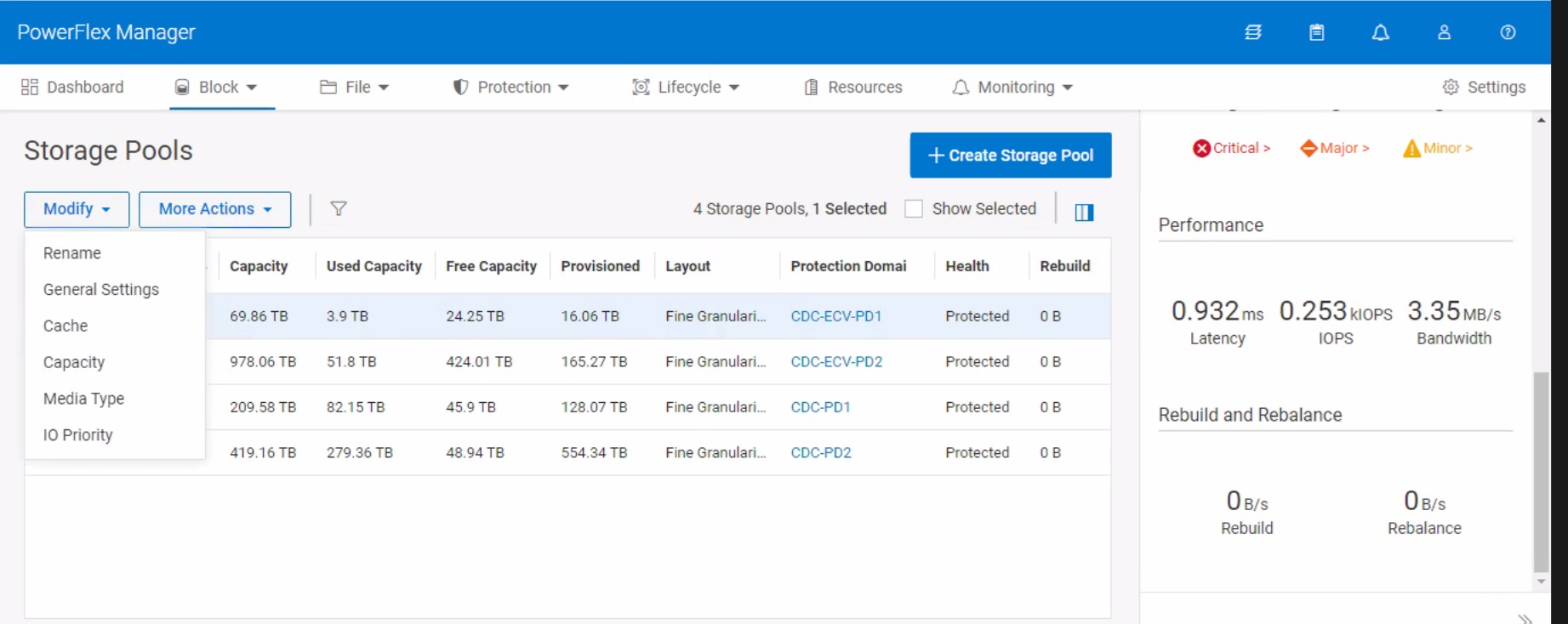
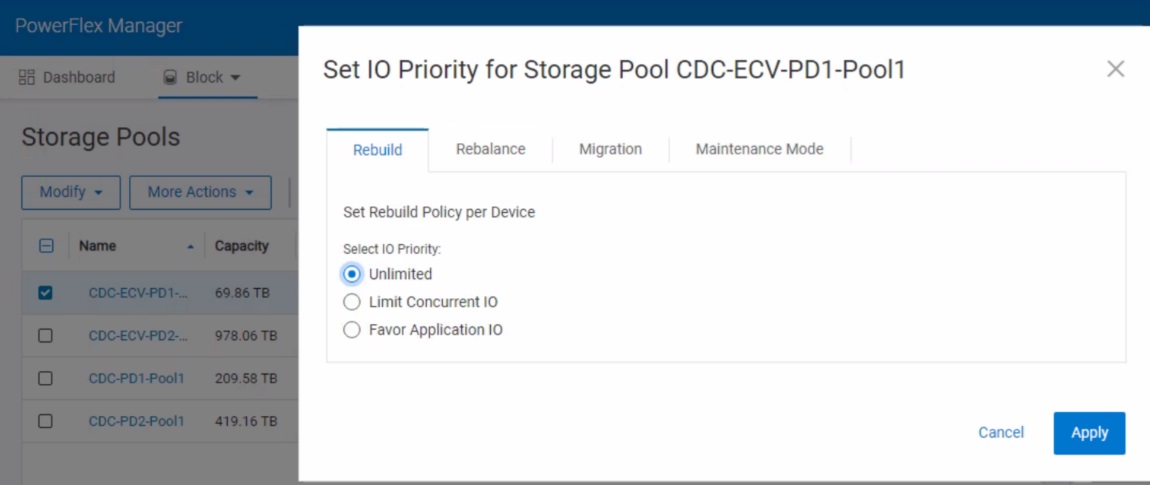
Take a screenshot of the I/O limit value before change it to "Unlimited." Post upgrade we have to revert back to the original values.
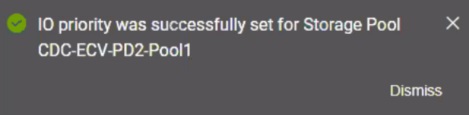
Once you made the changes, that you get the pop as I/O priority was successfully set for the storage pool.
- Login to PowerFlex Manager.
- Select Block---Storage pools----Select the particular storage pool---Modify----I/O Priority
Take a screenshot of the I/O limit value before change it to "Unlimited." Post upgrade we have to revert back to the original values.
- Change the Rebuild, Rebalance, and Maintenance Mode Policy as "Unlimited" and select Apply.
Once you made the changes, that you get the pop as I/O priority was successfully set for the storage pool.
Affected Products
Hyper-converged SystemsArticle Properties
Article Number: 000226257
Article Type: How To
Last Modified: 27 Feb 2025
Version: 2
Find answers to your questions from other Dell users
Support Services
Check if your device is covered by Support Services.