PowerStore: 잘못된 평가판 라이선스 알림
Summary: 이 문서에서는 PowerStore 잘못된 평가판 라이선스 알림에 대해 설명합니다.
This article applies to
This article does not apply to
This article is not tied to any specific product.
Not all product versions are identified in this article.
Symptoms
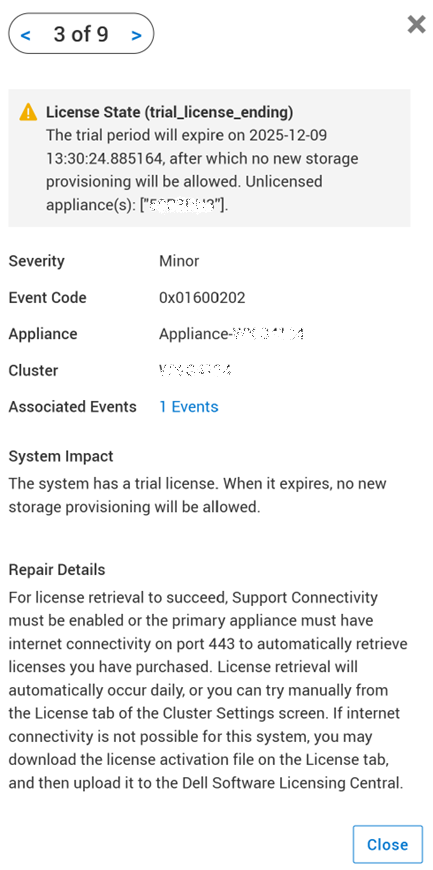
Alert 0x03700102 를 위해 자랐습니다. "A trial license alert is raised, even though PowerStore already has a permanent license installed."

Cause
PowerStoreOS 4.0에서 평가판 라이선스 알림 처리와 관련된 로직의 코드가 변경되면 평가판 라이선스 알림을 지우지 못할 수 있습니다. 특히 마지막 NDU(Non-Disruptive Upgrade) 후 24시간 이내에 영구 라이선스가 적용된 경우 평가판 라이선스 알림을 지우지 못할 수 있습니다.
Resolution
이 알림 알림에는 PowerStore Manager(GUI) -> 설정 -> 지원 -> 자동 복구에서 활성화 또는 비활성화할 수 있는 자동 복구 기능이 포함되어 있습니다.
자동 복구가 이미 활성화되어 있는 경우:
- PowerStore는 자동으로 문제를 해결하고 문제 해결에 성공하면 알림을 지웁니다.
자동 복구가 비활성화된 경우:
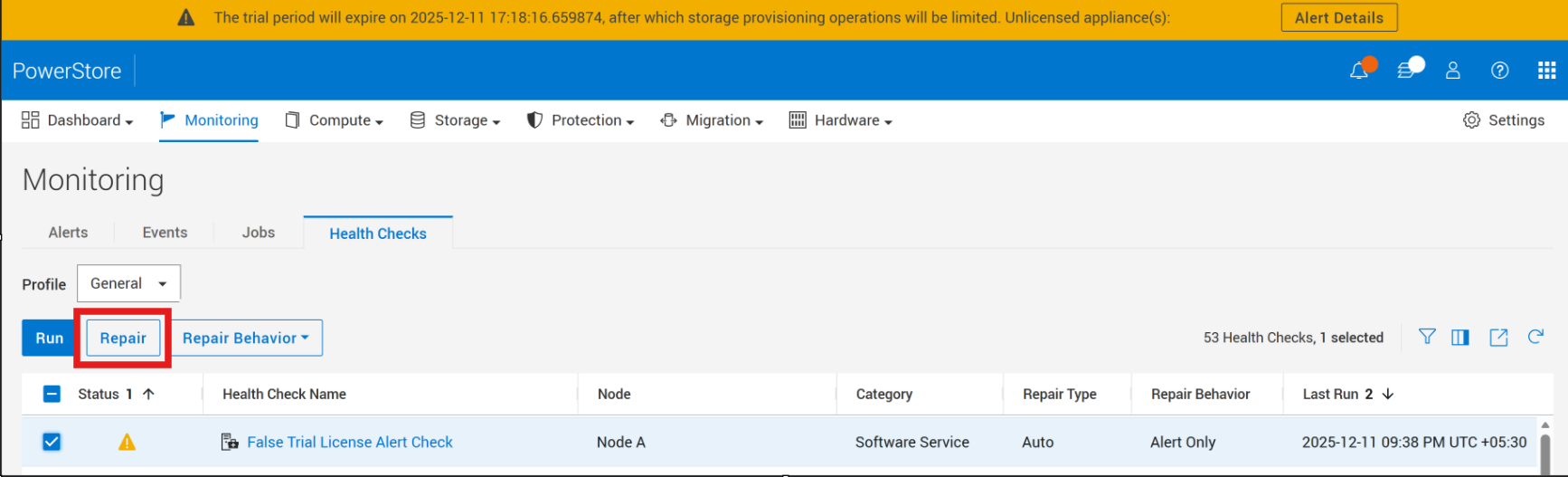
- 자동 복구는 PowerStore Manager(GUI) -> 설정 -> 지원 -> 자동 복구에서 활성화할 수 있습니다. → "알림 전용" 모드에서 "자동 복구" 모드로 전환합니다.
- PowerStore Manager -> Monitoring -> Health Checks -> False평가판 라이선스 알림 확인 -> 복구에서 이 알림에 대한 복구 프로세스를 수동으로 시작합니다.
Additional Information
PowerStore: KB 000193518 참조하십시오. RxDefinitions 문제 랜딩 페이지에서 상태 점검 메커니즘, RxDefinitions 패키지 및 RxDefinitions 알림의 전체 목록에 대한 자세한 내용을 참조하십시오.
Affected Products
PowerStoreArticle Properties
Article Number: 000394667
Article Type: Solution
Last Modified: 18 Dec 2025
Version: 1
Find answers to your questions from other Dell users
Support Services
Check if your device is covered by Support Services.