PowerFlex 操作方法enable_background_device_scanner
Summary: 如何在指定存儲池中的設備上啟用後台設備掃描程式以檢查錯誤(在細粒度存儲池中不受支援)。 以及如何在使用者介面中報告錯誤。
This article applies to
This article does not apply to
This article is not tied to any specific product.
Not all product versions are identified in this article.
Instructions
步驟
報告與修正
下列命令可用於執行背景裝置掃描器
SCLI --enable_background_device_scanner --protection_domain_name PD1 --storage_pool_name pool --scanner_mode device_only --report_and_fix
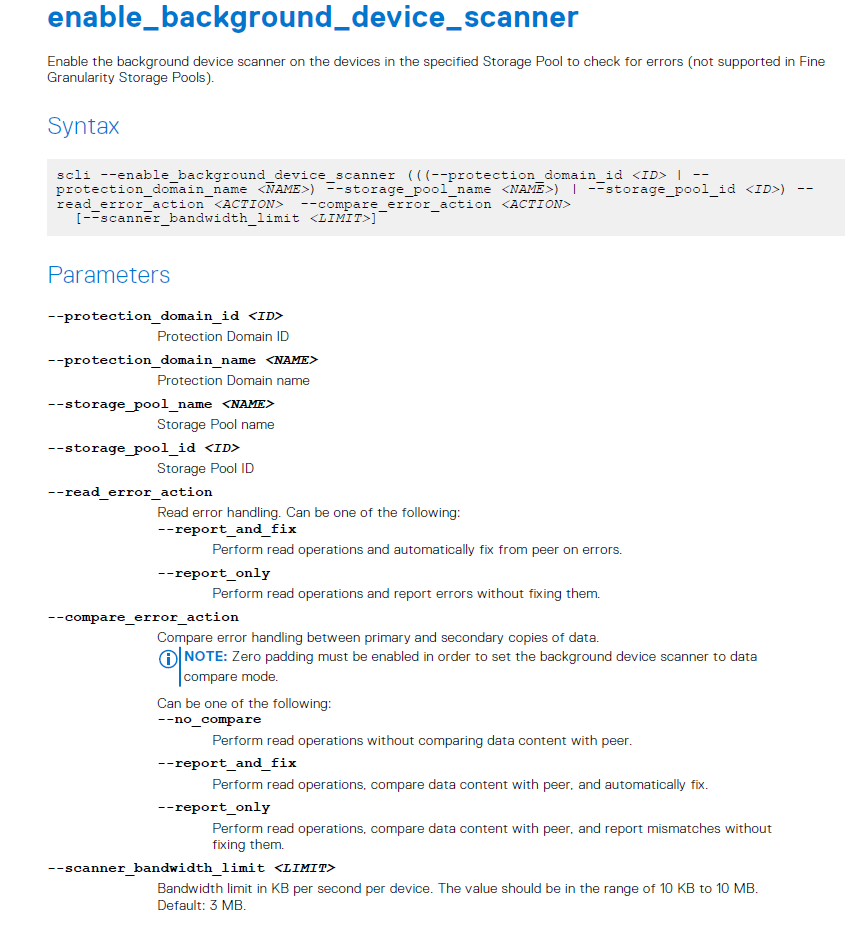
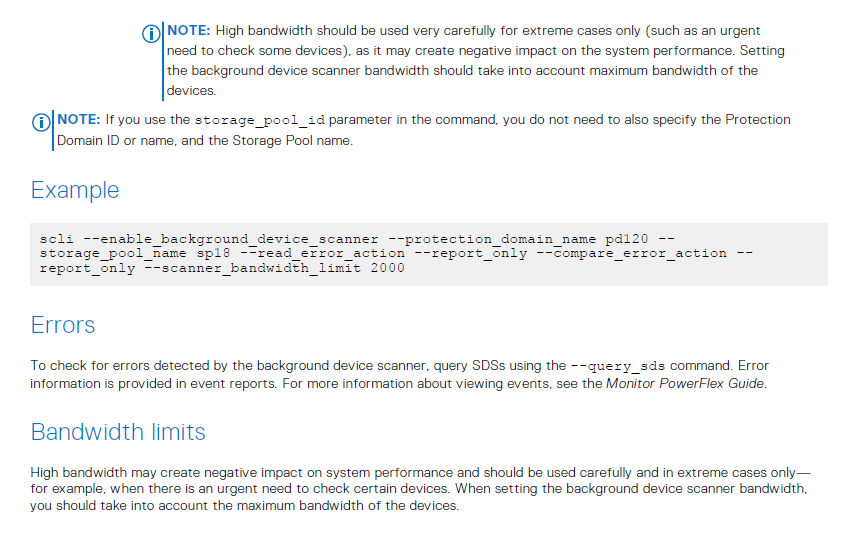
注意:設定「report_and_fix」將導致 GUI 報告裝置掃描器錯誤
範例 #1:PowerFlex 3.5 或更新版本的簡報伺服器警示:
讀取裝置失敗。資料已從其他複本更正。無需執行任何操作,但請注意設備可能有故障。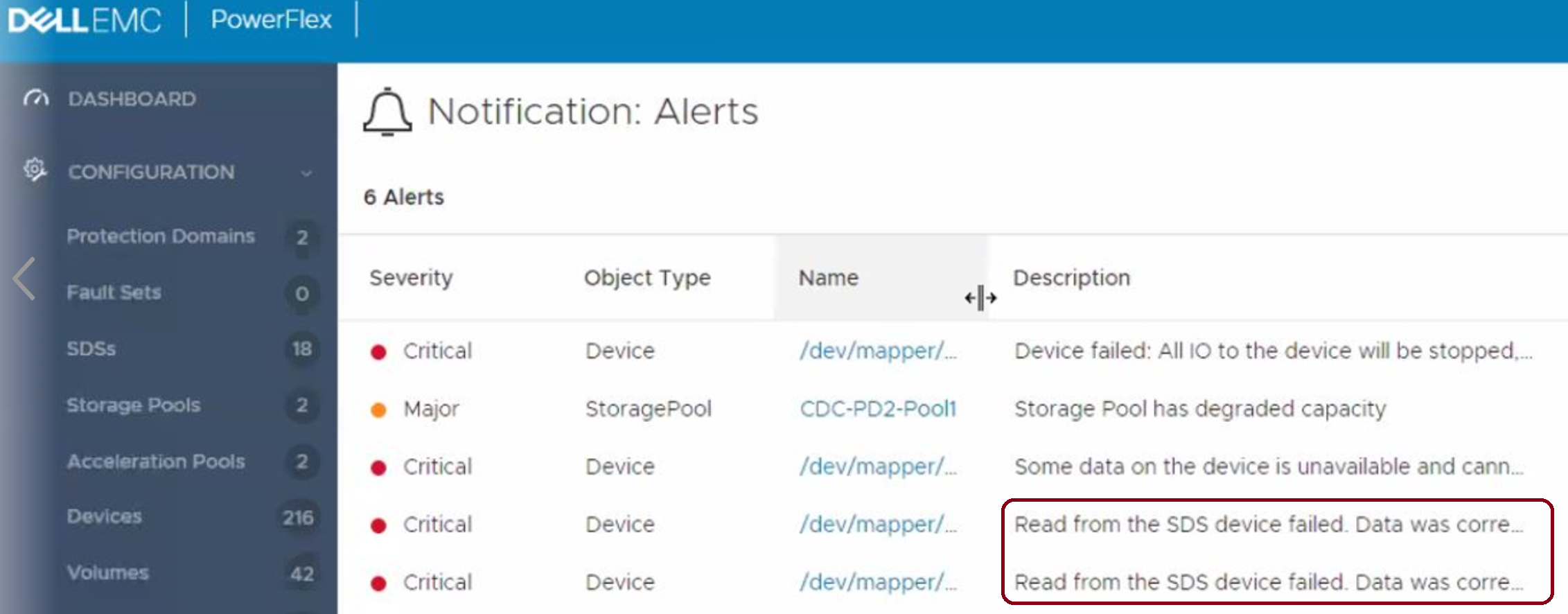
範例 #2: PowerFlex 版本低於 3.5:
SDS 裝置讀取失敗超過五次。更換物理設備。
這也是 VxFlex 作業系統 3.0 版中的預設行為。
未修復任何錯誤 (report_only):
SCLI --enable_background_device_scanner --protection_domain_name PD1 --storage_pool_name pool --scanner_mode device_only --report_only
注意: 設定「report_only」將不會在 GUI 中產生任何報告,但會在比較中報告。XX 檔,如下所述。
有一個名為「比較」的檔。SDS 紀錄資料夾中的 XX,其中包含有關掃描程式檢測到的每個讀取錯誤的資訊,例如:
" lwc-ocu6ikr8h3="">24/02 11:21:03.278967 vtreeId adf1ced400000009 Comb 4ab780000163, offset 2928640 - skipping fixing read error from primary due to configuration flag. primary failed on rc= 65
Additional Information
Affected Products
VxFlex Product FamilyProducts
PowerFlex Software, VxFlex Product Family, VxFlex Ready NodeArticle Properties
Article Number: 000022259
Article Type: How To
Last Modified: 15 Sept 2025
Version: 7
Find answers to your questions from other Dell users
Support Services
Check if your device is covered by Support Services.