Dell EMC Unity:如何启用和配置 NDMP [用户可纠正]
Summary: 如何在阵列上配置 NDMP
This article applies to
This article does not apply to
This article is not tied to any specific product.
Not all product versions are identified in this article.
Instructions
从 Unisphere GUI:
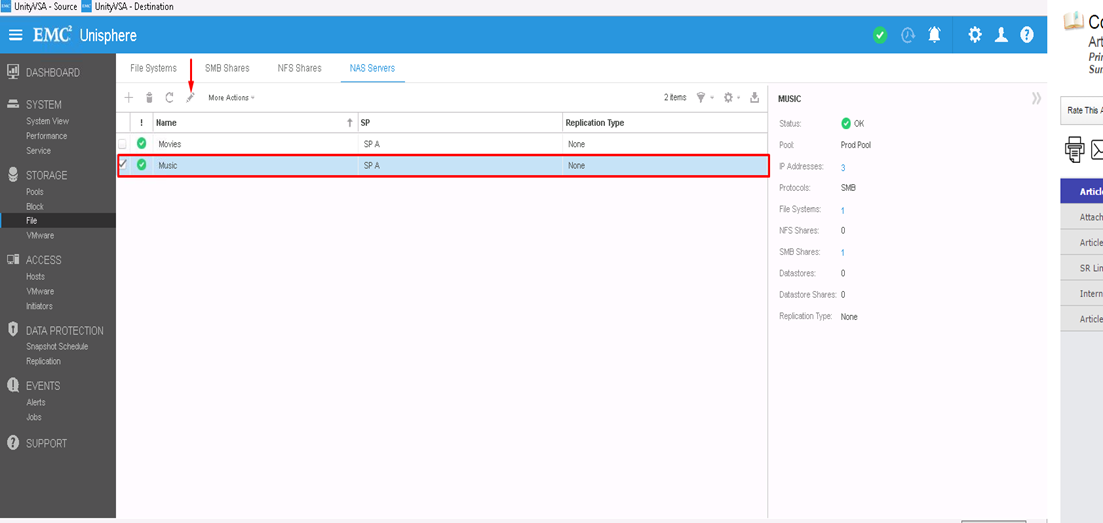
- 首先,选择要配置 NDMP 的 NAS 服务器,然后单击编辑图标进行修改
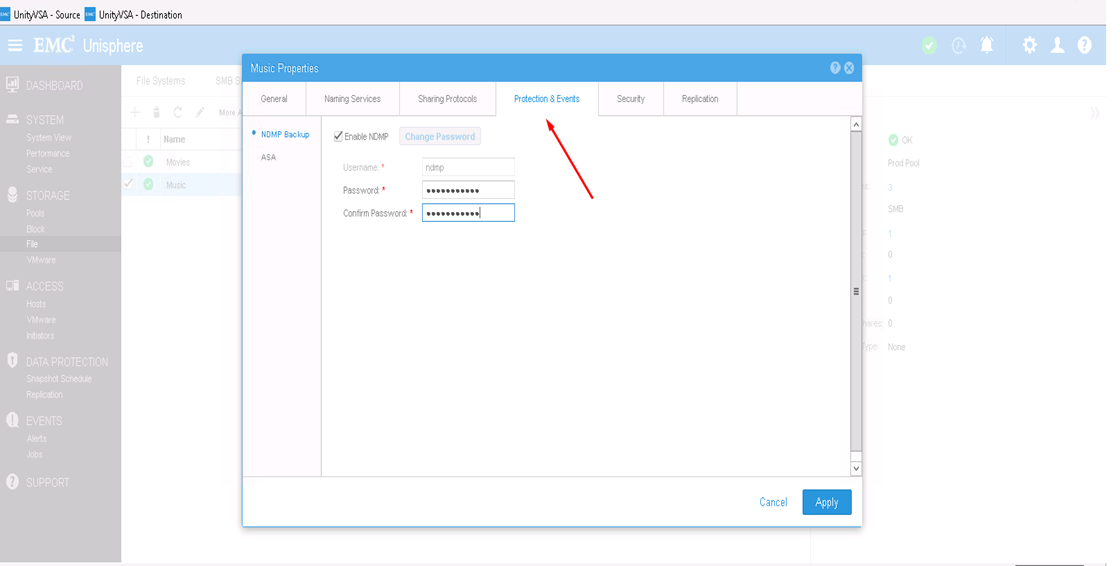
- 在“保护与事件”选项卡中,您可以使用定义的用户名和密码启用 NDMP 复选框
从 CLI:
1) 通过以下方式查找 NAS 服务器资源 ID: uemcli -d <array_ip> -u admin -p <admin_pwd> /net/nas/server show
2) 通过以下方式启用和设置 NDMP 密码:uemcli -d <array_ip> -u admin -p <admin_pwd> /net/nas/ndmp -server <nas_x> set enabled yes passwd ndmp_pwd
以上在用户名为“ndmp”的 Unity 上启用 NDMP。
在备份客户端中,您可以使用 NAS 服务器 IP 地址、“ndmp”作为登录用户以及为 NDMP 备份配置的密码。
Affected Products
Dell EMC Unity FamilyProducts
Dell EMC Unity Family, VNXe1 Series, VNXe2 SeriesArticle Properties
Article Number: 000022637
Article Type: How To
Last Modified: 16 Oct 2025
Version: 3
Find answers to your questions from other Dell users
Support Services
Check if your device is covered by Support Services.