VNX:Unable to open Unisphere - Issues with Java plugin & Browser
Summary: When trying to access Unisphere through IE11 "Java is required for this Application" error is displayed and other issues related to Java and Browsers over Unisphere access.
This article applies to
This article does not apply to
This article is not tied to any specific product.
Not all product versions are identified in this article.
Symptoms
Unable to open Unisphere through browser.
Internet Explorer 11 is not supported for Unisphere access.
Mozilla is the recommended browser for Unisphere, yet it gives JAVA plug in required error while accessing Unisphere.
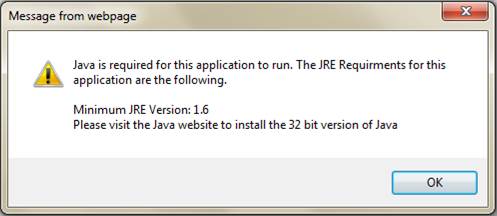
Cause
One of the causes of this issue is existence of Deployment Toolkit in installed JRE Run time environment package and Internet Explorer 11 is not supported for Unisphere access.
Resolution
Since IE11 is not the supported browser of Unisphere, we use the Mozilla browser. Mozilla is the most recommended browser for Unisphere indeed.
Now open JAVA configure as Control Panel=> JAVA(32 bit)
Verify only one JRE should be installed( 1.7u80 or 1.7u79 32-bit works the better):
(Java SE Runtime Environment 7 - Downloads | Oracle Technology Network | Oracle)

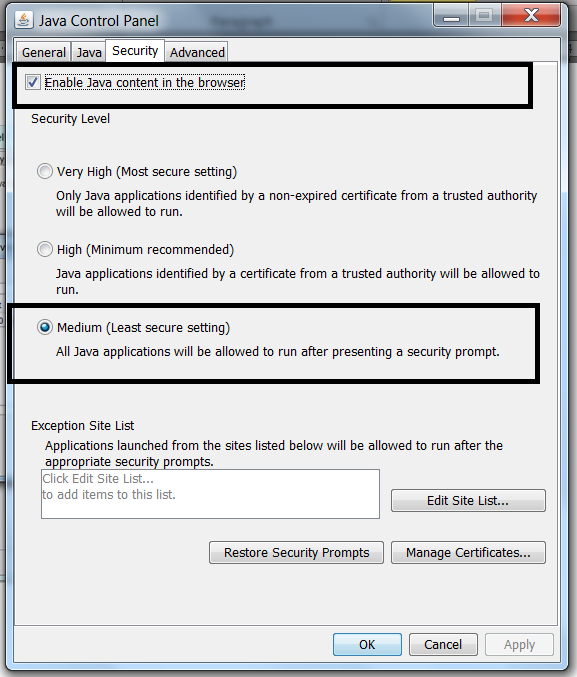
Then check the Security to be at Medium and Enable JAVA content in the browser must be checked:
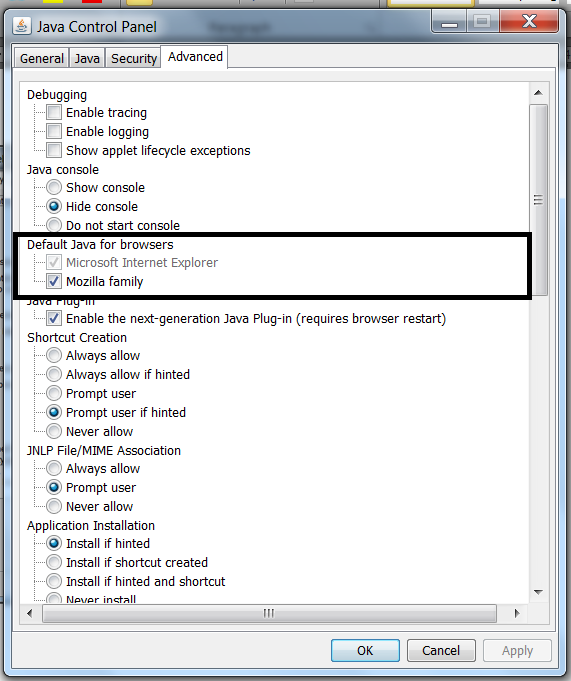
In Advanced Tab, check the Mozilla Family : This enables the JAVA contents in Mozilla browser.
Now re-open the Mozilla browser to access Unisphere.
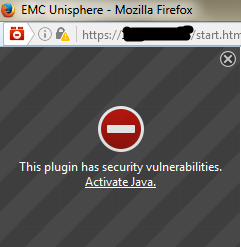
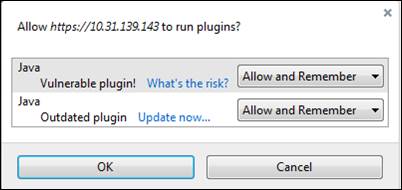
If you get below window then click on Activate Java and then Show All to select Allow and Remember:
Now open JAVA configure as Control Panel=> JAVA(32 bit)
Verify only one JRE should be installed( 1.7u80 or 1.7u79 32-bit works the better):
(Java SE Runtime Environment 7 - Downloads | Oracle Technology Network | Oracle)
Then check the Security to be at Medium and Enable JAVA content in the browser must be checked:
In Advanced Tab, check the Mozilla Family : This enables the JAVA contents in Mozilla browser.
Open the Mozilla browser:
Go to settings and open Plugins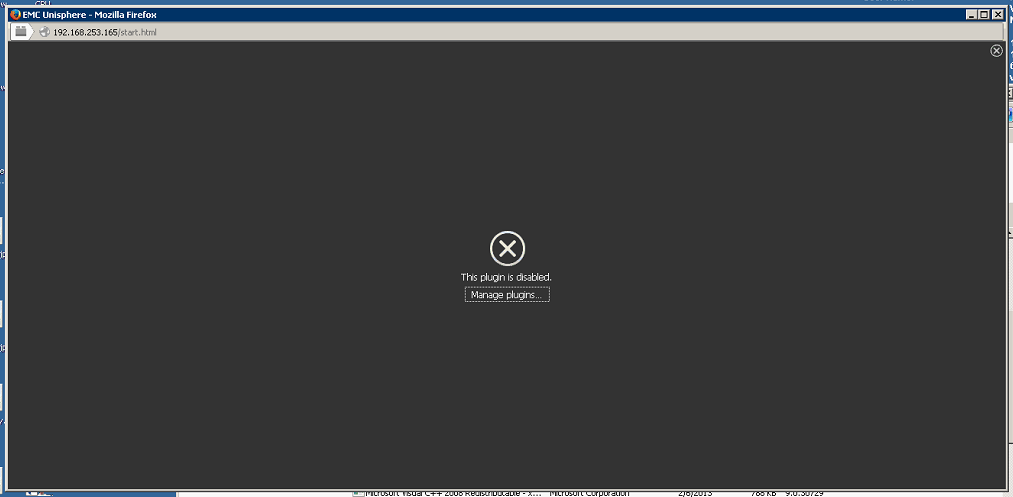
Make sure only JAVA™ Platform SE 7 U80 is at Ask to activate, if there is any Java Deployment Toolkit, then make it Never Activate(Disable) as bellow;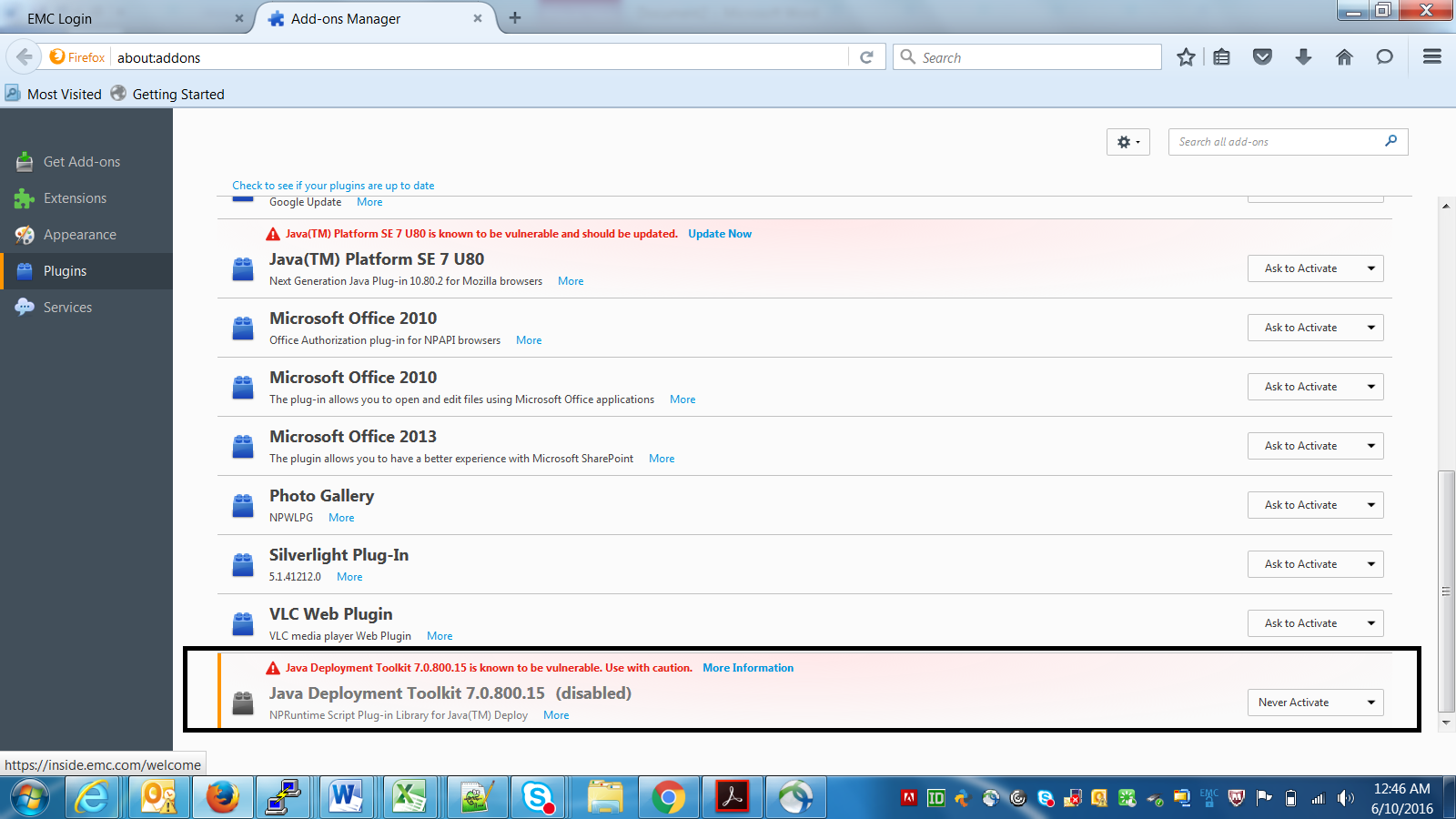
Now re-open the Mozilla browser to access Unisphere.
If you get below window then click on Activate Java and then Show All to select Allow and Remember:
Affected Products
Unisphere Central, VNX1 Series, VNX2 SeriesArticle Properties
Article Number: 000056514
Article Type: Solution
Last Modified: 07 Nov 2025
Version: 5
Find answers to your questions from other Dell users
Support Services
Check if your device is covered by Support Services.