Games Stop Responding When Video Is Switched to Second Screen Only Mode
Summary: The following article provides information about a gaming problem that is seen when changing the video output on Alienware x15 R2 and x17 R2 laptops.
This article applies to
This article does not apply to
This article is not tied to any specific product.
Not all product versions are identified in this article.
Symptoms
Second screen only video mode causes the game to stop responding
Alienware x15 R2 and x17 R2 laptop owners report there are three games that are unavailable or stop responding. This happens when the video output is changed to second screen only mode while the game is running.
The games that are identified are:
- League of Legends
- Guild Wars 2
- Counter-Strike: Global Offensive
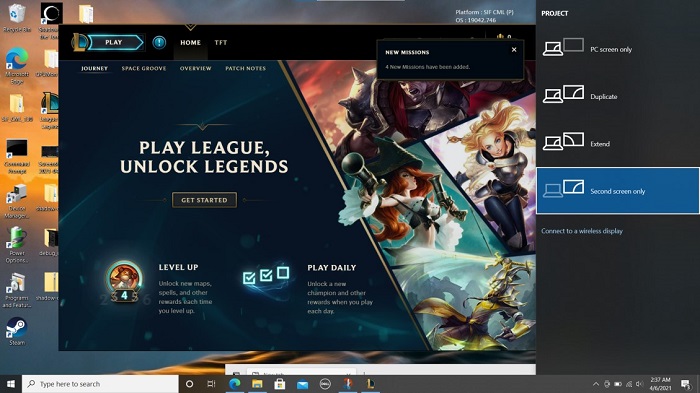
Note: This is a cross-platform issue.
Cause
After the display mode is changed successfully, the game returns, but it takes around five to ten minutes to refresh by itself. This is expected behavior because it takes time to refresh the display setting changes for an online game.
Resolution
Your laptop is working as designed. However, you can avoid this by waiting to launch the game until after you have switched to the different display output mode.
Affected Products
Alienware x15 R2, Alienware x17 R2Article Properties
Article Number: 000195335
Article Type: Solution
Last Modified: 22 Apr 2025
Version: 4
Find answers to your questions from other Dell users
Support Services
Check if your device is covered by Support Services.