AppSync: 일본어 Windows Server 2019에서 ERR_SSL_VERSION_OR_CIPHER_MISMATCH로 AppSync 4.5 콘솔을 열 수 없음
Summary: 일본어 Windows Server 2019에 AppSync 4.5가 설치된 경우 AppSync 4.5 콘솔에 액세스할 수 없습니다. 일본어 Windows Server 2019의 AppSync 서버가 4.4.1.0에서 업그레이드된 경우 AppSync 4.5 콘솔에서는 이 문제가 발생하지 않습니다.
This article applies to
This article does not apply to
This article is not tied to any specific product.
Not all product versions are identified in this article.
Symptoms
일본어 Windows Server 2019에 AppSync 4.5를 설치한 후 ERR_SSL_VERSION_OR_CIPHER_MISMATCH로 AppSync 4.5 콘솔을 열 수 없습니다.
AppSync 4.5가 설치된 일본어 Windows Server 2019에서 AppSync 콘솔에 액세스합니다.
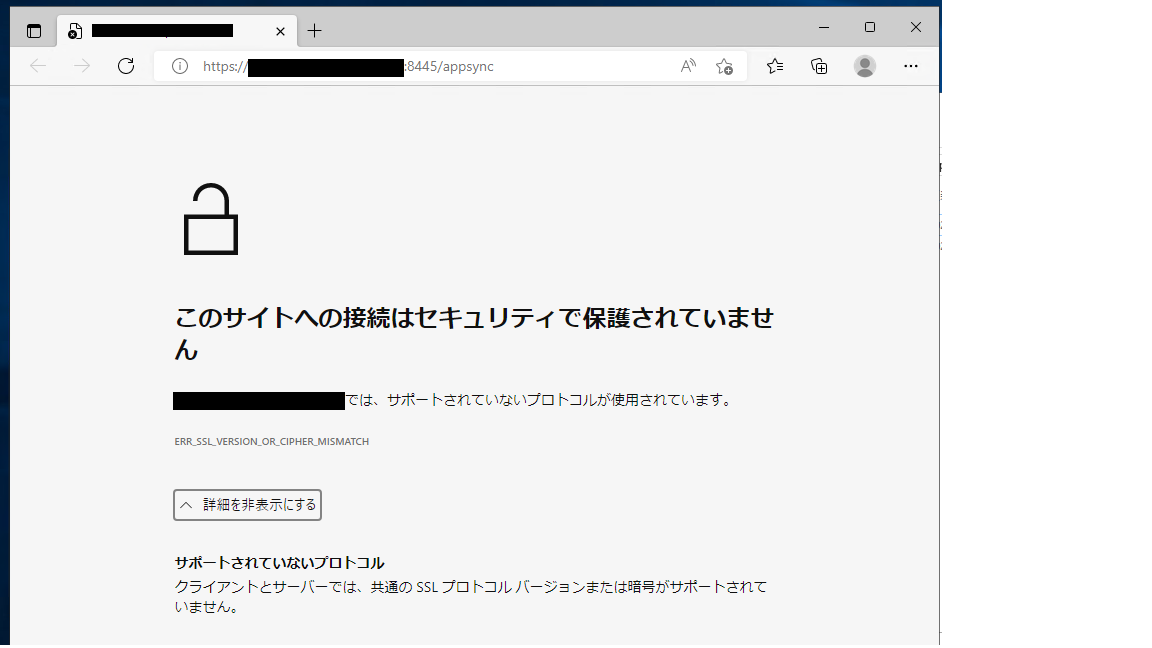
AppSync 콘솔에서 네트워크를 통해 영어 Windows Server 2019에서 일본어 Windows Server 2019의 AppSync 4.5 서버에 액세스합니다.
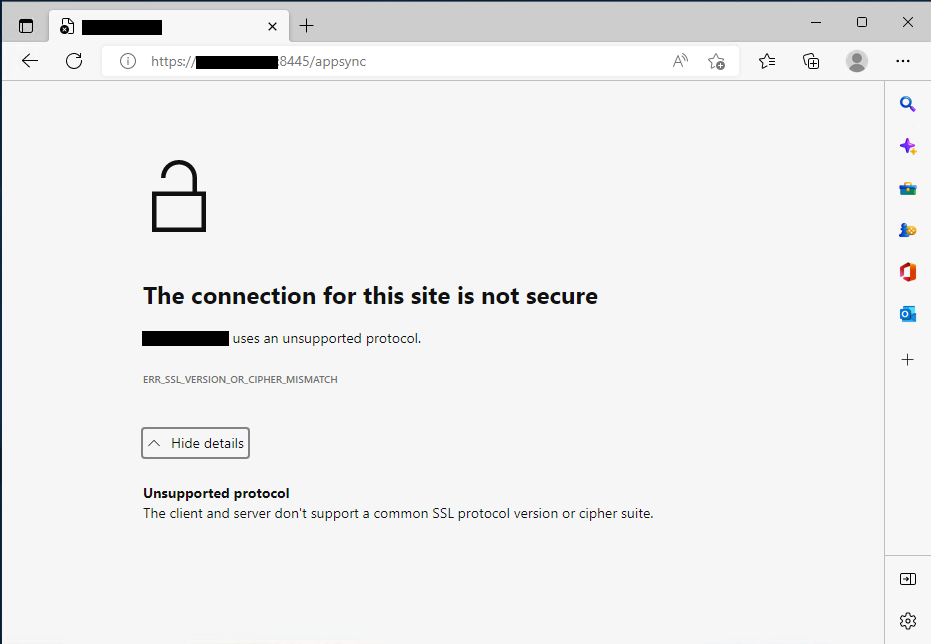
증상 세부 정보:
"Dell_AppSync_Install_xx_xx_xxxx_xx_xx_xx.log"라는 설치 로그에 IP를 가져오지 않았다고 표시됩니다.
AppSync 4.5가 설치된 일본어 Windows Server 2019에서 AppSync 콘솔에 액세스합니다.
AppSync 콘솔에서 네트워크를 통해 영어 Windows Server 2019에서 일본어 Windows Server 2019의 AppSync 4.5 서버에 액세스합니다.
참고: 일본어 Windows Server 2019에서 AppSync 서버를 4.4.1.0에서 4.5로 업그레이드한 경우 AppSync 콘솔 액세스는 정상입니다.
증상 세부 정보:
"Dell_AppSync_Install_xx_xx_xxxx_xx_xx_xx.log"라는 설치 로그에 IP를 가져오지 않았다고 표시됩니다.
Command.run()을 호출합니다. C:\Users\Administrator\AppData\Local\Temp\2\492110.tmp\executeScriptTmp0.bat:stdout [C:\Users\Administrator\AppData\Local\Temp\2\I1662800479\Windows>set IP=]Cause
위에서 IP를 가져오지 않으므로 인증서 및 keycloak 영역을 생성하는 동안 문제가 발생합니다.
Command.run(): C:\Users\Administrator\AppData\Local\Temp\2\492110.tmp\executeScriptTmp0.bat:stdout [C:\Users\Administrator\AppData\Local\Temp\2\I1662800479\Windows>"C:\EMC\AppSync"\jboss\_jre\bin\keytool.exe -genkey -alias appsync -keyalg RSA -validity 365 -keystore "C:\EMC\AppSync"\jboss\standalone\configuration\cas.jks -storetype JKS -ext SAN=DNS:win2019-117.ps-hes.local,,DNS:localhost -dname "cn=win2019-117.ps-hes.local, ou=AppSync, o=EMC, c=US" -keypass changeit -storepass changeit ]
Command.run(): C:\Users\Administrator\AppData\Local\Temp\2\492110.tmp\executeScriptTmp0.bat:stdout [keytoolƒGƒ‰�[: java.lang.Exception: Illegal item  in SAN=DNS:win2019-117.ps-hes.local,,DNS:localhost]

Command.run(): C:\Users\Administrator\AppData\Local\Temp\2\492110.tmp\executeScriptTmp0.bat:stdout [AppSync-INFO Keycloak Realm Creation]
Command.run(): C:\Users\Administrator\AppData\Local\Temp\2\492110.tmp\executeScriptTmp0.bat:stderr [Not a valid JSON document - Unexpected character (',' (code 44)): expected a valid value (JSON String, Number, Array, Object or token 'null', 'true' or 'false']
Command.run(): C:\Users\Administrator\AppData\Local\Temp\2\492110.tmp\executeScriptTmp0.bat:stderr [ at [Source: (StringReader); line: 888, column: 10]]
Command.complete(): process completed with exit code: 1
Resolution
해결 방법:
AppSync에서 지원되는 영어 버전의 Windows를 사용합니다.
영어 이외의 OS 버전은 2022년 9월 15일 AppSync Support Matrix에 따라 지원되지 않습니다.
설치 가이드에서 영어 이외의 OS 버전에 대한 참조가 지원을 잘못 기록합니다.
추가 우려 사항은 현지 Dell 팀에 문의하거나 서비스 요청에 전화하여 이 문서를 참고하십시오.
AppSync에서 지원되는 영어 버전의 Windows를 사용합니다.
영어 이외의 OS 버전은 2022년 9월 15일 AppSync Support Matrix에 따라 지원되지 않습니다.
설치 가이드에서 영어 이외의 OS 버전에 대한 참조가 지원을 잘못 기록합니다.
추가 우려 사항은 현지 Dell 팀에 문의하거나 서비스 요청에 전화하여 이 문서를 참고하십시오.
Products
AppSyncArticle Properties
Article Number: 000203449
Article Type: Solution
Last Modified: 23 Feb 2023
Version: 6
Find answers to your questions from other Dell users
Support Services
Check if your device is covered by Support Services.