NetWorker: NMM SQL Database Backups Not Initiating
Summary: The SQL database backup jobs start from the SQL studio, but the backups do not initiate and do not show any progress.
This article applies to
This article does not apply to
This article is not tied to any specific product.
Not all product versions are identified in this article.
Symptoms
SQL database backup jobs configured from SQL studio start but the backups do not initiate and do not show any progress.
The manual backups that are run from the command line complete successfully.
The manual backups that are run from the command line complete successfully.
Cause
It was observed that for some SQL database backups, the backups do not start with the default parallelism 4 set in client properties. The saved job is unable to start due to client parallelism limits.
Set debug for nsrjobd process
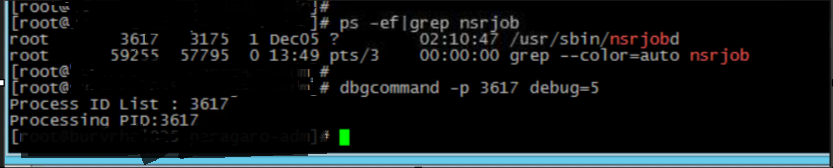
Notice messages as seen below on daemon.log after setting debug for nsrjobd process

Set debug for nsrjobd process
Notice messages as seen below on daemon.log after setting debug for nsrjobd process
Resolution
Increase the Parallelism parameter to 12 in the Client properties tab "Globals 1 of 2."
Article Properties
Article Number: 000221047
Article Type: Solution
Last Modified: 19 May 2026
Version: 3
Find answers to your questions from other Dell users
Support Services
Check if your device is covered by Support Services.