OptiPlex 3000 Thin Client Windows IoT Default Admin Password
Summary: This article discusses the default password for the OptiPlex 3000 Thin Client Windows IoT admin account.
This article applies to
This article does not apply to
This article is not tied to any specific product.
Not all product versions are identified in this article.
Instructions
OptiPlex 3000 Thin Client user signs out of the computer and needs a password to regain access to the computer. The admin needs the Windows IoT admin password to log in to the admin account.
The default password for the Admin account is Admin#<Service tag in capital letters> of the device. The default password for the User account is User#<Service tag in capital letters> of the device.
Reference the Windows 10 IoT Enterprise LTSC 2021 for OptiPlex 3000 Thin Client Administrator’s Guide:
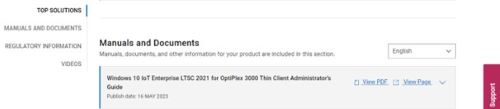
- Click Getting Started in the Table of Contents.
- Click Automatic and manual login.
Note: The default password can be used to sign in to the admin account if the password has not been changed.
Affected Products
OptiPlex 3000 Thin ClientArticle Properties
Article Number: 000214259
Article Type: How To
Last Modified: 18 May 2026
Version: 8
Find answers to your questions from other Dell users
Support Services
Check if your device is covered by Support Services.