如何在适用于 Alienware 笔记本电脑的 mSata SSD 上启用缓存?
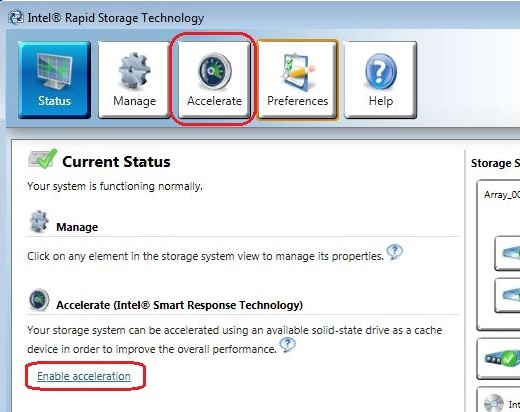
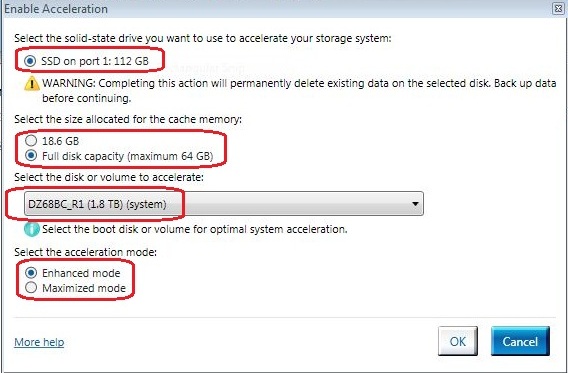
Summary: 本文将指导您将 Windows 上的 mSata SSD 设置为处于高速缓存模式。
This article applies to
This article does not apply to
This article is not tied to any specific product.
Not all product versions are identified in this article.
Symptoms
无症状信息。
Cause
无原因信息。
Resolution
|

Affected Products
Alienware 14, Alienware 17, Alienware 18, ALIENWARE M14X R2, Alienware M17x R4, ALIENWARE M18X R2Article Properties
Article Number: 000144559
Article Type: Solution
Last Modified: 19 Dec 2024
Version: 6
Find answers to your questions from other Dell users
Support Services
Check if your device is covered by Support Services.