PowerFlex 3.X: Unable to Create Lockbox After Java Upgrade
Summary: PowerFlex Gateway (GW) Web UI does not load, and the end-user cannot create a lockbox after Java Upgrade to version 1.8.0 build 351.
This article applies to
This article does not apply to
This article is not tied to any specific product.
Not all product versions are identified in this article.
Symptoms
PowerFlex Gateway version 3.6.0.4
Upgraded Java version to 1.8.0 build 351
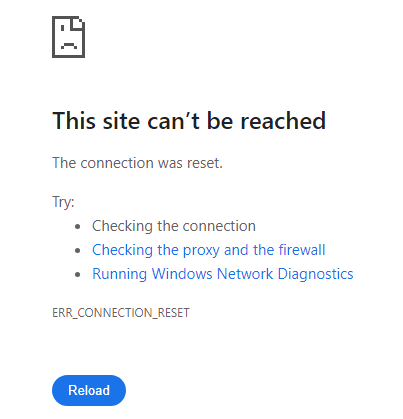
The Gateway Web UI shows the error:
This site can't be reached The connection was reset. ... ERR_CONNECTION_RESET
Gateway ScaleIO.log shows the following error:
2024-08-14 10:02:11,609 [Thread-3] ERROR c.e.s.a.mdm_proxy.MdmProxyServiceGW - in ScaleIo alert poller:
java.lang.IllegalStateException: Failed to load default crypto configuration. Either instantiate Lockbox with a custom crypto configuration or install a JCE provider which is capable of supporting the default crypto configuration
The following error message may also be seen when creating a lockbox:
/opt/emc/scaleio/gateway/bin/FOSGWTool.sh --set_mdm_credentials --mdm_user admin --create_default_lockbox --mdm_password "<mdm_password>"
Exception in thread "main" java.lang.IllegalStateException: Failed to load default crypto configuration. Either instantiate Lockbox with a custom crypto configuration or install a JCE provider which is capable of supporting the default crypto configuration
Impact
Unable to access the GW UI or create a lockbox.
Cause
After upgrading Java to version 1.8.0_351, the GW UI fails to load and cannot create a lockbox. This issue arises because JAR files signed with SHA-1 algorithms are restricted by default in Java and treated as unsigned.
The problem is related to the cryptoj library signed with SHA-1 and used by the GW.
Resolution
Upgrade the PowerFlex Gateway to version 3.6.1 or higher.
Impacted Version:
PowerFlex 3.6 or lower
Fixed Version:
PowerFlex 3.6.1
Article Properties
Article Number: 000228082
Article Type: Solution
Last Modified: 02 Jan 2026
Version: 2
Find answers to your questions from other Dell users
Support Services
Check if your device is covered by Support Services.