PowerStore: La adición del iniciador falla con el error "Cannot add IQN since it already exists as part of the host (0xE0A01001000C)"
Summary: La adición del iniciador falla con el error "Cannot add IQN since it already exists as part of the host (0xE0A01001000C)"
This article applies to
This article does not apply to
This article is not tied to any specific product.
Not all product versions are identified in this article.
Symptoms
Dispositivo que ejecuta PowerStore OE 2.2.1
Dos hosts (host1 y host2) se asignaron por error a iniciadores con el mismo WWPN
El WWPN duplicado se elimina del host1
La salida de la GUI y la PSTCLI no muestran el WWPN eliminado en uso por ningún host.
Intentar agregar el WWPN que se eliminó del host1 al host2 falla con el error "Cannot add IQN since it already exists as part of the host (0xE0A01001000C)"
Nota: Ignore la referencia de IQN; el problema se aplica a cualquier tipo de iniciador.
Ejemplo de problema: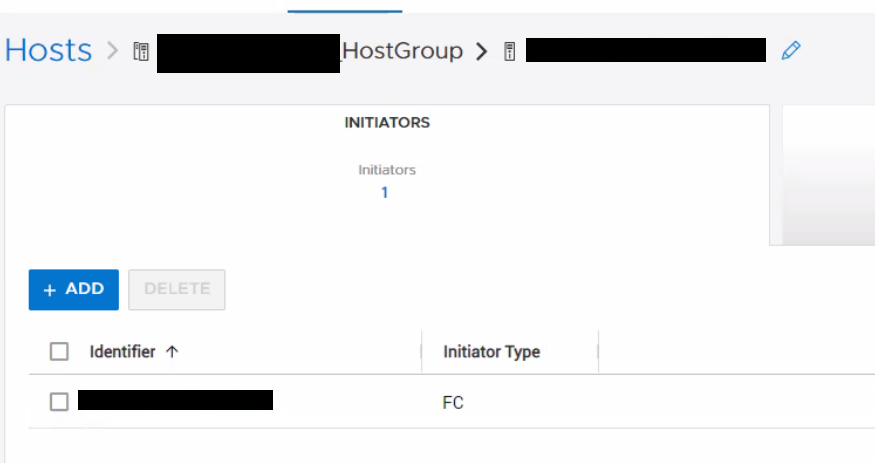
El iniciador que intentamos agregar tampoco se encontrará en ningún otro host mediante pstcli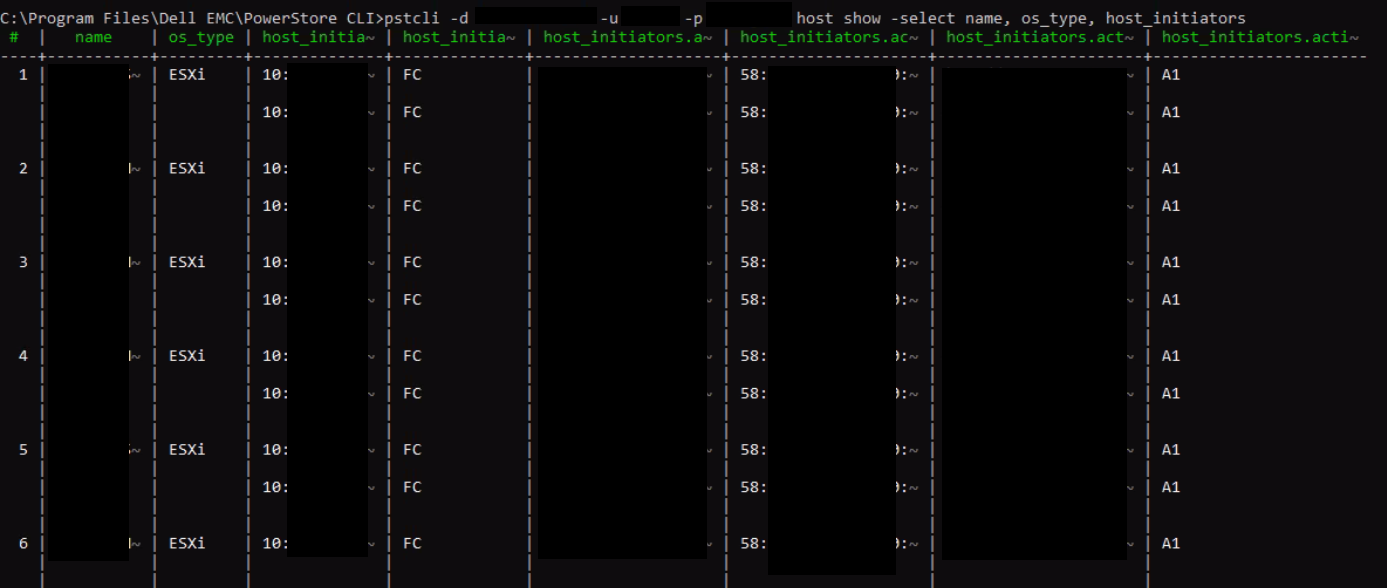
Dos hosts (host1 y host2) se asignaron por error a iniciadores con el mismo WWPN
El WWPN duplicado se elimina del host1
La salida de la GUI y la PSTCLI no muestran el WWPN eliminado en uso por ningún host.
Intentar agregar el WWPN que se eliminó del host1 al host2 falla con el error "Cannot add IQN since it already exists as part of the host (0xE0A01001000C)"
Nota: Ignore la referencia de IQN; el problema se aplica a cualquier tipo de iniciador.
Ejemplo de problema:
- Cree 2 hosts, host1 con WWPN A, B, host2 con WWPN C.
- Agregue esos hosts a un grupo de hosts.
- Agregue el WWPN A al host2. Se realizó correctamente. Ahora cada host tiene 2 iniciadores. Esto es incorrecto. 2 hosts no pueden usar el mismo WWPN.
- Quite EL WWPN A del host1. WWPN A parece eliminarse de ambos hosts en la GUI, pero no se elimina de la base de datos subyacente para el host2.
- Ahora intente agregar WWPN A al host2. Falla con el error "Cannot add IQN since it already exists as part of the host (0xE0A01001000C)"
El iniciador que intentamos agregar no aparecerá en la lista del host en la GUI.
El iniciador que intentamos agregar tampoco se encontrará en ningún otro host mediante pstcli
"host show -select name, os_type, host_initiators"
Cause
Hay un problema con PowerStore OE 2.1.1.1 que permite agregar un iniciador duplicado a un host existente.
Resolution
Solución alternativa:
si se encuentra este problema, comuníquese con el soporte técnico de Dell y mencione este artículo para obtener ayuda.
Solución:
este problema se corrigió en PowerStore OE 3.0.0.1 y versiones posteriores.
si se encuentra este problema, comuníquese con el soporte técnico de Dell y mencione este artículo para obtener ayuda.
Solución:
este problema se corrigió en PowerStore OE 3.0.0.1 y versiones posteriores.
Affected Products
PowerStoreArticle Properties
Article Number: 000205128
Article Type: Solution
Last Modified: 27 Jul 2023
Version: 3
Find answers to your questions from other Dell users
Support Services
Check if your device is covered by Support Services.