PowerStore: Het toevoegen van initiator mislukt met de foutmelding "Cannot add IQN since it already exists as part of the host (0xE0A01001000C)"
Summary: Het toevoegen van initiator mislukt met de foutmelding "Cannot add IQN since it already exists as part of the host (0xE0A01001000C)"
This article applies to
This article does not apply to
This article is not tied to any specific product.
Not all product versions are identified in this article.
Symptoms
Apparaat met PowerStore OE 2.2.1
Twee hosts (host1 en host2) zijn ten onrechte toegewezen aan initiators met dezelfde WWPN
De dubbele WWPN wordt verwijderd uit host1
De GUI- en PSTCLI-uitvoer tonen niet de verwijderde WWPN die door een host wordt gebruikt.
Het toevoegen van de WWPN die is verwijderd van host1 naar host2 mislukt met de foutmelding "Cannot add IQN since it already exists as part of the host (0xE0A01001000C)"
Opmerking: Negeer de IQN-verwijzing, het probleem is van toepassing op elk initiatortype.
Voorbeeld van probleem: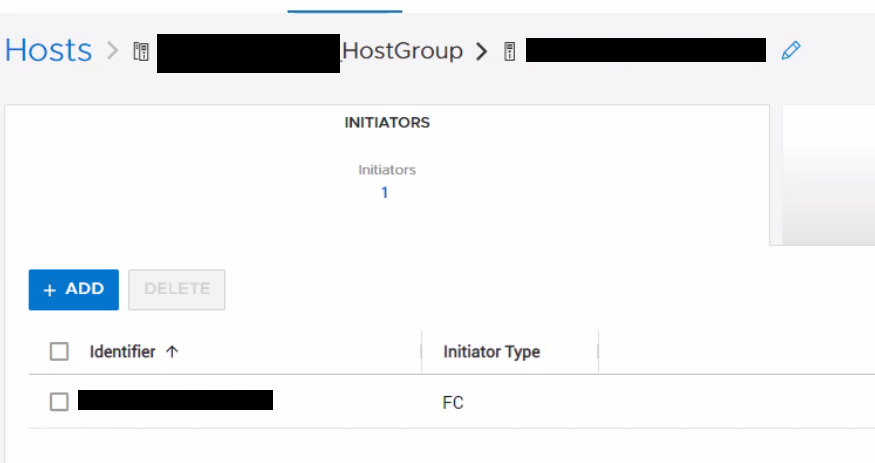
De initiator die we proberen toe te voegen, wordt ook niet gevonden in een andere host met PSTCLI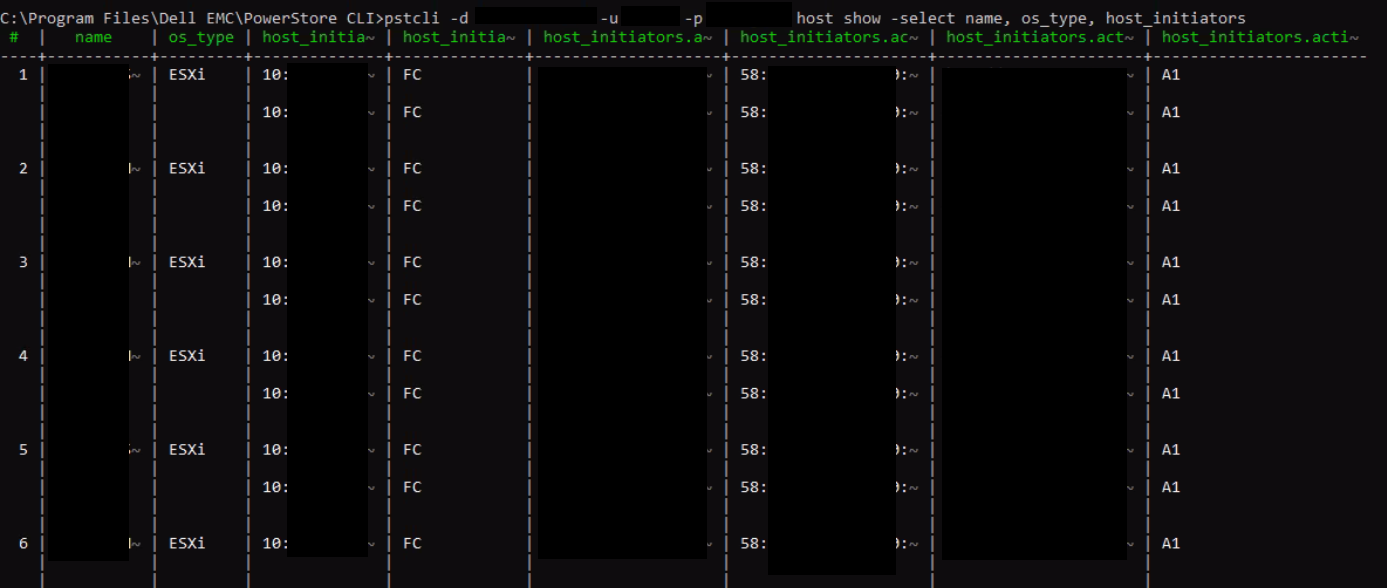
Twee hosts (host1 en host2) zijn ten onrechte toegewezen aan initiators met dezelfde WWPN
De dubbele WWPN wordt verwijderd uit host1
De GUI- en PSTCLI-uitvoer tonen niet de verwijderde WWPN die door een host wordt gebruikt.
Het toevoegen van de WWPN die is verwijderd van host1 naar host2 mislukt met de foutmelding "Cannot add IQN since it already exists as part of the host (0xE0A01001000C)"
Opmerking: Negeer de IQN-verwijzing, het probleem is van toepassing op elk initiatortype.
Voorbeeld van probleem:
- Maak 2 hosts, host1 met WWPN A, B, host2 met WWPN C.
- Voeg deze hosts toe aan een hostgroep.
- Voeg WWPN A toe aan host2. Dit is gelukt. Nu heeft elke host 2 initiators. Dit is onjuist. 2 hosts kunnen niet dezelfde WWPN gebruiken.
- Verwijder WWPN A van host1. WWPN A lijkt te worden verwijderd uit beide hosts in de GUI, maar wordt niet verwijderd uit de onderliggende database voor host2.
- Probeer nu WWPN A toe te voegen aan host2. Het mislukt met de foutmelding "Cannot add IQN since it already exists as part of the host (0xE0A01001000C)"
De initiator die we proberen toe te voegen, wordt niet vermeld onder de host in de GUI.
De initiator die we proberen toe te voegen, wordt ook niet gevonden in een andere host met PSTCLI
"host show -select name, os_type, host_initiators"
Cause
Er is een probleem met PowerStore OE 2.1.1.1 waarmee u een dubbele initiator aan een bestaande host kunt toevoegen.
Resolution
Tijdelijke oplossing:
Als dit probleem zich voordoet, neem dan contact op met Dell Technische Support en verwijs naar dit artikel voor hulp.
Oplossing:
Dit probleem is opgelost in PowerStore OE 3.0.0.1 en hoger.
Als dit probleem zich voordoet, neem dan contact op met Dell Technische Support en verwijs naar dit artikel voor hulp.
Oplossing:
Dit probleem is opgelost in PowerStore OE 3.0.0.1 en hoger.
Affected Products
PowerStoreArticle Properties
Article Number: 000205128
Article Type: Solution
Last Modified: 27 Jul 2023
Version: 3
Find answers to your questions from other Dell users
Support Services
Check if your device is covered by Support Services.