PowerStore:新增啟動器失敗,並顯示錯誤「無法新增 IQN,因為它已作為主機的一部分存在 (0xE0A01001000C)」
Summary: 新增啟動器失敗,並顯示錯誤「無法新增 IQN,因為它已作為主機的一部分存在 (0xE0A01001000C)」
This article applies to
This article does not apply to
This article is not tied to any specific product.
Not all product versions are identified in this article.
Symptoms
執行 PowerStore OE 2.2.1
兩台主機 (主機 1 和主機 2) 的裝置被誤指派使用相同 WWPN
的啟動器。從 host1
刪除重複的 WWPN。GUI 和 PSTCLI 輸出不會在任何主機使用中顯示已刪除的 WWPN。
嘗試新增從主機 1 刪除到主機 2 的 WWPN 失敗,並顯示錯誤「Cannot add IQN,因為它已存在主機 (0xE0A01001000C)」注意
:忽略 IQN 參照,此問題適用于任何啟動器類型。
問題範例: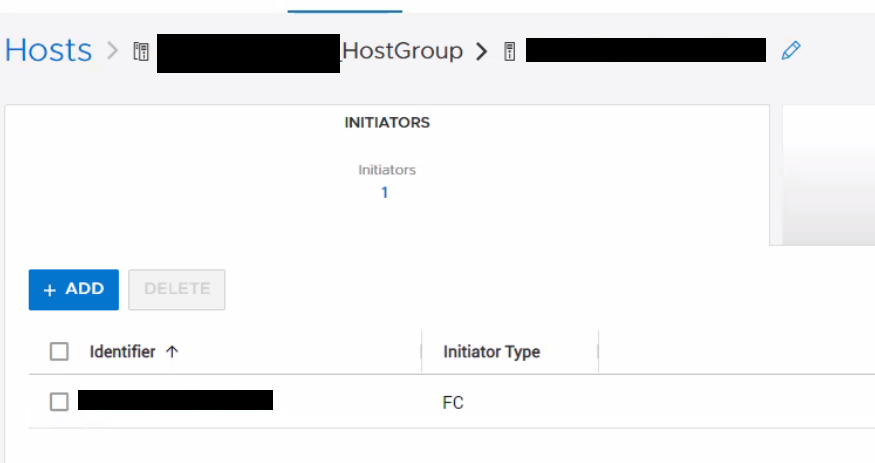
我們嘗試新增的啟動器也找不到使用 PSTCLI 的任何其他主機
兩台主機 (主機 1 和主機 2) 的裝置被誤指派使用相同 WWPN
的啟動器。從 host1
刪除重複的 WWPN。GUI 和 PSTCLI 輸出不會在任何主機使用中顯示已刪除的 WWPN。
嘗試新增從主機 1 刪除到主機 2 的 WWPN 失敗,並顯示錯誤「Cannot add IQN,因為它已存在主機 (0xE0A01001000C)」注意
:忽略 IQN 參照,此問題適用于任何啟動器類型。
問題範例:
- 建立 2 台主機、主機 1 和 WWPN A、B、主機 2 (含 WWPN C)。
- 將這些主機新增至主機群組。
- 將 WWPN A 新增至主機 2。成功。現在每個主機都有 2 個啟動器。這是錯的。2 台主機無法使用相同的 WWPN。
- 從主機 1 移除 WWPN A。WWPN A 似乎已從 GUI 的兩台主機上移除,但並未從主機 2 的底層資料庫中移除。
- 現在嘗試新增 WWPN A 至主機 2。它失敗並顯示錯誤「Cannot add IQN,因為它已經是主機的一部分 (0xE0A01001000C)」
我們嘗試新增的啟動器不會列在 GUI 的主機底下。
我們嘗試新增的啟動器也找不到使用 PSTCLI 的任何其他主機
"host show -select name, os_type, host_initiators"
Cause
PowerStore OE 2.1.1.1 發生問題,可將重複啟動器新增至現有主機。
Resolution
因應措施:
如果遇到此問題,請聯絡 Dell 技術支援部門並參考本文以取得協助。
修正:
此問題已在 PowerStore OE 3.0.0.1 及更新版本中修正。
如果遇到此問題,請聯絡 Dell 技術支援部門並參考本文以取得協助。
修正:
此問題已在 PowerStore OE 3.0.0.1 及更新版本中修正。
Affected Products
PowerStoreArticle Properties
Article Number: 000205128
Article Type: Solution
Last Modified: 27 Jul 2023
Version: 3
Find answers to your questions from other Dell users
Support Services
Check if your device is covered by Support Services.