VxRail: Satellite Node Upgrade Failed With an Incompatible Error
Resumen: This article explains when a satellite node upgrade failed with the error incompatible with the current version. This happens due to the satellite node version not being defined in the VxRail managers supported node add version list. ...
Síntomas
If the cluster-managed folder has a satellite node that is running on version below the clusters system version. When a satellite node upgrade is performed, the upgrade precheck may fail with an error: incompatible with current version.
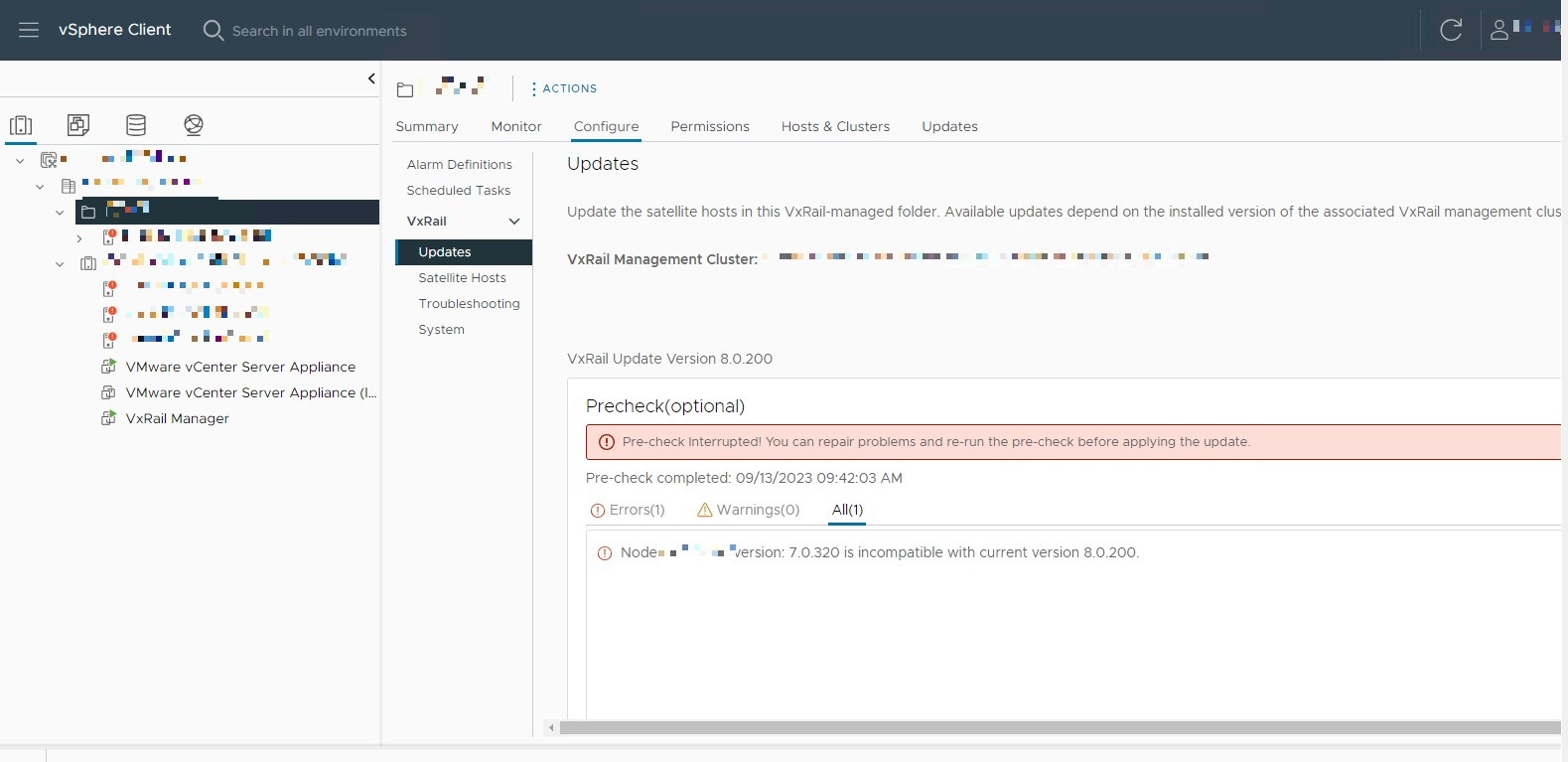
Check the VxRail Node Addition Matrix. The satellite node version may not be listed in the supported node addition versions for the current cluster version.
In the screenshot above, the satellite node version is 7.0.320, it is not supported to be added into a 8.0.200 cluster according to the VxRail Node Addition Matrix.
Causa
VxRail manager has defined node baseline files to determine whether a node running a lower version of VxRail can be added into a VxRail cluster or not.
If a nodes version of VxRail is not supported by the clusters version, the VxRail manager will not define the baseline file for that version.
The satellite node upgrade process performs a precheck to see if the node version is compatible with the cluster version. One of the ways it does this is by using the same rules as the node addition matrix.
So if a certain node version cannot be added into the cluster, the same version satellite node upgrade precheck will also report an incompatible error.
This restriction will be deleted in a future VxRail release.
Resolución
If your problem symptom matches this article, then engage Dell Technical Support to perform a workaround to upgrade the incompatible satellite node.