Dell Unity: How To Edit Proxy Server Attributes
Résumé: This article explants how to change support configuration attributes for proxy servers.
Cet article concerne
Cet article ne concerne pas
Cet article n’est associé à aucun produit spécifique.
Toutes les versions du produit ne sont pas identifiées dans cet article.
Instructions
Format
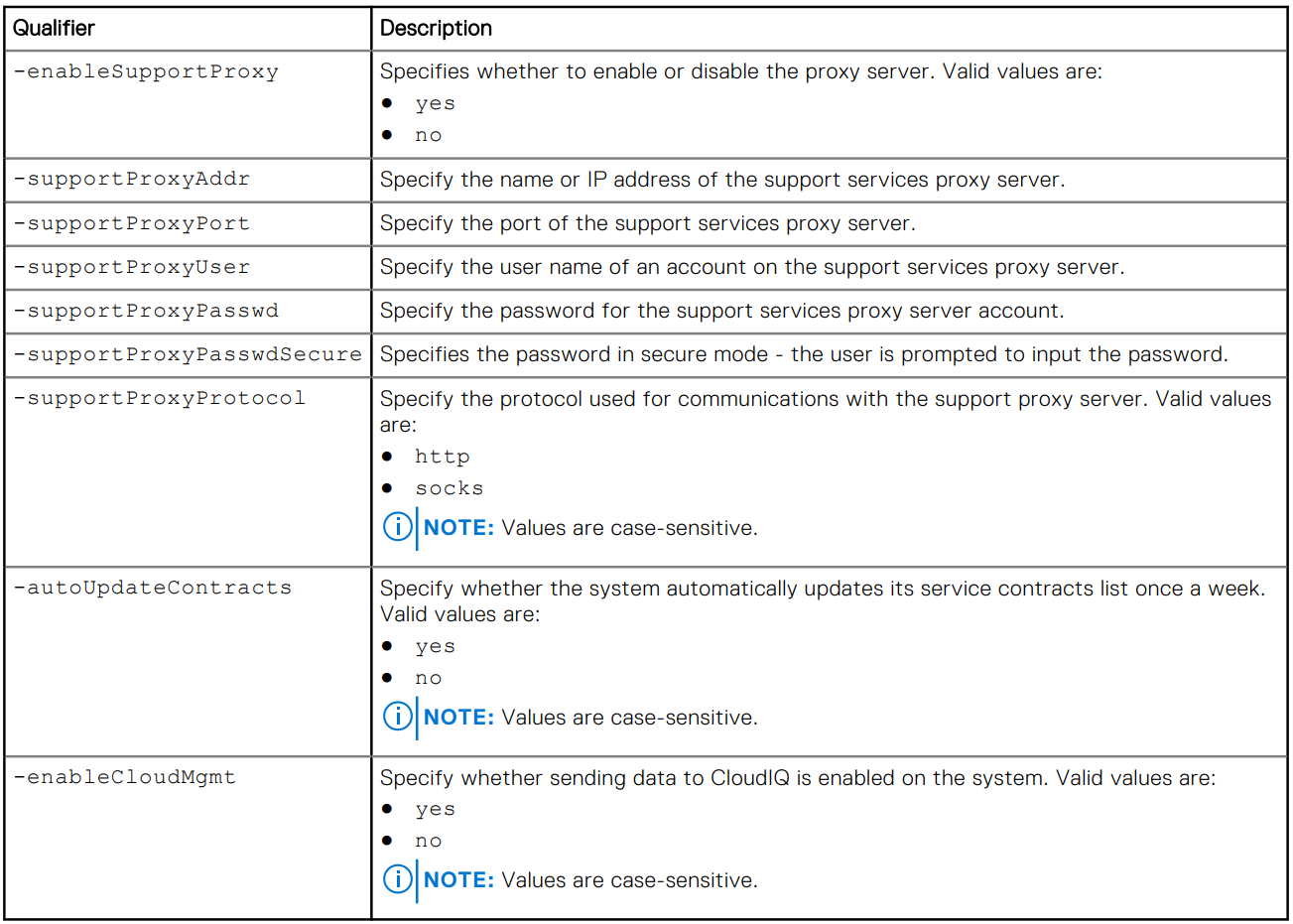
/sys/support/config set [-enableSupportProxy {yes | no }] [-supportProxyAddr <value>]
[-supportProxyPort <value>] [-supportProxyUser <value> {-supportProxyPasswd <value> |-
supportProxyPasswdSecure}] [-supportProxyProtocol {http | socks}] [-autoUpdateContracts
{yes | no}] [-enableCloudMgmt {yes | no}]
Example

Informations supplémentaires
The proxy server password is not visible in the array backend or the logs. The password is removed from the array because it is associated to the proxy server database-entry. This means that when the database entry is removed, the password is also removed.
Produits concernés
Dell EMC Unity, Dell EMC Unity Family |Dell EMC Unity All Flash, Dell EMC Unity HybridPropriétés de l’article
Numéro d’article: 000009793
Type d’article: How To
Dernière modification: 03 nov. 2025
Version: 4
Trouvez des réponses à vos questions auprès d’autres utilisateurs Dell
Services de support
Vérifiez si votre appareil est couvert par les services de support.