How to Identify the Netskope Console Version
Résumé: Learn how to identify the version of the Netskope console by following these step-by-step instructions.
Cet article concerne
Cet article ne concerne pas
Cet article n’est associé à aucun produit spécifique.
Toutes les versions du produit ne sont pas identifiées dans cet article.
Instructions
This article provides the steps to locate and identify the Netskope console version.
Affected Products:
- Netskope
Knowing the Netskope console version allows you to:
- Identify known issues
- Determine UI differences
- Understand workflow changes
- In a web browser, go to the Netskope web console:
- United States Datacenter: https://[TENANT].goskope.com/
- European Union Datacenter: https://[TENANT].eu.goskope.com/
- Frankfurt Datacenter: https://[TENANT].de.goskope.com/
Note: [TENANT] = The tenant name in your environment - Log in to the Netskope web console.
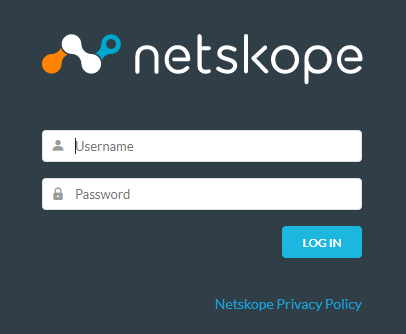
- Click Settings.

- Record the Netskope Version. In the example, 87.2.2.490 is the Netskope console version.
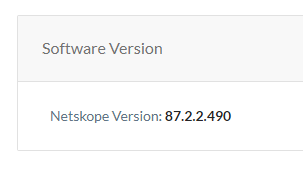 Note: The Netskope Version may differ from the example.
To contact support, reference Dell Data Security International Support Phone Numbers.
Go to TechDirect to generate a technical support request online.
For additional insights and resources, join the Dell Security Community Forum.
Produits concernés
NetskopePropriétés de l’article
Numéro d’article: 000190320
Type d’article: How To
Dernière modification: 11 mai 2026
Version: 5
Trouvez des réponses à vos questions auprès d’autres utilisateurs Dell
Services de support
Vérifiez si votre appareil est couvert par les services de support.