VxRail: How to Identify STIG Version
Résumé: How to find the installed Security Technical Implementation Guidelines (STIG) version in a VxRail cluster.
Cet article concerne
Cet article ne concerne pas
Cet article n’est associé à aucun produit spécifique.
Toutes les versions du produit ne sont pas identifiées dans cet article.
Instructions
VxRail supports Security Technical Implementation Guidelines (STIG) hardening by running the script or module provided with the STIG hardening package (see article VxRail: Security Technical Implementation Guide on VxRail). Information regarding the STIG hardening process can be found afterwards in the Custom Attributes section under the Summary tab for the cluster and service Virtual Machines (VMs).
See the Dell VxRail STIG Hardening Guide for additional information (Log in as a registered Dell Support user is required to view this document.)
Viewing Cluster Objects
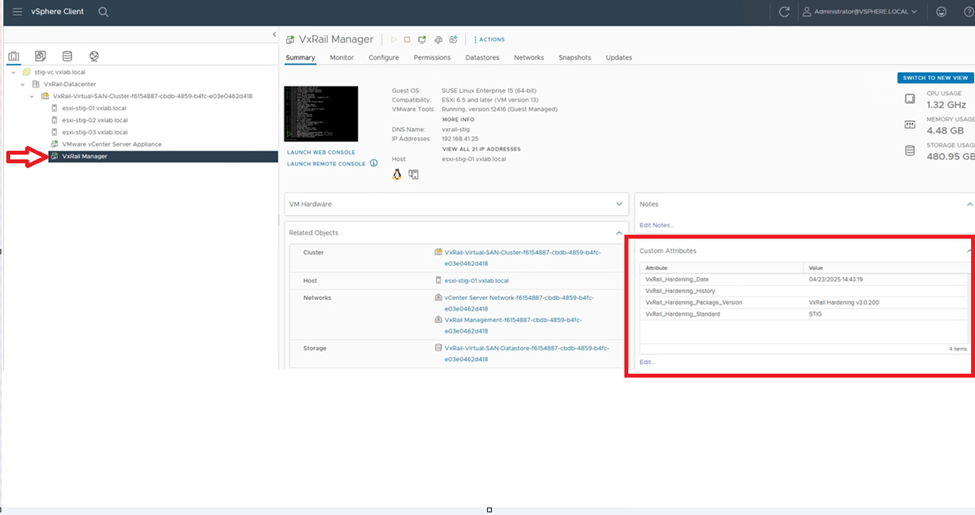
From the vCenter vSphere client Inventory view, go to the VxRail cluster > Summary > Custom Attributes and scroll through to see STIG hardening-related information for cluster objects (VxRail Hardening Date, node service tag, VxRail Hardening History, and STIG package version applied)
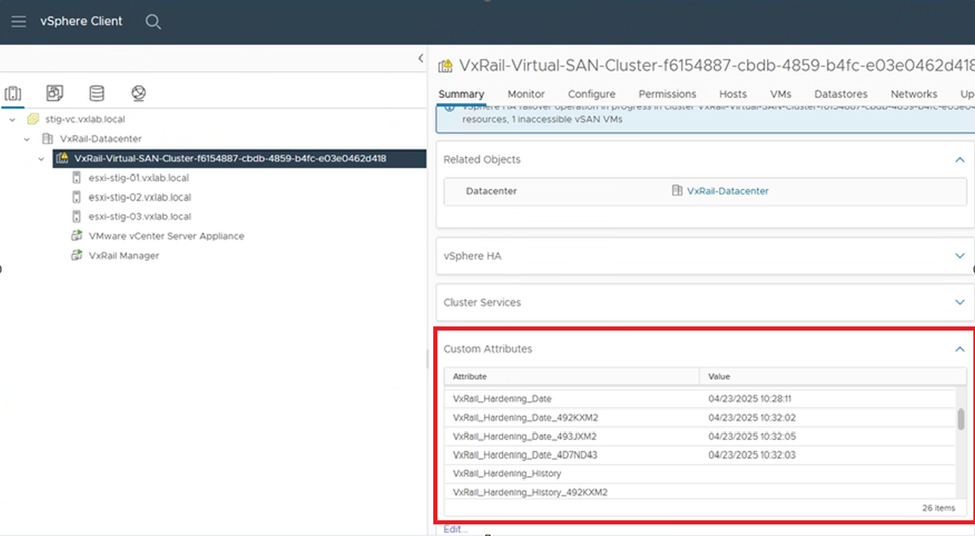
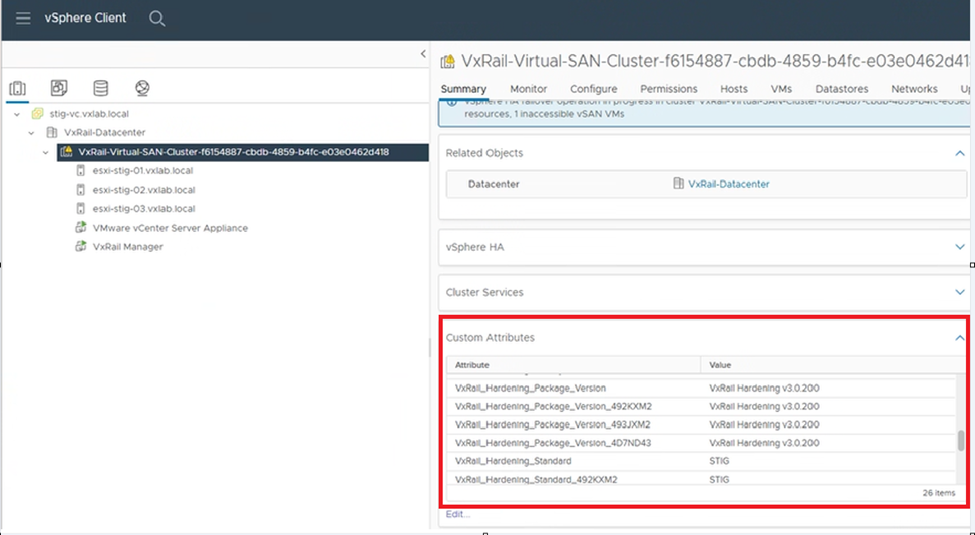
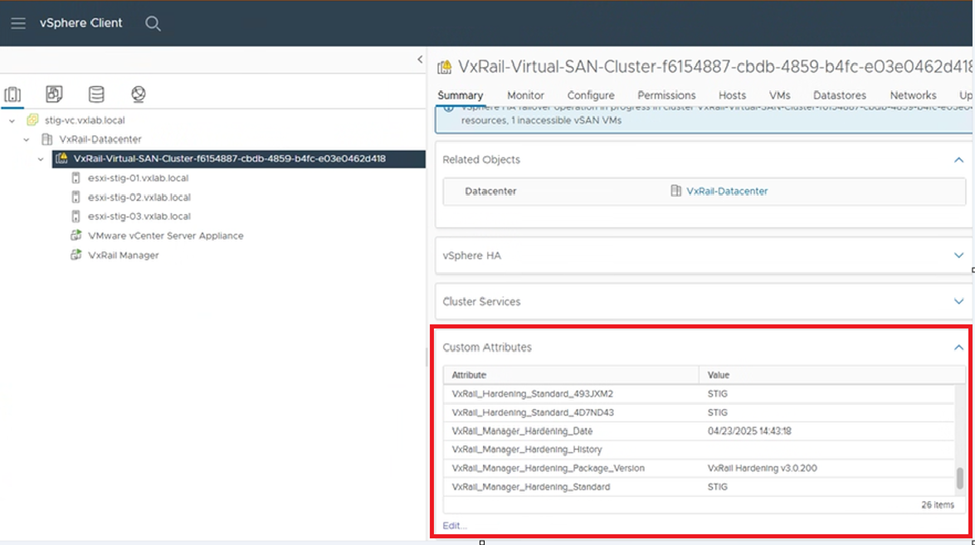
Viewing VxRail Deployed Service VMs
From the vCenter vSphere client Inventory view, browse to a VxRail Service VM > Summary > Custom Attributes and scroll through to see STIG hardening-related information associated with the VxRail deployed VMs (VxRail Hardening Date, VxRail Hardening History and STIG package version applied)
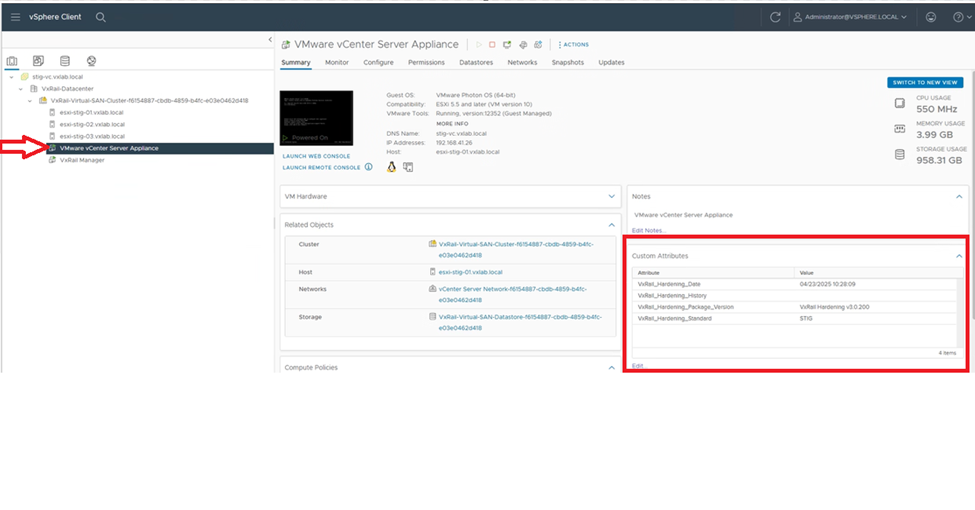
Produits concernés
VxRail, VxRail Appliance Series, VxRail SoftwarePropriétés de l’article
Numéro d’article: 000321694
Type d’article: How To
Dernière modification: 07 mai 2026
Version: 4
Trouvez des réponses à vos questions auprès d’autres utilisateurs Dell
Services de support
Vérifiez si votre appareil est couvert par les services de support.