Latitude 5510: Visual Guide to your Computer
Résumé: The following article provides a visual guide to your Latitude 5510 Notebook Computer and lists the external ports and features of your laptop.
Cet article concerne
Cet article ne concerne pas
Cet article n’est associé à aucun produit spécifique.
Toutes les versions du produit ne sont pas identifiées dans cet article.
Symptômes
Note: For a more detailed description about each location, go to the laptop manual at www.dell.com/support
Table of Contents:
- Front View
- Top View
- Bottom View
- Left-Hand Side View
- Right-Hand Side View
- AC Adapter View
- Additional Info:
Cause
Front View
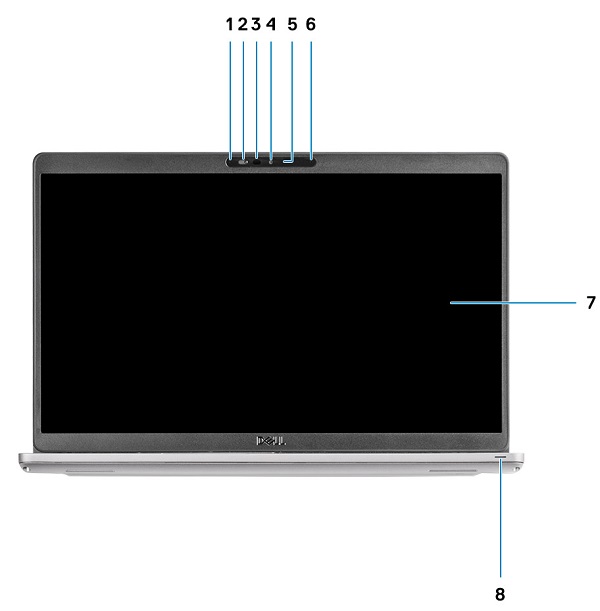
(Figure.1 Front View)
| 1 | Array Microphone | 2 | Camera Shutter |
| 3 | Infrared (IR) Emitter (Optional) | 4 | Camera |
| 5 | Camera Status LED | 6 | Array Microphone |
| 7 | Display | 8 | LED Activity Light |
Top View
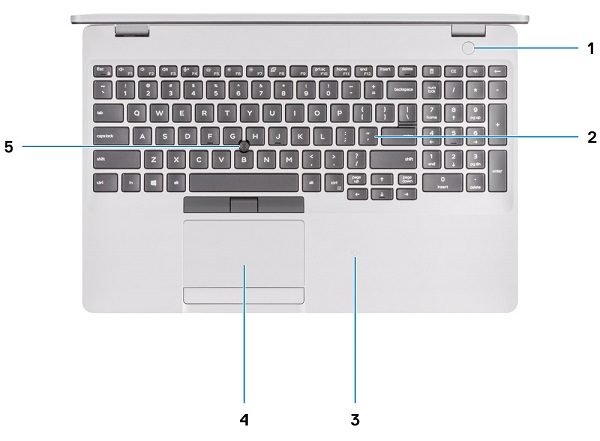
(Figure.2 Top View)
| 1 | Power Button w/Fingerprint Reader (Optional) | 2 | Keyboard |
| 3 | NFC w/Contactless SmartCard Reader (Optional) | 4 | Touchpad |
| 5 | TrackPoint |
Bottom View
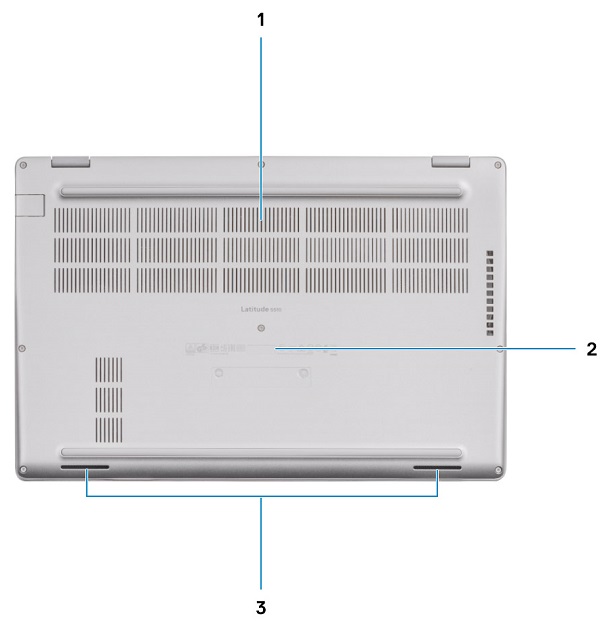
(Figure.3 Bottom View)
| 1 | Air Vent | 2 | Service Tag Location |
| 3 | Speakers |
Left-Hand Side View
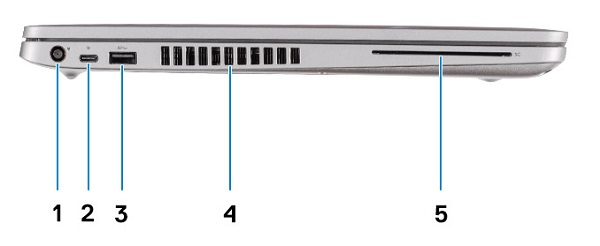
(Figure.4 Left-Hand Side View)
| 1 | DC-In Connector | 2 | USB 3.2 Gen2 (USB Type-C) Connector w/DisplayPort/PowerDelivery/Thunderbolt (Optional) |
| 3 | USB 3.2 Gen1 Type-A Connector | 4 | Air Vent |
| 5 | SmartCard Reader (Optional) |
Right-Hand Side View
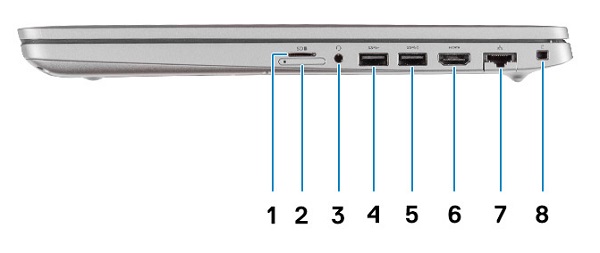
(Figure.5 Right-Hand Side View)
| 1 | microSD Card Slot | 2 | Micro SIM Card Slot |
| 3 | Universal Audio Jack Connector | 4 | USB 3.2 Gen1 Type-A Connector |
| 5 | USB 3.2 Type-A Connector w/PowerShare | 6 | HDMI 1.4b Connector |
| 7 | Network Connector | 8 | Wedge-Shaped Security Slot |
Résolution
AC Adapter View
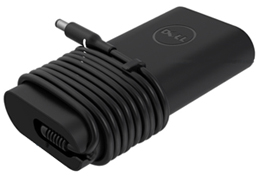
(Figure.6 65W AC Adapter)
| Type 65 W | Description |
| Input Voltage | 100 VAC to 240 VAC |
| Output Current | 3.34 A (Continuous) |
| Output Power | 65 W |
| Output Voltage | 19.5 VDC |
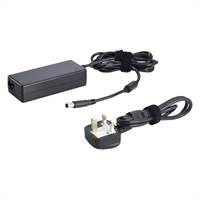
(Figure.7 90 W AC Adapter)
| Type 90 W | Description |
| Input Voltage | 100 VAC to 240 VAC |
| Output Current | 4.62 A (Continuous) |
| Output Power | 90 W |
| Output Voltage | 19.5 VDC |
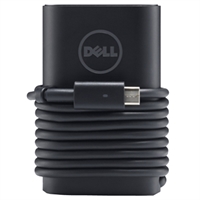
(Figure.8 65/90 W Type-C AC Adapter)
| USB Type-C 65/90 W | Description |
| Input Voltage | 100 VAC to 240 VAC |
| Output Current | 4.62 A (Continuous) |
| Output Power | 65/90 W |
| Output Voltage | 19.5 VDC |
Informations supplémentaires
- Latitude 5510 Teardown/Removal guide for customer replaceable units (CRUs)
- Latitude 5510 online documents
Produits concernés
Latitude 5510Propriétés de l’article
Numéro d’article: 000133991
Type d’article: Solution
Dernière modification: 05 mai 2025
Version: 7
Trouvez des réponses à vos questions auprès d’autres utilisateurs Dell
Services de support
Vérifiez si votre appareil est couvert par les services de support.