PowerFlex 3.6 Clearing Disk Errors in PowerFlex Presentation Server
Résumé: These are the steps for Clearing Disk Errors in the PowerFlex Presentation Server.
Cet article concerne
Cet article ne concerne pas
Cet article n’est associé à aucun produit spécifique.
Toutes les versions du produit ne sont pas identifiées dans cet article.
Instructions
Clearing Disk Errors in PowerFlex Presentation Server
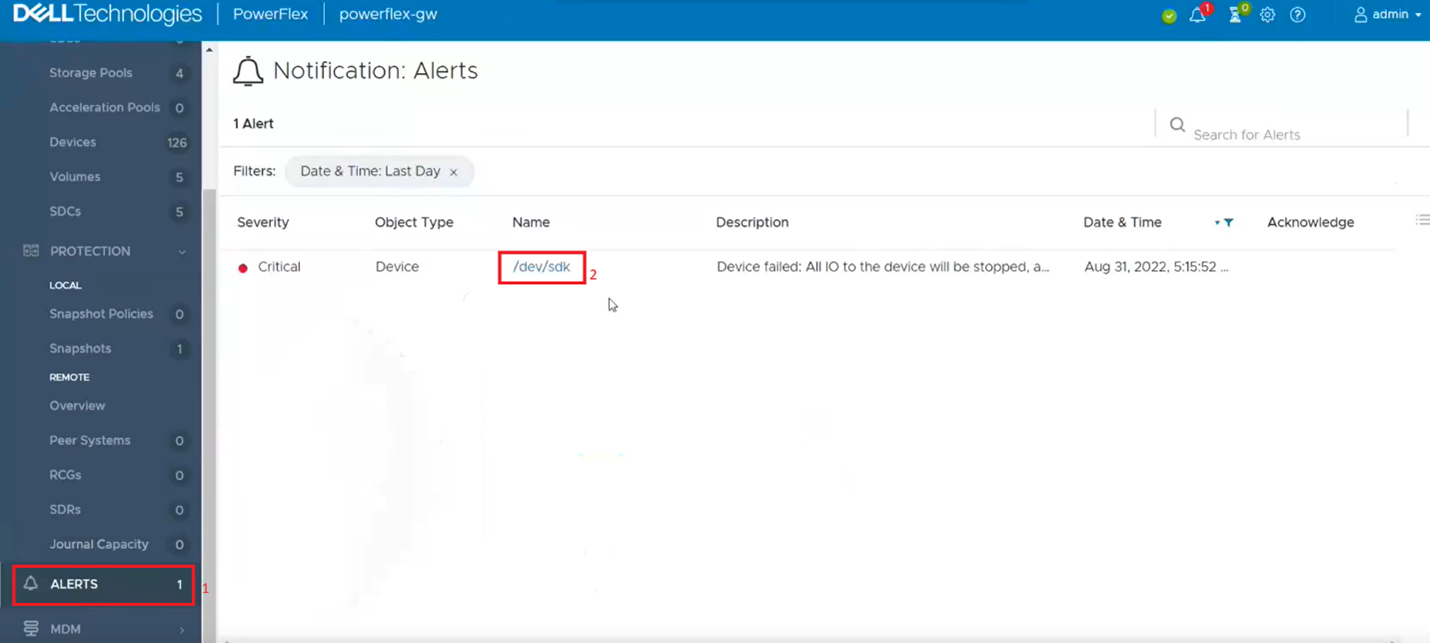
1. Log in to the Presentation server and click the 'Alerts' tab on the left side of the user interface. This shows you the drives that are showing errors. Next, click on the drive that has an error. If multiple drives are listed, then you will have to go back and repeat this step to clear the next drive error.
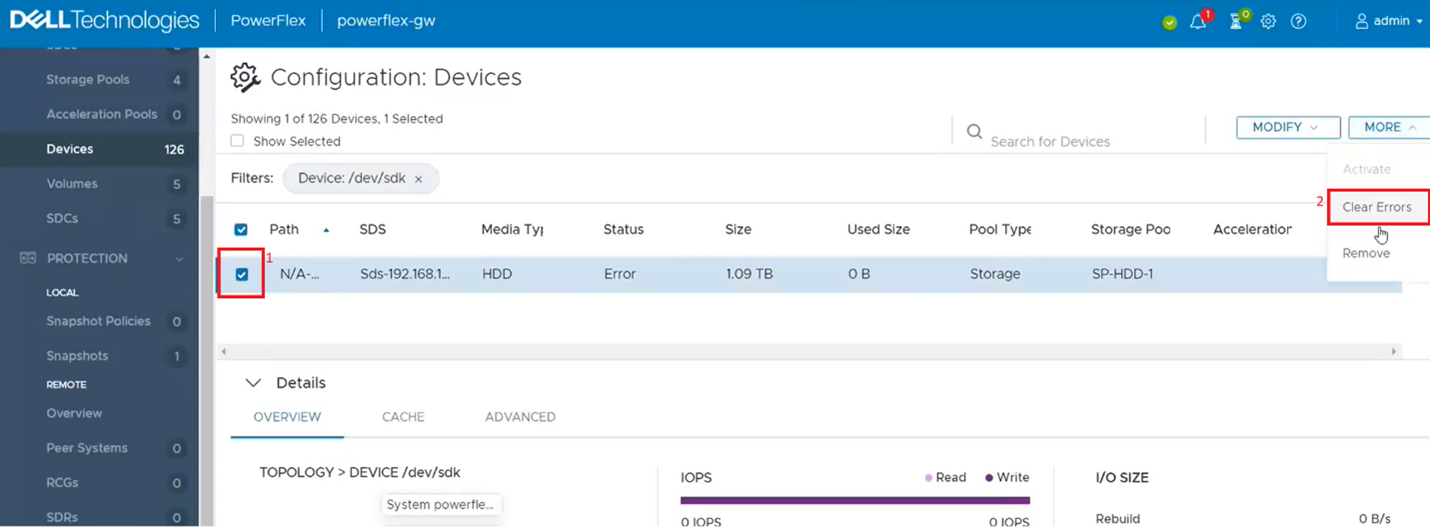
2. This filters out the single dive from the devices list. Click on the singled drive check box (1) and then from the 'More' menu, click on clear errors (2).
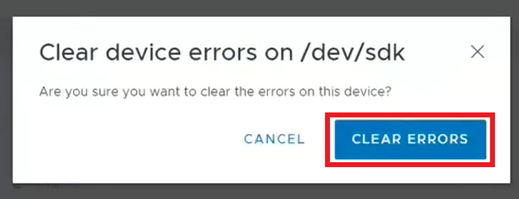
3. On the pop-up box click on CLEAR ERRORs.
4. It should now show as OK.
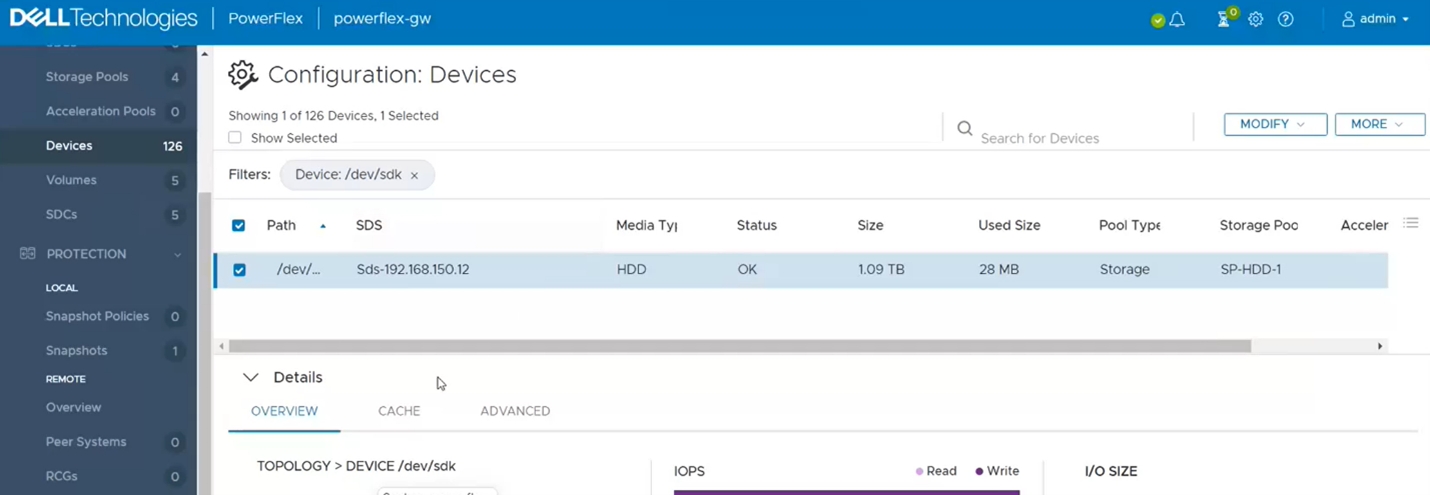
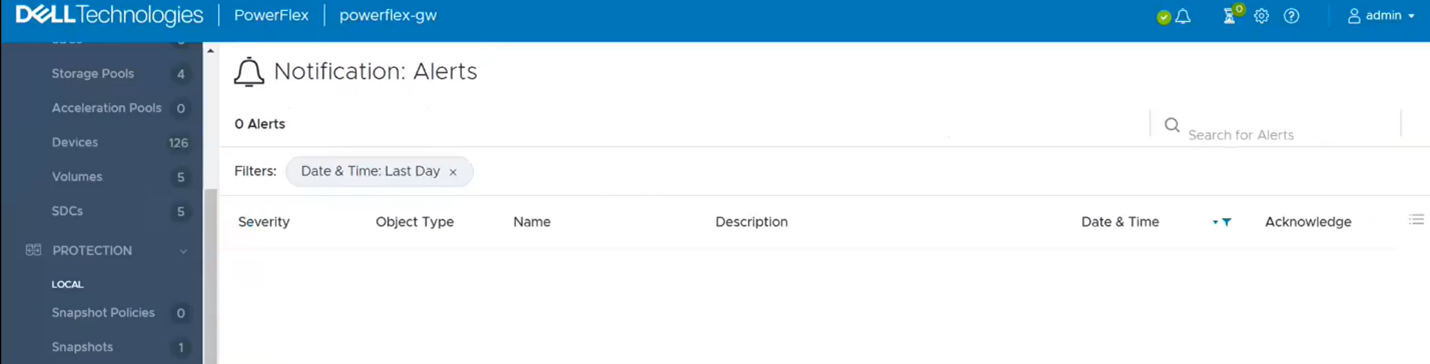
5. If you go back to the Alerts sections, it should be now clear. If not, repeat the above steps for any other drives that show as errored.
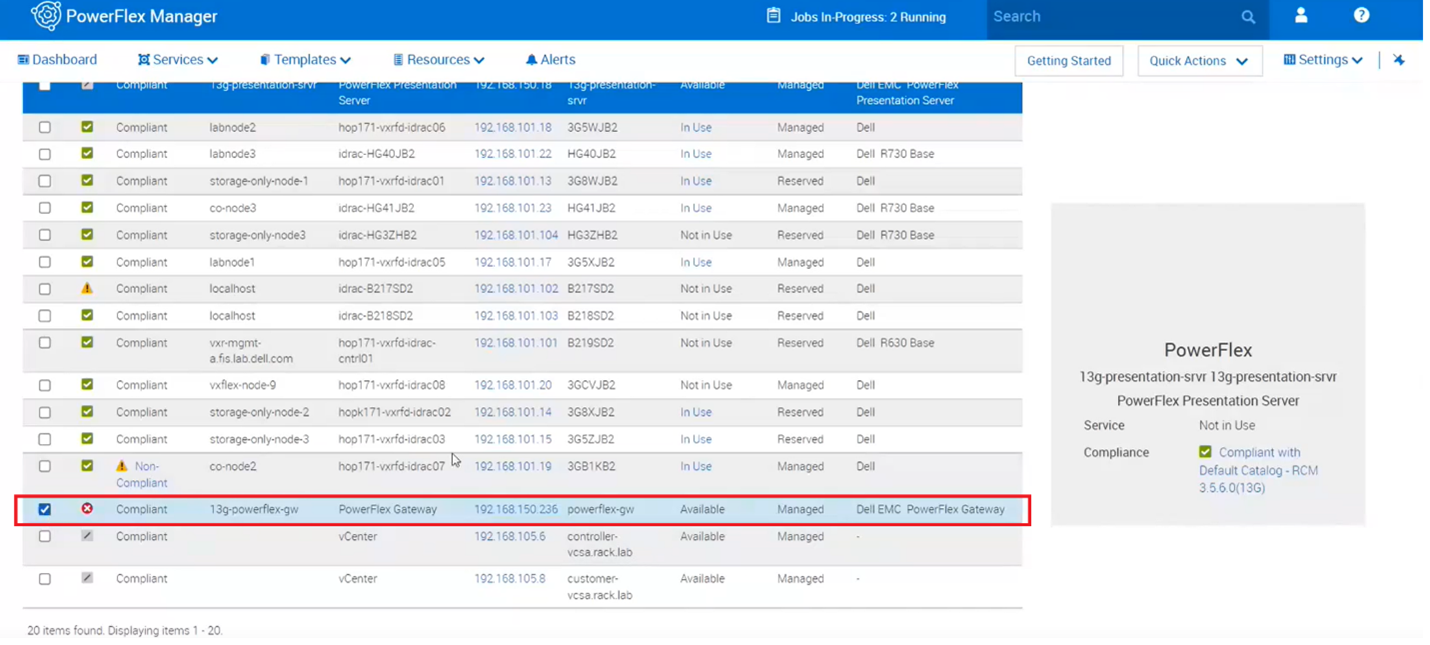
6. One last step to take is to go back to PowerFlex Manager and run an inventory on the gateway to verify whether it shows healthy.
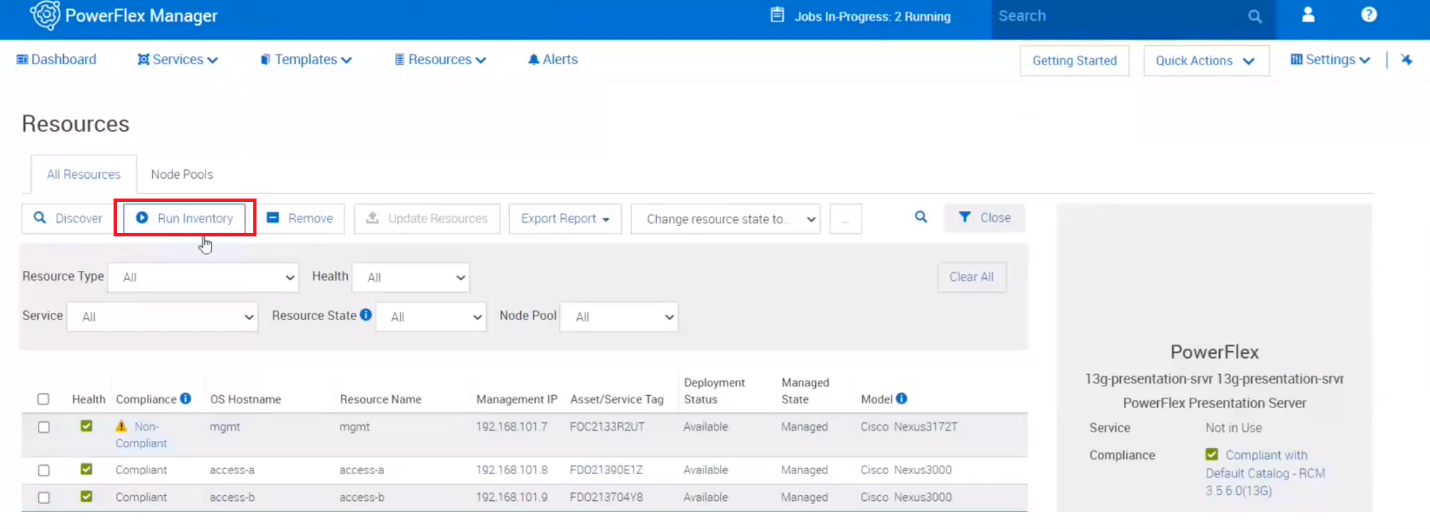
7. Near the top, click on run inventory.
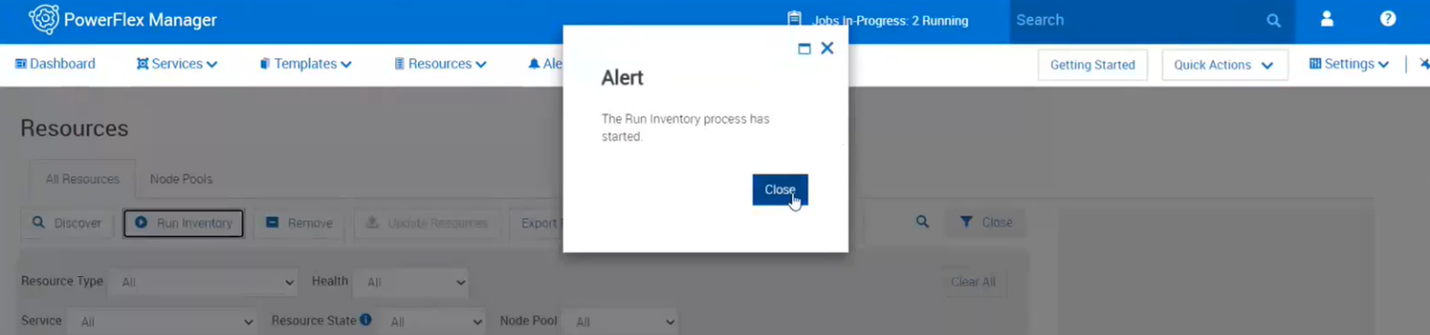
8. Close the box and click on the job. Wait for it to complete.
9. Monitor the Resources in PowerFlex Manager and the alerts in the Presentation Server to see if the error comes returns.
Informations supplémentaires
For PowerFlex 4.X see KB https://www.dell.com/support/kbdoc/000256801
Relevant Error : The disk generated a failed state message at some time in the past, indicating a potential issue or that it is no longer working
Produits concernés
PowerFlex rack HWPropriétés de l’article
Numéro d’article: 000213016
Type d’article: How To
Dernière modification: 07 avr. 2026
Version: 5
Trouvez des réponses à vos questions auprès d’autres utilisateurs Dell
Services de support
Vérifiez si votre appareil est couvert par les services de support.