OpenManage Server Administrator: Basic Overview on TLS and SSL security Option
Summary:Systems Management How to Video that provides an overview on the TLS and SSL security options in OpenManage Administrator.
Kérjük, válasszon ki egy terméket a cikk relevanciájának ellenőrzéséhez
Ez a cikk a következő(k)re vonatkozik: Ez a cikk nem vonatkozik a következő(k)re:Ez a cikk nem kapcsolódik egyetlen konkrét termékhez sem.Ez a cikk nem azonosítja az összes termékverziót.
How to Troubleshoot OMSA Connection issue after Security Hardening in Windows:
Troubleshooting Workflow:
Step 1: Uninstall OMSA and reinstall OMSA.
NOTE: Each version of OMSA uses specific Ciphers and are upgraded to current security standards with each release so an older release may not work on a hardened server.
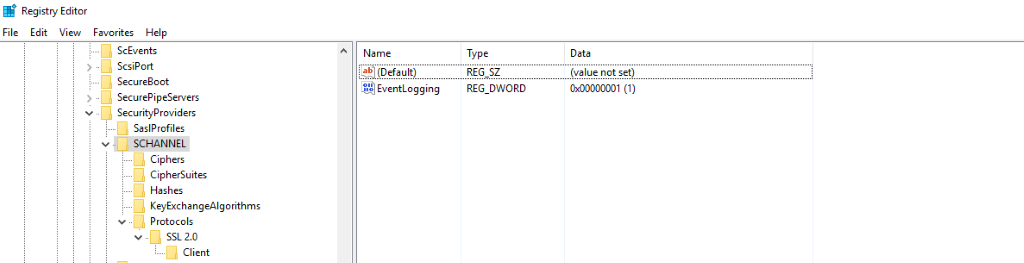
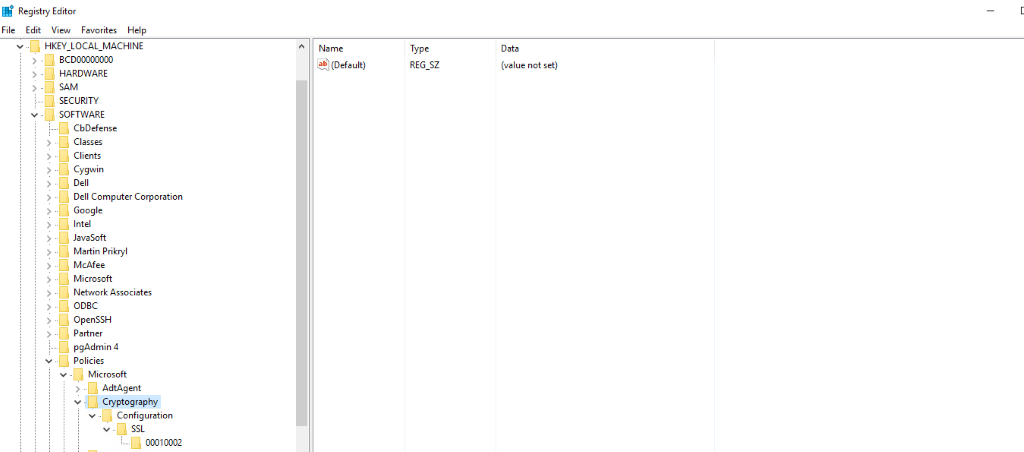
Step 2: Check the registry configuration for Ciphers, Hashes, and Protocols configuration.
NOTE: Compare working registry and non-working if available
Step 3: Check the server.xml at C:\Program Files\Dell\SysMgt\apache-tomcat\conf for the supported ciphers.
Step 4: Ensure that the Registry has at least one of those ciphers enabled.
Step 5: If not, backup the registry and then enable one of the ciphers. Reboot if configuration changes were made.