Dell Unity: Setting a custom banner with svc_banner fails with permission error
Summary: Users following the procedure to set a custom banner using the svc_banner command as described in Dell Unity Family Service Commands Technical Notes run into permission errors.
Ez a cikk a következő(k)re vonatkozik:
Ez a cikk nem vonatkozik a következő(k)re:
Ez a cikk nem kapcsolódik egyetlen konkrét termékhez sem.
Ez a cikk nem azonosítja az összes termékverziót.
Symptoms
Users following the procedure to set a custom banner using the svc_banner command as described in Dell Unity Family Service Commands Technical Notes (pages 6 and 7) run into permission errors.
Per the documentation users are advised to place the custom template text file in the /home/service directory and when attempting to do so they receive a permission denied error.

Cause
This is as designed.
The
The
/home/service directory is only accessible by users who have injected root.Resolution
Users should instead use the
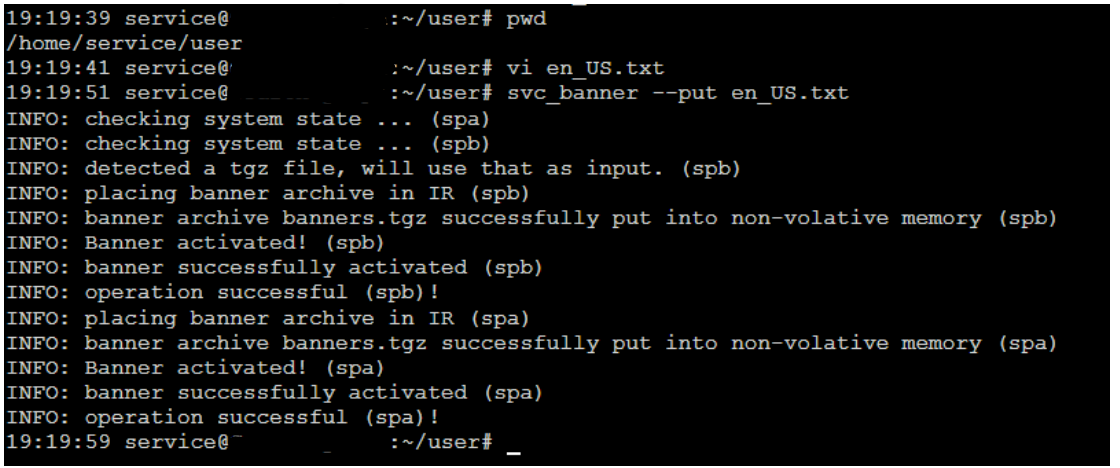
/home/service/user directory that is accessible to the service user and does not require root.
- Create text files in the
/home/service/userdirectory with localized content named:- For English: en_US.txt
- For Belarusian: be_BY.txt
- For Chinese: zh_CN.txt
- To apply these files, run the following command as service user:
svc_banner --put en_US.txt be_BY.txt zh_CN.txt
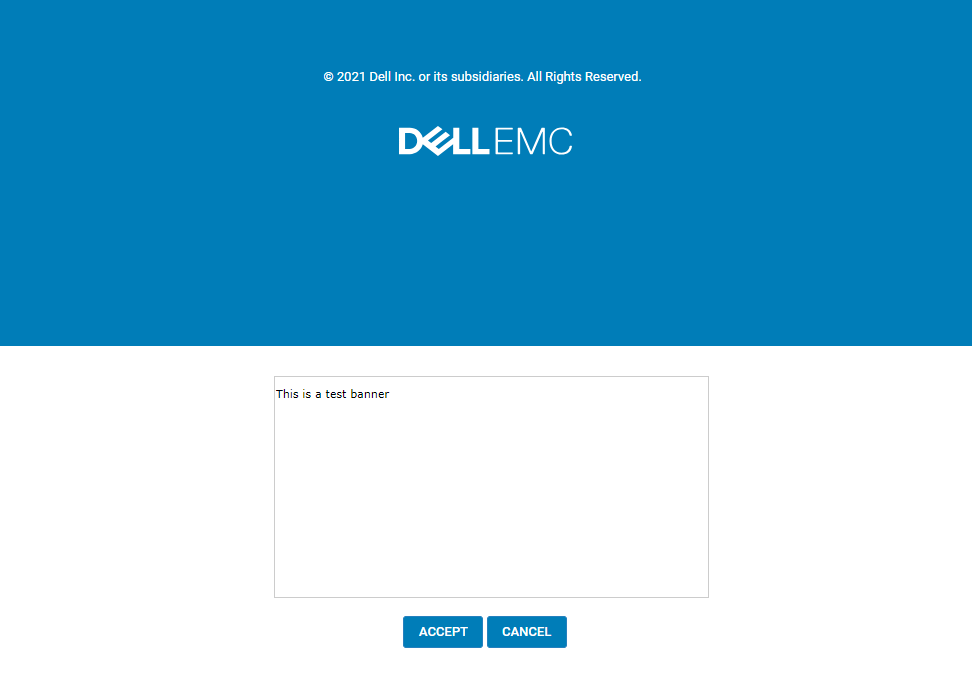
If logged into Unisphere, log out and then log back in. The new banner should be displayed.
Example:
Érintett termékek
Dell EMC UnityTermék tulajdonságai
Article Number: 000219224
Article Type: Solution
Utoljára módosítva: 16 szept. 2025
Version: 3
Választ kaphat kérdéseire más Dell-felhasználóktól
Támogatási szolgáltatások
Ellenőrizze, hogy a készüléke rendelkezik-e támogatási szolgáltatással.