How to access Storage Center Web Interface when Java certificate is expired
요약: Visual guide and steps to access Storage Center when the Java certificate is expired
이 문서는 다음에 적용됩니다.
이 문서는 다음에 적용되지 않습니다.
이 문서는 특정 제품과 관련이 없습니다.
모든 제품 버전이 이 문서에 나와 있는 것은 아닙니다.
증상
If the Storage Center version has an expired Java security certificate, you will not be able to log into the Web UI, unless the Storage Center OS is upgraded to newer version that has a current certificate or the management IP is added to the Java Exception Site List.
Dell Storage Manager (DSM) is the preferred management interface for managing Storage Center arrays and is not impacted by an expired Java security certificate.
Below is sample error message when the Java security certificate is expired
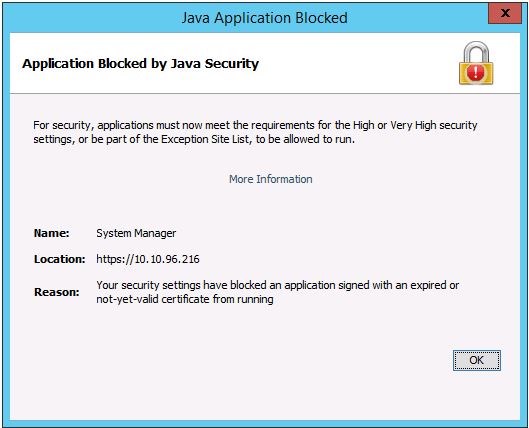
Dell Storage Manager (DSM) is the preferred management interface for managing Storage Center arrays and is not impacted by an expired Java security certificate.
Below is sample error message when the Java security certificate is expired
해결
To add the management IP to the Exception Site List, refer to this article or follow the steps below.
https://www.java.com/en/download/faq/exception_sitelist.xml
1. Open the Java Control Panel on management system
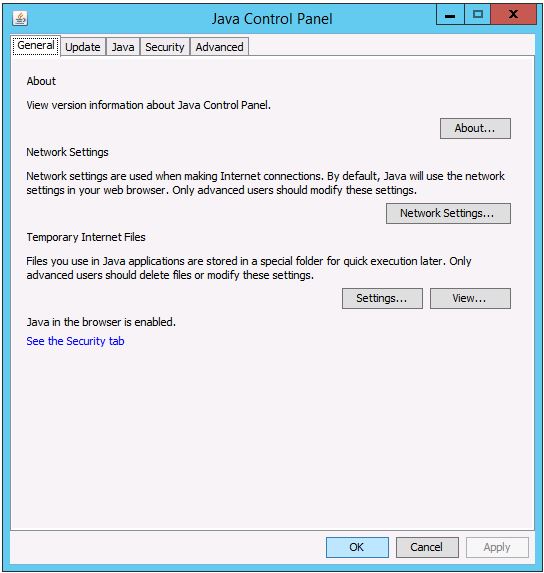
2. Click on the Security tab.
Click on Edit Site List.
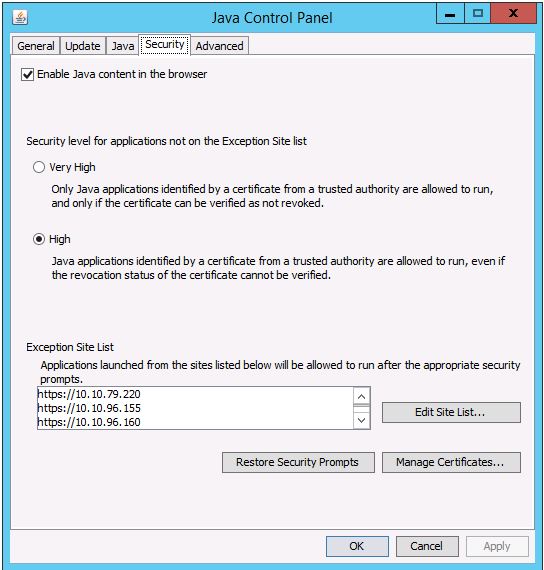
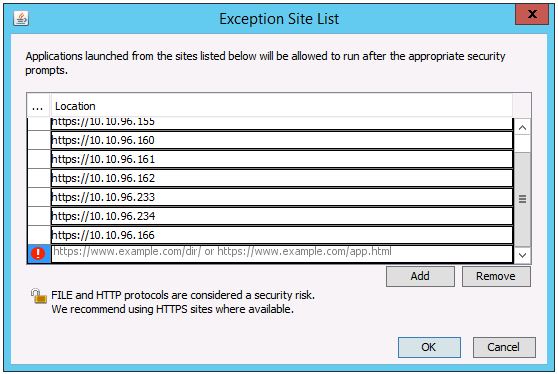
3. Enter the Storage Center’s management IP address in this format: https://x.x.x.x
https://www.java.com/en/download/faq/exception_sitelist.xml
1. Open the Java Control Panel on management system
2. Click on the Security tab.
Click on Edit Site List.
3. Enter the Storage Center’s management IP address in this format: https://x.x.x.x
해당 제품
Compellent (SC, SCv & FS Series), Dell Compellent SC4020, Dell Storage SC8000, Dell Compellent Series 40, Dell Storage SC9000문서 속성
문서 번호: 000142151
문서 유형: Solution
마지막 수정 시간: 01 5월 2026
버전: 4
다른 Dell 사용자에게 질문에 대한 답변 찾기
지원 서비스
디바이스에 지원 서비스가 적용되는지 확인하십시오.