Importing PFX fails with parseAlgParameters error
요약: When trying to update the certificate, using the Server Configuration Tool or Java keytool, on Dell Security Management Server the process fails with a parseAlgParameters error when the PFX is encrypted with AES256-SHA256. ...
이 문서는 다음에 적용됩니다.
이 문서는 다음에 적용되지 않습니다.
이 문서는 특정 제품과 관련이 없습니다.
모든 제품 버전이 이 문서에 나와 있는 것은 아닙니다.
증상
Affected Products:
- Dell Security Management Server
원인
Not Applicable
해결
The PFX file must be exported using the TripleDES-SHA1 encryption option, to allow the Server Configuration Tool and Java keytool to use it.
- Click the search option from the taskbar and type MMC.
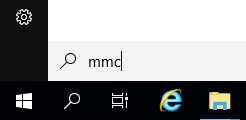
- Click the MMC application in the results.

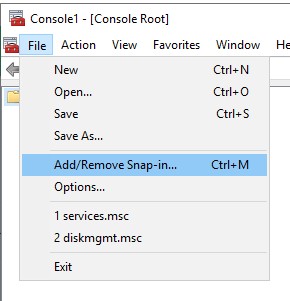
- Click File in the top menu of the MMC and select Add/Remove Snap-in.
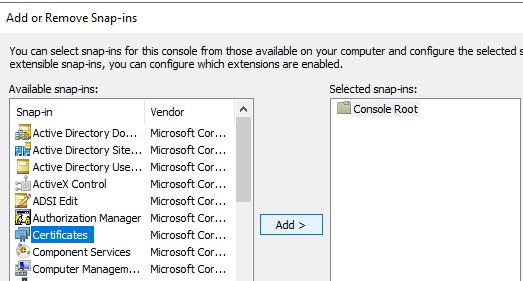
- From the Available snap-ins pane of the Add or Remove Snap-ins window, select Certificates then click the Add > button which opens the Certificates snap-in window.
- Select the Computer Account radio button then click the Next > button.
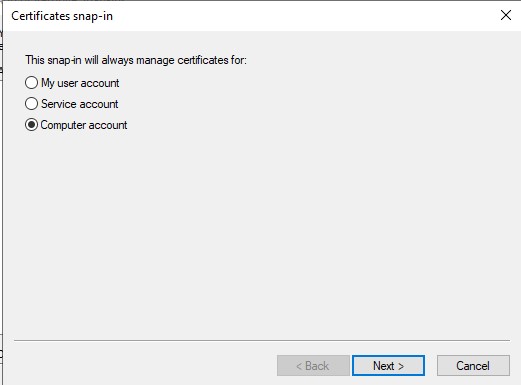
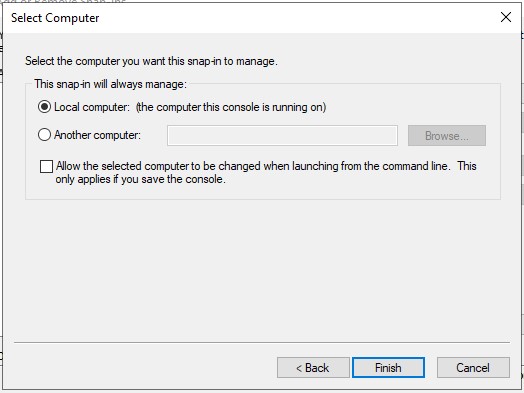
- Click the Finish button to close the Certificates snap-in window.
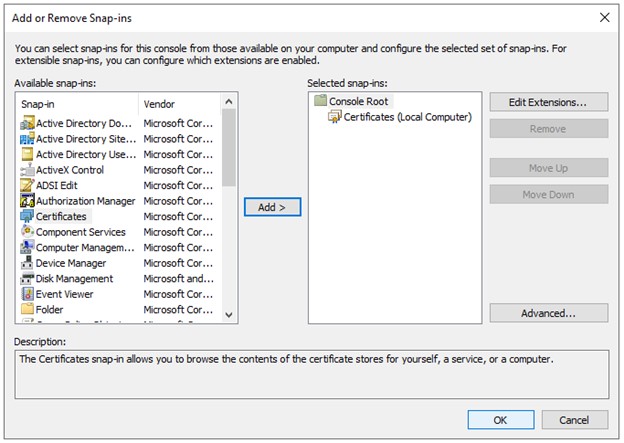
- Click OK on the Add or Remove Snap-ins window to finish adding the snap in.
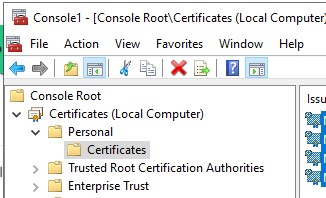
- In the MMC window, expand Certificates (Local Computer) and the Personal folder. Then select the Certificates folder.
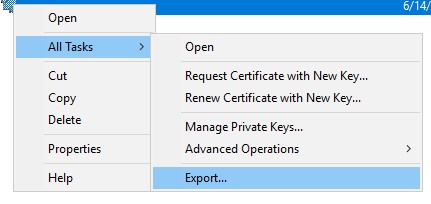
- Determine the certificate that you want to export. Right-click the certificate and select All Tasks and choose Export.
- On the Certificate Export Wizard, click the Next button.

- On the Export Private Key screen select the Yes, export the private key radio button, and click the Next button.
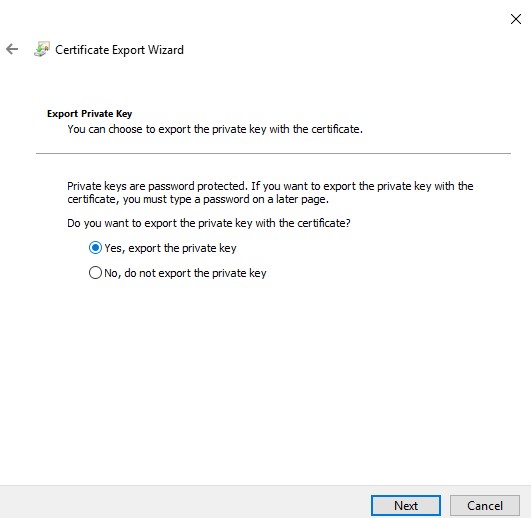
- On the Export File Format screen:
- Select the Personal Information Exchange - PKCS #12 (.PFX) radio button.
- If not already selected, select the Include all certificates in the certification path if possible, checkbox.
- If not already selected, select the Export all extended properties checkbox
- If not already selected, select the Enable Certificate Privacy checkbox.
- Click Next.

- Check the Password checkbox, assign a password to the file, ensure the Encryption: Dropdown is set to TripleDES-SHA1, and click the Next button.

- Choose the location, and name of the export file then click the Next button.
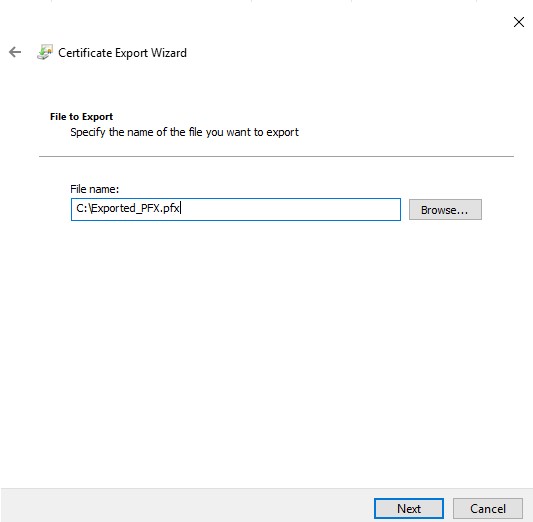
- Click the Finish button.

To contact support, reference Dell Data Security International Support Phone Numbers.
Go to TechDirect to generate a technical support request online.
For additional insights and resources, join the Dell Security Community Forum.
해당 제품
Dell Encryption문서 속성
문서 번호: 000200901
문서 유형: Solution
마지막 수정 시간: 15 7월 2024
버전: 4
다른 Dell 사용자에게 질문에 대한 답변 찾기
지원 서비스
디바이스에 지원 서비스가 적용되는지 확인하십시오.