AppSync: Unable to create a service plan completion report using AppSync GUI
요약: Unable to export a service plan completion report using AppSync GUI.
이 문서는 다음에 적용됩니다.
이 문서는 다음에 적용되지 않습니다.
이 문서는 특정 제품과 관련이 없습니다.
모든 제품 버전이 이 문서에 나와 있는 것은 아닙니다.
증상
Unable to export a service plan completion report using AppSync 4.5 GUI.
If "Include table headers" is selected and "Export only selected rows" is NOT selected, downloading would not happen. Actually, nothing happened.
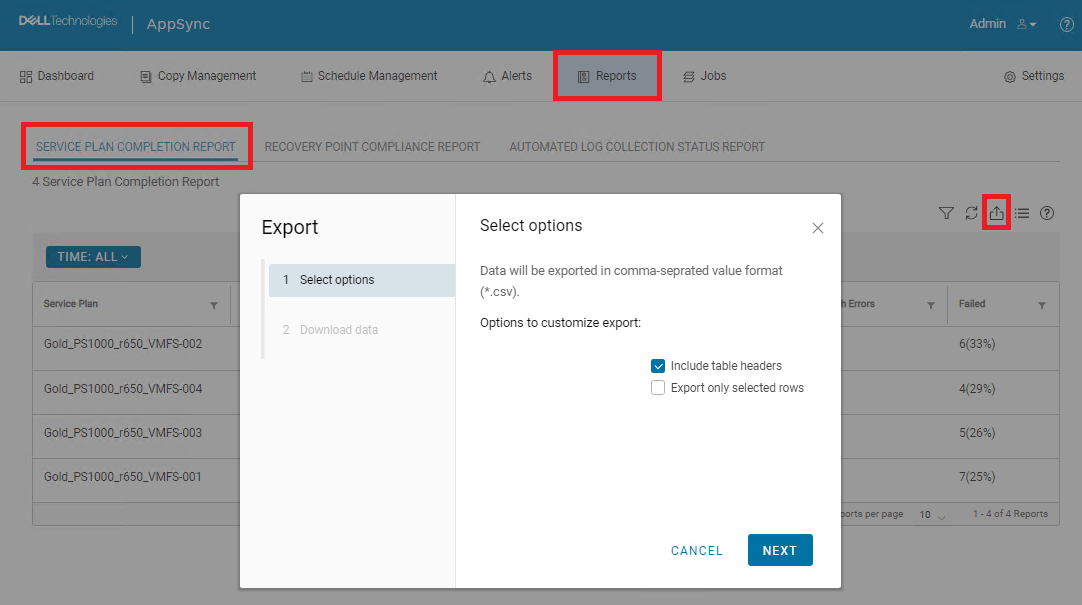
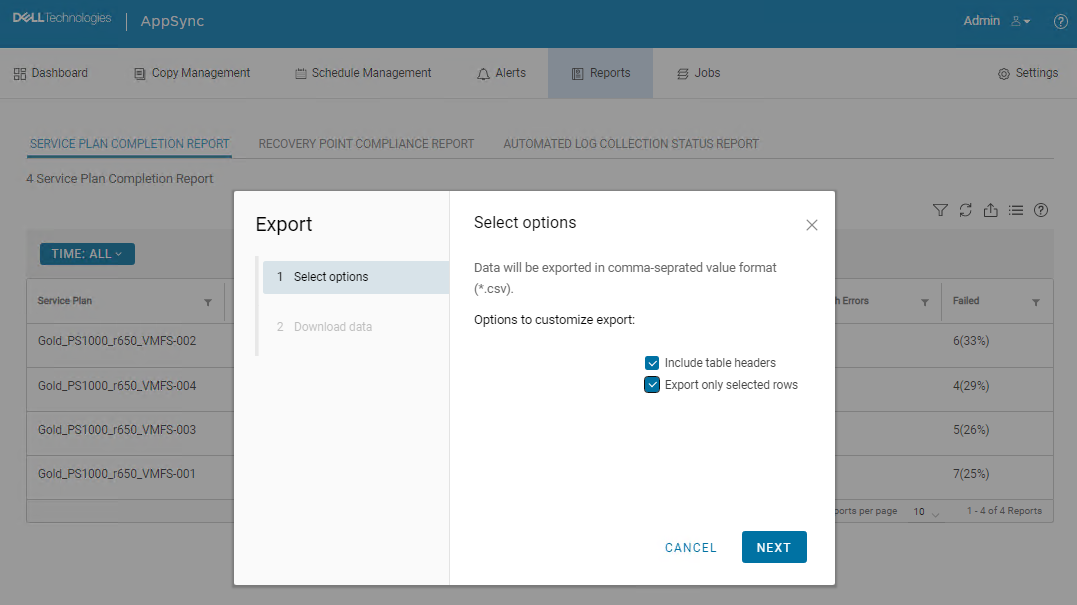
If both "Include table headers" and "Export only selected rows" are selected, downloading started and CSV file was downloaded. However, all data was missing.

원인
This is an AppSync UI bug.
해결
Workaround:
The following AppSync CLI command can be used to export a service plan completion report.
Sample command output:
Service_Plan_Completion_Report_2022_12_26_18_24_38.csv

Permanent fix:
This issue is expected to be resolved in the version following 4.5.
The following AppSync CLI command can be used to export a service plan completion report.
appsync-cli.bat -report report_type=spc detailed=true
Sample command output:
C:\EMC\AppSync\appsync-cli>appsync-cli.bat -report report_type=spc detailed=true
Picked up JAVA_TOOL_OPTIONS: "-Dos.name=Windows Server 2019"

Exporting SPC Details to: "C:\EMC\AppSync\Service_Plan_Completion_Report_2022_12_26_18_24_38.csv"
Service_Plan_Completion_Report_2022_12_26_18_24_38.csv
Permanent fix:
This issue is expected to be resolved in the version following 4.5.
추가 정보
Refer to the release notes of the version following 4.5 to determine if the fix has been included.
해당 제품
AppSync문서 속성
문서 번호: 000206985
문서 유형: Solution
마지막 수정 시간: 16 5월 2026
버전: 4
다른 Dell 사용자에게 질문에 대한 답변 찾기
지원 서비스
디바이스에 지원 서비스가 적용되는지 확인하십시오.