Secure Connect Gateway: Connectrix Cisco MDS Switch is unreachable
요약: This article explains how to solve and error when trying to connect to the switch remotely by Secure Connect Gateway (SCG): Error: Failed to initiate Remote support due to connectivity issues from the gateway. ...
이 문서는 다음에 적용됩니다.
이 문서는 다음에 적용되지 않습니다.
이 문서는 특정 제품과 관련이 없습니다.
모든 제품 버전이 이 문서에 나와 있는 것은 아닙니다.
지침
When trying to connect to the Switch remotely by Secure Connect Gateway (SCG), this error can appear:
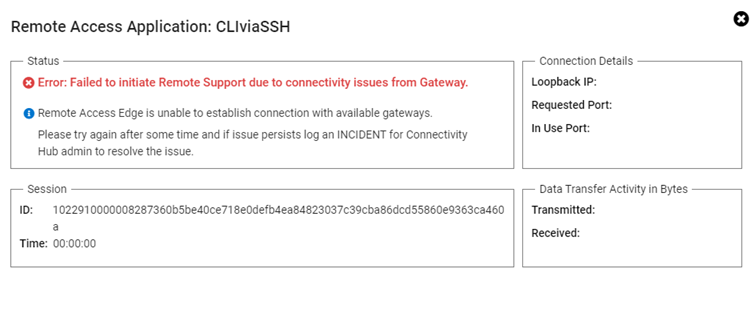
Error: Failed to initiate Remote support due to connectivity issues from the gateway.
Resolution:
Perform the below steps:
- Log in to SCG (Secure Connect Gateway) User Interface Page with admin credentials.
- On the upper right tab, choose connectivity test.
- Then click test the connection.
- If all are green, reboot SCG Virtual Machine (this resolves the issue).
- If the same issue persists and all tests are green tick, contact Dell support.
해당 제품
Secure Connect Gateway제품
Secure Connect Gateway, EMC Secure Remote Services문서 속성
문서 번호: 000212403
문서 유형: How To
마지막 수정 시간: 21 11월 2025
버전: 4
다른 Dell 사용자에게 질문에 대한 답변 찾기
지원 서비스
디바이스에 지원 서비스가 적용되는지 확인하십시오.