PowerFlex 3.6 Clearing Disk Errors in PowerFlex Presentation Server
요약: These are the steps for Clearing Disk Errors in the PowerFlex Presentation Server.
이 문서는 다음에 적용됩니다.
이 문서는 다음에 적용되지 않습니다.
이 문서는 특정 제품과 관련이 없습니다.
모든 제품 버전이 이 문서에 나와 있는 것은 아닙니다.
지침
Clearing Disk Errors in PowerFlex Presentation Server -
1. Log in to the Presentation server and click the 'Alerts' tab on the left side of the user interface. This shows you the drives that are showing errors. Next, click on the drive that has an error. If multiple drives are listed, then you will have to go back and repeat this step to clear the next drive error.

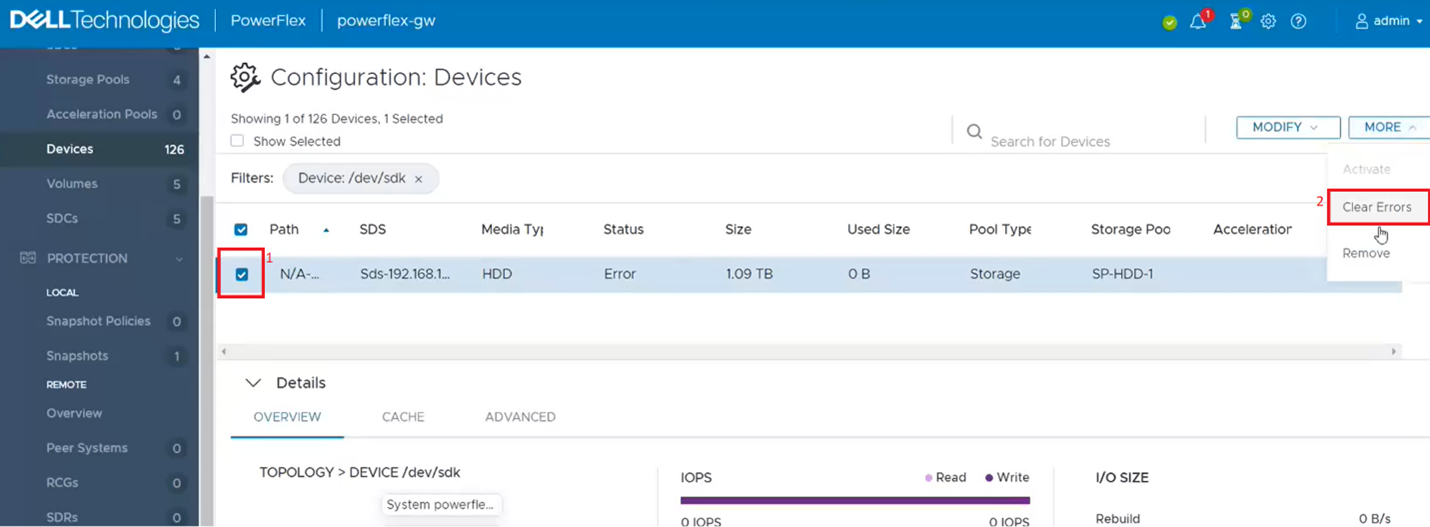
2. This filters out the single dive from the devices list. Click on the singled drive check box (1) and then from the 'More' menu, click on clear errors (2).
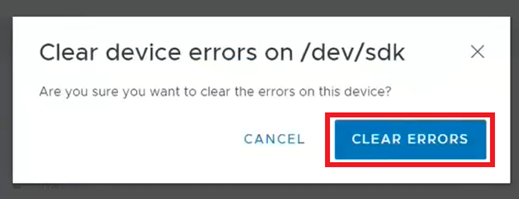
3. On the pop-up box click on clear errors.
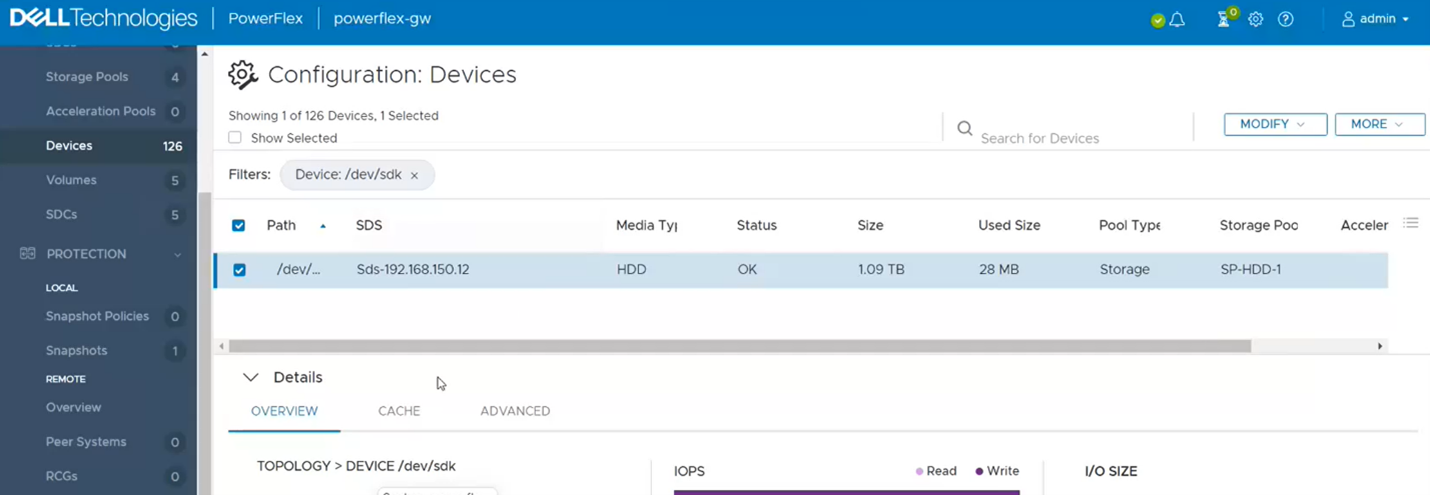
4. It should now show as OK.
5. If you go back to the Alerts sections, it should be now clear. If not, repeat the above steps for any other drives that show as errored.

6. One last step to take is to go back to PowerFlex Manager and run an inventory on the gateway to verify whether it shows healthy.

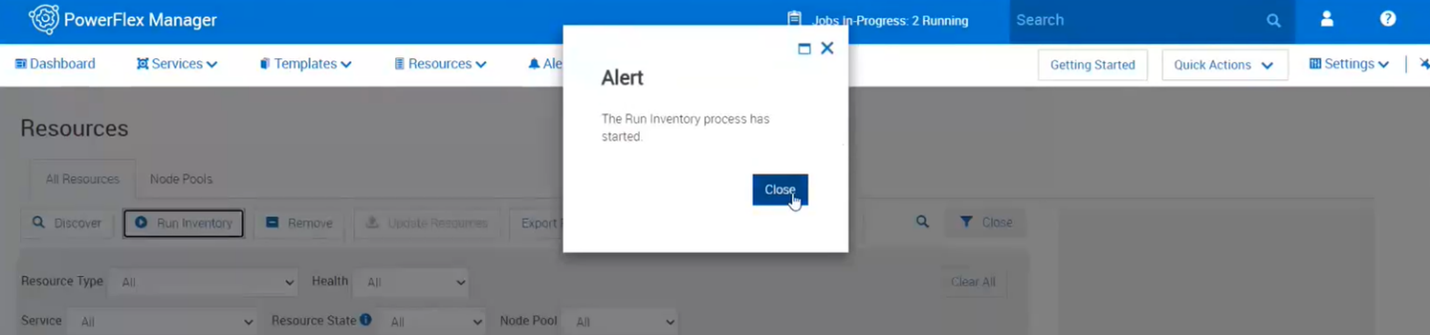
7. Near the top, click on run inventory.

8. Close the box and click on the job. Wait for it to complete.
9. Monitor the Resources in PowerFlex Manager and the alerts in the Presentation Server to see if the error comes returns.
추가 정보
For PowerFlex 4.X see KB https://www.dell.com/support/kbdoc/000256801
해당 제품
PowerFlex rack HW문서 속성
문서 번호: 000213016
문서 유형: How To
마지막 수정 시간: 05 12월 2024
버전: 4
다른 Dell 사용자에게 질문에 대한 답변 찾기
지원 서비스
디바이스에 지원 서비스가 적용되는지 확인하십시오.