Dell Unity: Unknown Error While Uploading OE Image Through Unisphere
요약: UnityOS Image upload may fail due to network instability during the transfer process. This document describes the symptoms, a possible cause, and resolution steps.
이 문서는 다음에 적용됩니다.
이 문서는 다음에 적용되지 않습니다.
이 문서는 특정 제품과 관련이 없습니다.
모든 제품 버전이 이 문서에 나와 있는 것은 아닙니다.
증상
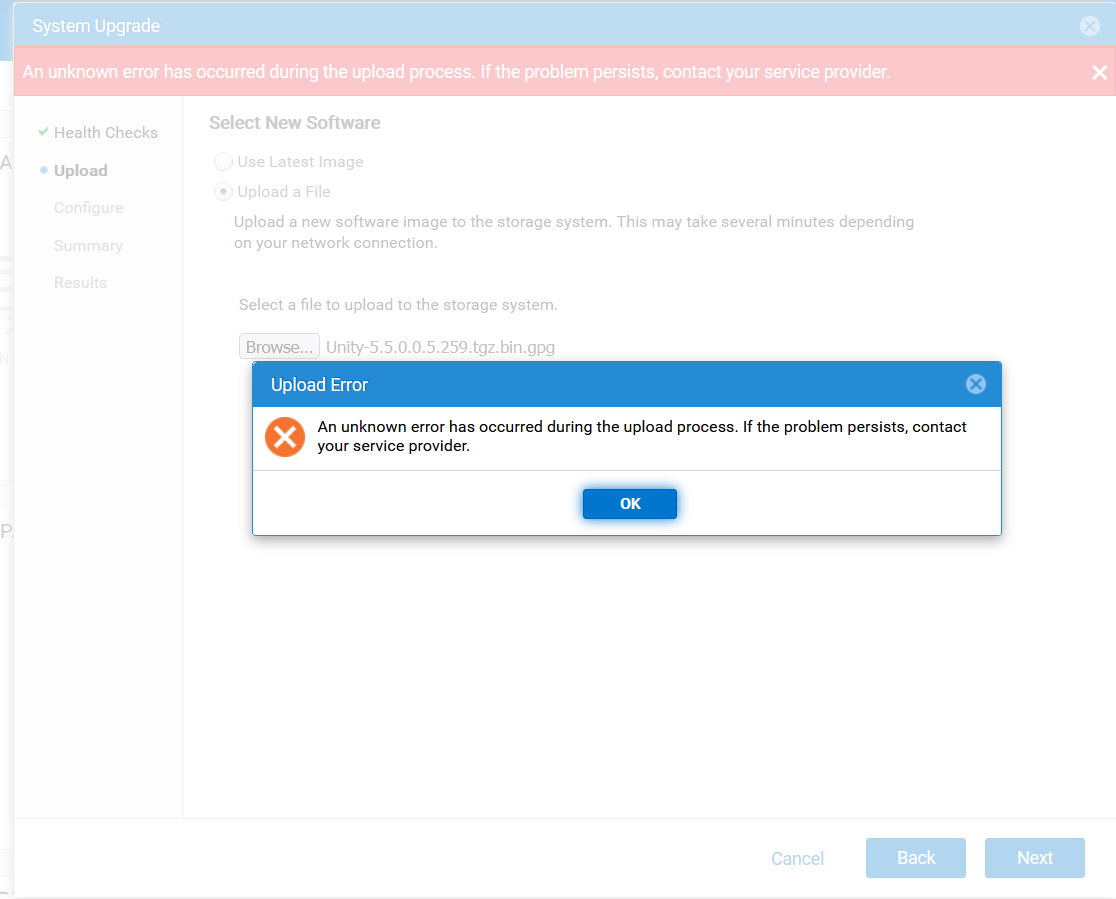
- Uploading the UnityOS Image through Unisphere (UI) fails with the following error:
An unknown error has occurred during the upload process. If the problem persists, contact your service provider.
- Subsequent attempts fail with error code
0x7d13165:The system is processing upgrade image upload and is momentarily not available for this operation, Please try again later.”
- During troubleshooting, UEMCLI and UI sessions disconnect intermittently.
- Uploading the UnityOS Image through WinSCP also fails due to session disconnects.
원인
These issues can occur due to an unstable network connection between the client system and the Unity array.
해결
- Ensure the client system used for the upgrade has a stable and reliable network connection.
- Reconnect to the Unity UI from the stable network environment and retry the upload.
- Once the upload is complete, proceed with the upgrade process.
추가 정보
Troubleshooting:
- Verify if there is enough space in the directory.
- Check if an older upgrade image is preventing the upload of the new UnityOS Image.
- Verify if the checksum of the upgrade file is correct as described in Dell Unity: Upgrade File uploaded is incorrect format (Error Code: 0x6000cc4) (User Correctable)
- Upload logs using UEMCLI as detailed in Dell Unity: How to upgrade the Unity Operating Environment (OE) (User Correctable)
해당 제품
Dell EMC Unity, Dell Unity 450F DC, Dell Unity 300, Dell Unity 300 DC, Dell Unity 350F DC, Dell Unity 400 DC, Dell EMC Unity Family |Dell EMC Unity All Flash, Dell EMC Unity Hybrid, Dell Unity Operating Environment (OE)문서 속성
문서 번호: 000412686
문서 유형: Solution
마지막 수정 시간: 12 1월 2026
버전: 1
다른 Dell 사용자에게 질문에 대한 답변 찾기
지원 서비스
디바이스에 지원 서비스가 적용되는지 확인하십시오.