PowerStore: Expired or Stale Snapshot Check
요약: This article describes the PowerStore alert for Expired or Stale Snapshot Check.
이 문서는 다음에 적용됩니다.
이 문서는 다음에 적용되지 않습니다.
이 문서는 특정 제품과 관련이 없습니다.
모든 제품 버전이 이 문서에 나와 있는 것은 아닙니다.
증상
A health check detects this issue and raises an alert:
"Detected expired or stale snapshots."
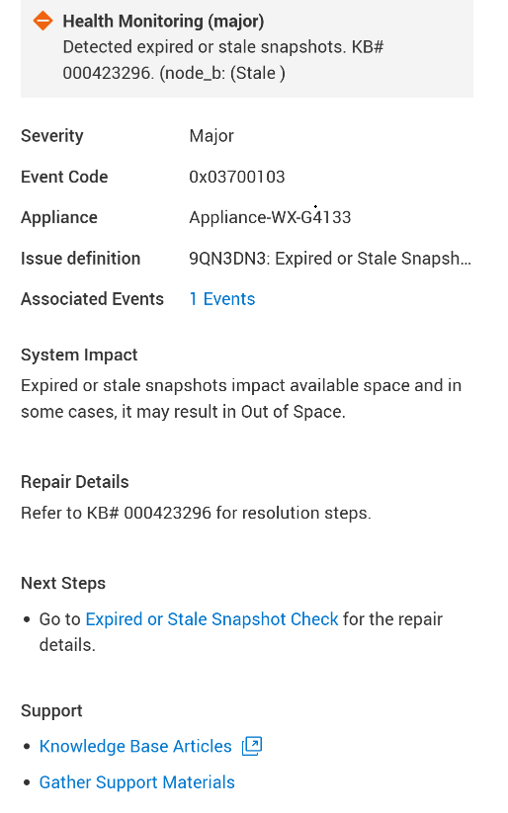
원인
Expired or Stale RPO snapshots impact available space and in some cases, may result in "Out of Space" situation. The alert is raised due to either one of the following cases:
- Expired snapshots: When there is at least 1 snapshot in the system, which has expiration date set to at least 24 hours before the current date and time.
- Stale RPO snapshots: When there are more than 10 RPO snapshots in the system, which were created at least 24 hours before the current date and time.
해결
This check does not support Auto-Repair. Deleting snapshots is a sensitive operation and requires explicit customer approval to mitigate the risk of removing important data.
Contact Technical Support to determine the best course of action. Mention this KB article ID to expedite processing.
추가 정보
See KB 000193518 PowerStore: Landing Page for RxDefinitions Issues for more information of the health check mechanism, the RxDefinitions package, and a complete list of RxDefinitions alerts.
해당 제품
PowerStore문서 속성
문서 번호: 000423296
문서 유형: Solution
마지막 수정 시간: 23 7월 2026
버전: 1
다른 Dell 사용자에게 질문에 대한 답변 찾기
지원 서비스
디바이스에 지원 서비스가 적용되는지 확인하십시오.