Beleidsregels vastleggen voor Dell Data Security servers
Samenvatting: Volg deze instructies voor meer informatie over het vastleggen van beleidsregels voor Dell Data Security en Dell Data Protection servers.
Dit artikel is van toepassing op
Dit artikel is niet van toepassing op
Dit artikel is niet gebonden aan een specifiek product.
Niet alle productversies worden in dit artikel vermeld.
Instructies
Meer informatie over de stappen voor het vastleggen van beleidsregels in de Dell Security Management Server (voorheen Dell Data Protection Enterprise Edition Server of Dell Data Protection Virtual Edition.)
Betreffende producten:
- Dell Security Management Server
- Dell Security Management Server Virtual
- Dell Data Protection Enterprise Edition Server
- Dell Data Protection Virtual Edition Server
Betreffende versies:
- v8.0 en later
Beleidsregels moeten worden opgeslagen en vervolgens worden vastgelegd in de Dell Security Management Server voordat eventuele wijzigingen van kracht worden op een beheerd eindpunt.
De beleidsinstellingen van Dell Security Management Server verschillen tussen productversies v9.2.0 en hoger of v8.0.0 tot 9.1.X. Klik op de juiste versie voor specifieke stappen. Raadpleeg voor informatie over versiebeheer De versie van de Dell Data Security Server identificeren.
v9.2.0 en hoger
- Meld u aan bij de beheerconsole van Dell Data Security.
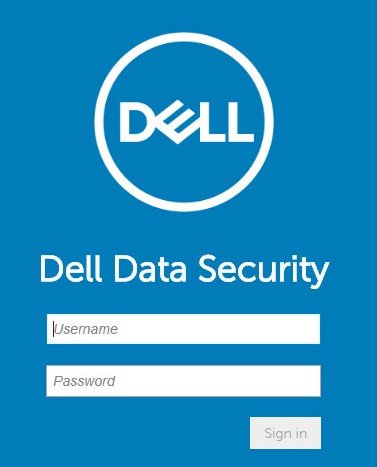 Opmerking: Raadpleeg voor meer informatie Toegang tot de beheerconsole van de Dell Data Security Server.
 - Klik in het linkermenuvenster op Beheer en selecteer vervolgens Doorvoeren.

- Vul een opmerking in met details over opgeslagen beleidswijzigingen die moeten worden doorgevoerd.
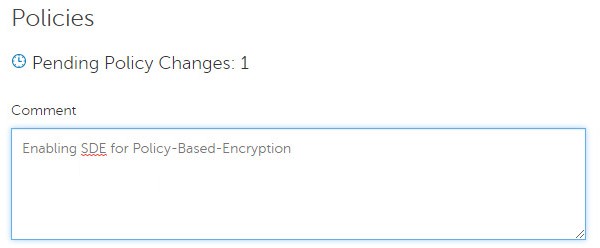
- Klik op Beleid vastleggen.

v8.0.0 t/m 9.1.X
- Dien referenties in om u aan te melden bij de Dell Data Protection beheerconsole.
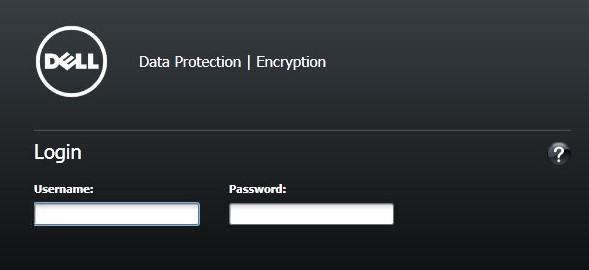 Opmerking: Raadpleeg voor meer informatie Toegang tot de beheerconsole van de Dell Data Security Server.
 - Klik in het linkerdeelvenster op Beleid vastleggen.
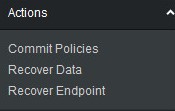
- Vul een opmerking in met informatie over opgeslagen beleidswijzigingen en klik vervolgens op Wijzigingen toepassen.
 Opmerking: Er wordt een nummer voor beleidswijziging in behandeling toegewezen op basis van het aantal getroffen beleidsregels, eindpunten en domeinen.
Als u contact wilt opnemen met support, raadpleegt u de internationale telefoonnummers voor support van Dell Data Security.
Ga naar TechDirect om online een aanvraag voor technische support te genereren.
Voor meer informatie over inzichten en hulpbronnen kunt u zich aanmelden bij het Dell Security Community Forum.
Extra informatie
Video's
Getroffen producten
Dell EncryptionProducten
Dell Data SecurityArtikeleigenschappen
Artikelnummer: 000123779
Artikeltype: How To
Laatst aangepast: 19 apr. 2026
Versie: 15
Vind antwoorden op uw vragen via andere Dell gebruikers
Support Services
Controleer of uw apparaat wordt gedekt door Support Services.