Avamar: Data Domain Capacity Resolution Path
Samenvatting: Data Domain Capacity Resolution Path.
Dit artikel is van toepassing op
Dit artikel is niet van toepassing op
Dit artikel is niet gebonden aan een specifiek product.
Niet alle productversies worden in dit artikel vermeld.
Symptomen
- Avamar maintenance is failing with MSG_ERR_DDR due to Data Domain full.
- Avamar is receiving Integrity alerts.
- High utilization is seen on Data Domain that is integrated with Avamar.
Oorzaak
This Resolution Path explains how to do Capacity Management when Data Domain has Avamar as the source of data ingest. In other words, when Avamar backups are residing on Data Domain.
Oplossing
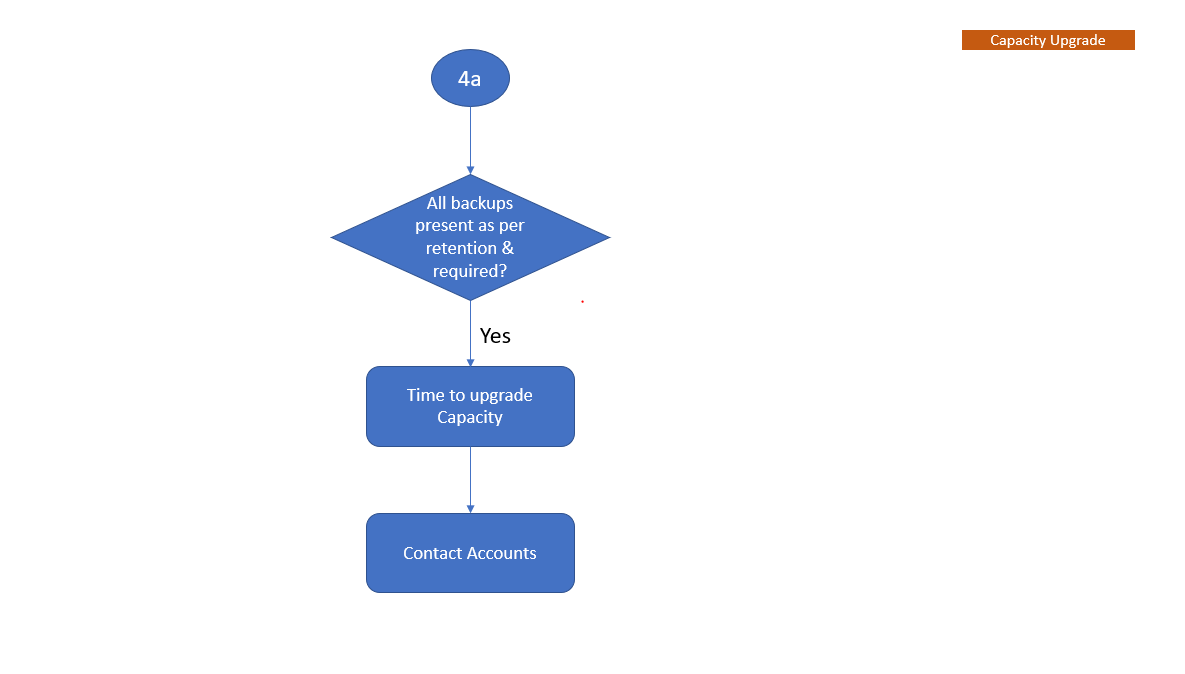
The flow chart depicts the capacity management workflow to help understand when Data Domain is integrated with Avamar.
Note: Sign in to download the PDF attached for referenced KBs.
-
Initial Check
Watch on YouTube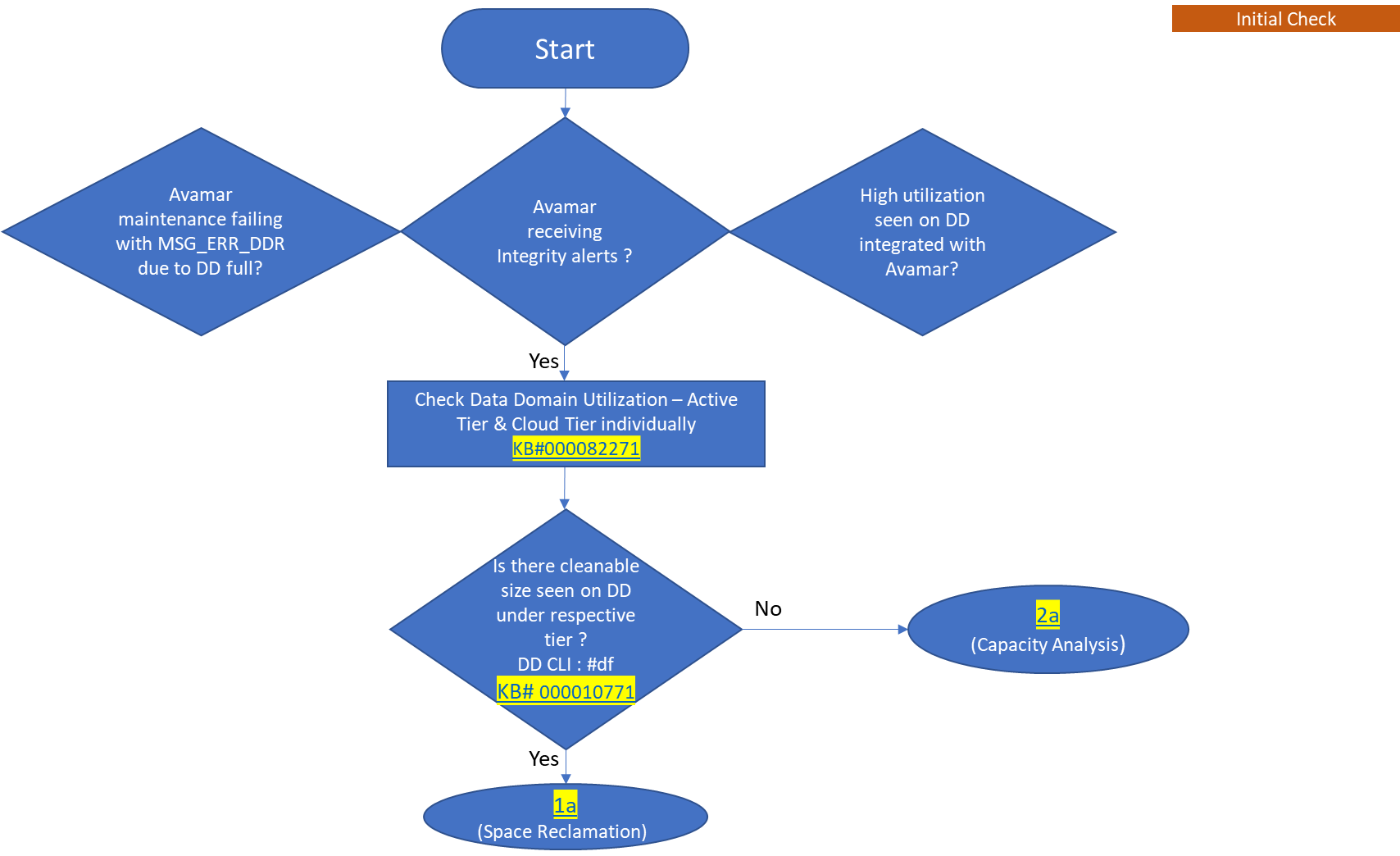
-
Space Reclamation
Watch on YouTube
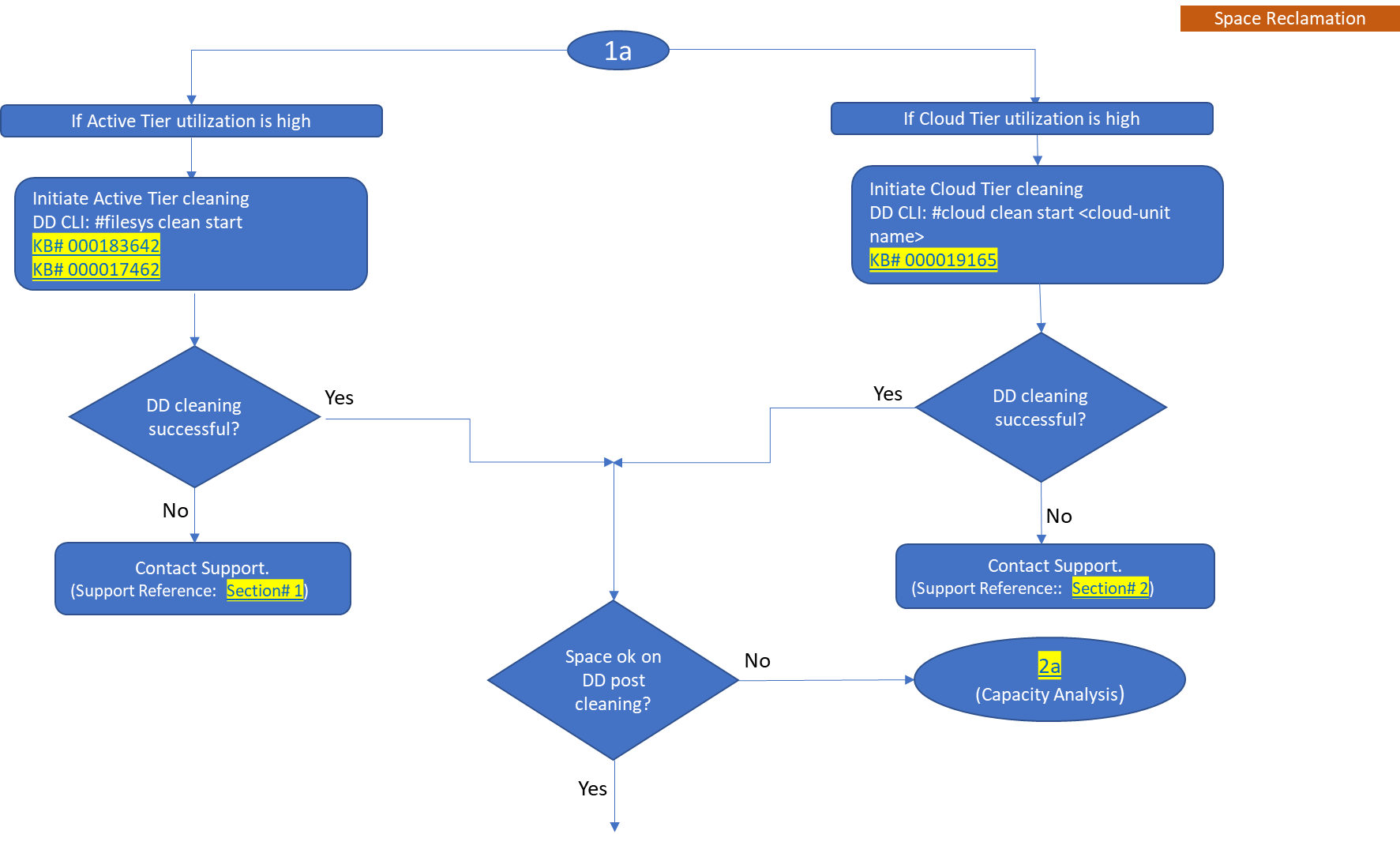
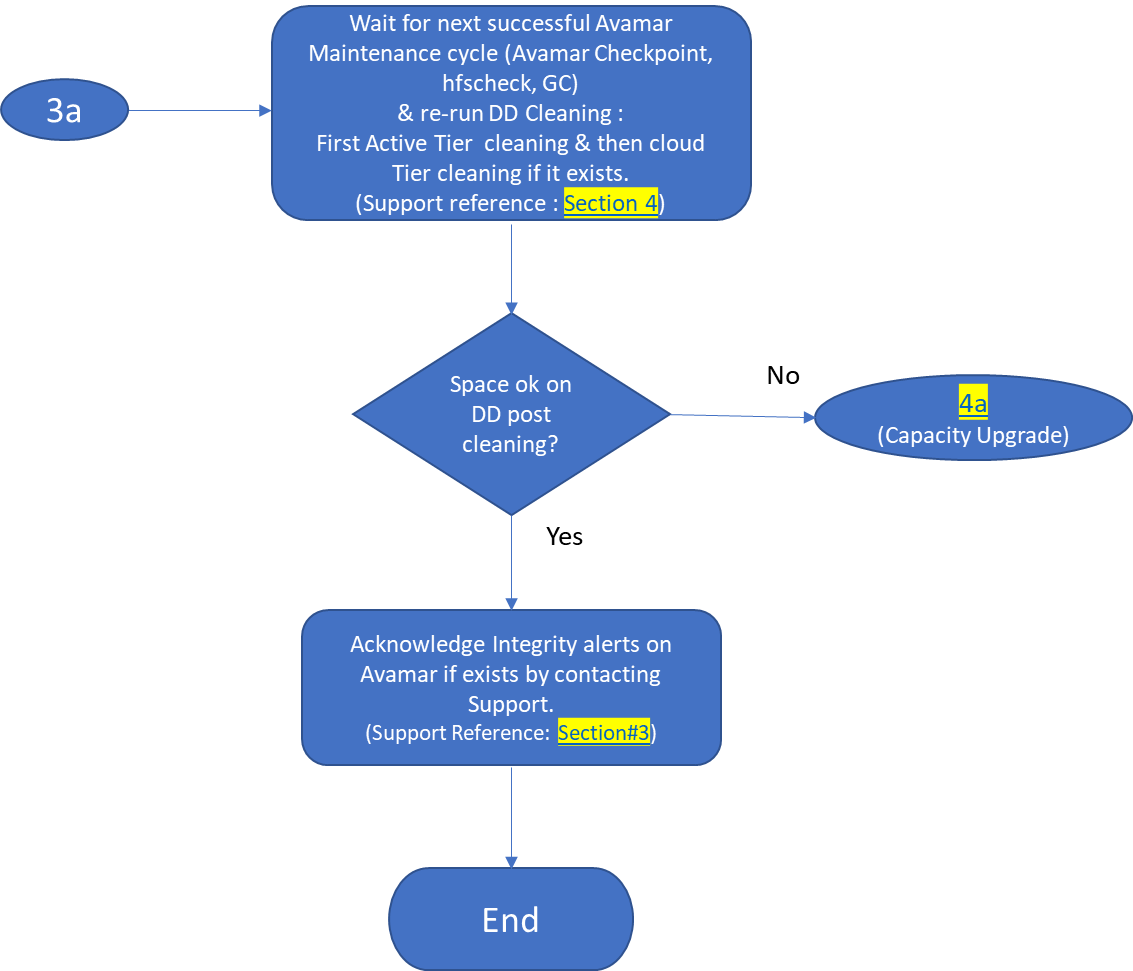
NOTE: Also, know about Automatic Cleaning, the new feature on Data Domain.
See Dell KB article 199927: PowerProtect DP Series: Protection Storage: Data Domain: Automatic Cleaning.
Click on below video to know "How to setup Automatic Cleaning on Data Domain"
Watch on YouTube
-
Capacity Analysis
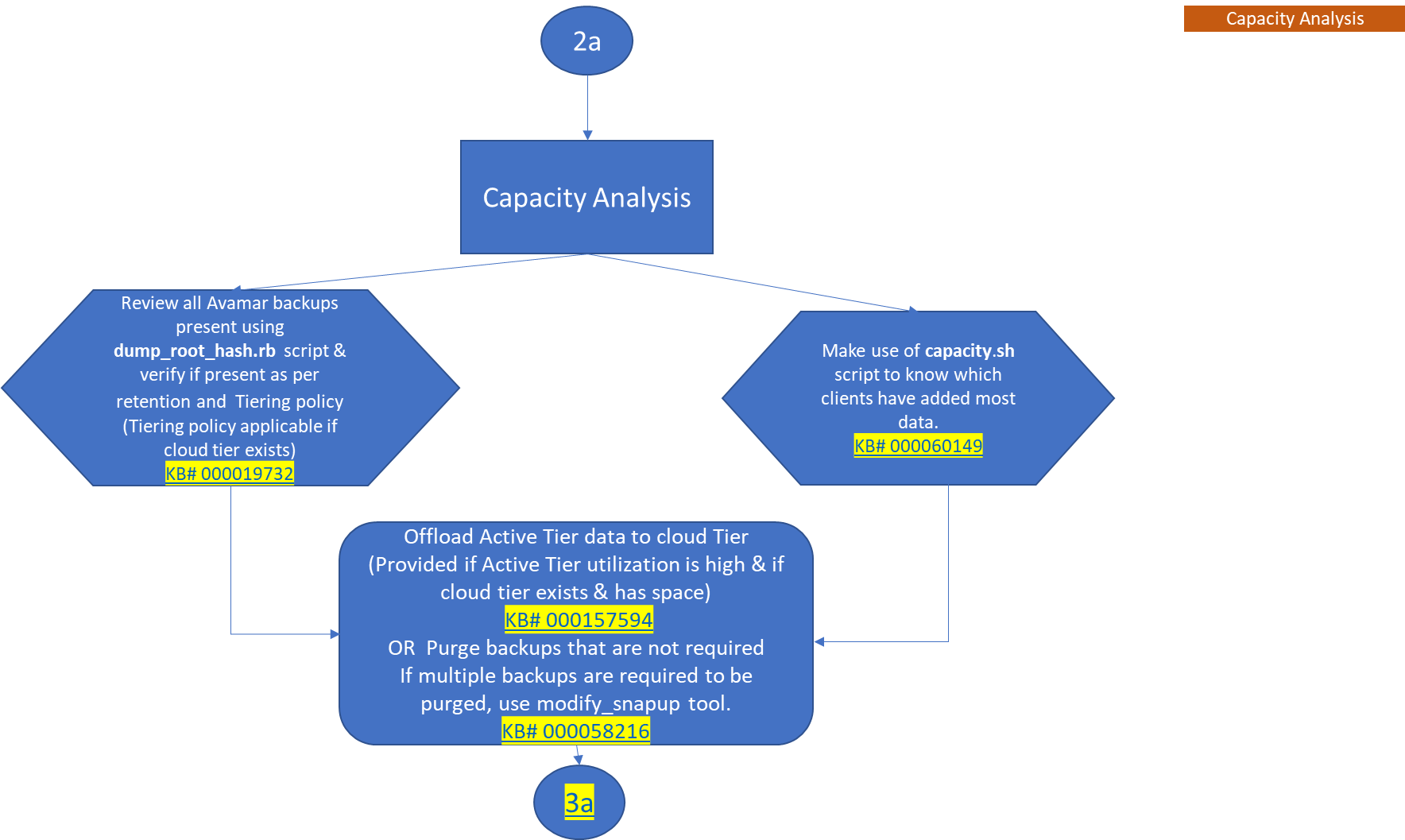
Watch on YouTube
-
Capacity Upgrade
Getroffen producten
Avamar, Data DomainBijlagen
Artikeleigenschappen
Artikelnummer: 000192662
Artikeltype: Solution
Laatst aangepast: 21 jan. 2026
Versie: 11
Vind antwoorden op uw vragen via andere Dell gebruikers
Support Services
Controleer of uw apparaat wordt gedekt door Support Services.