Dell Unity: How To Edit Proxy Server Attributes
Sammendrag: This article explants how to change support configuration attributes for proxy servers.
Denne artikkelen gjelder for
Denne artikkelen gjelder ikke for
Denne artikkelen er ikke knyttet til noe bestemt produkt.
Det er ikke produktversjonene som identifiseres i denne artikkelen.
Instruksjoner
Format
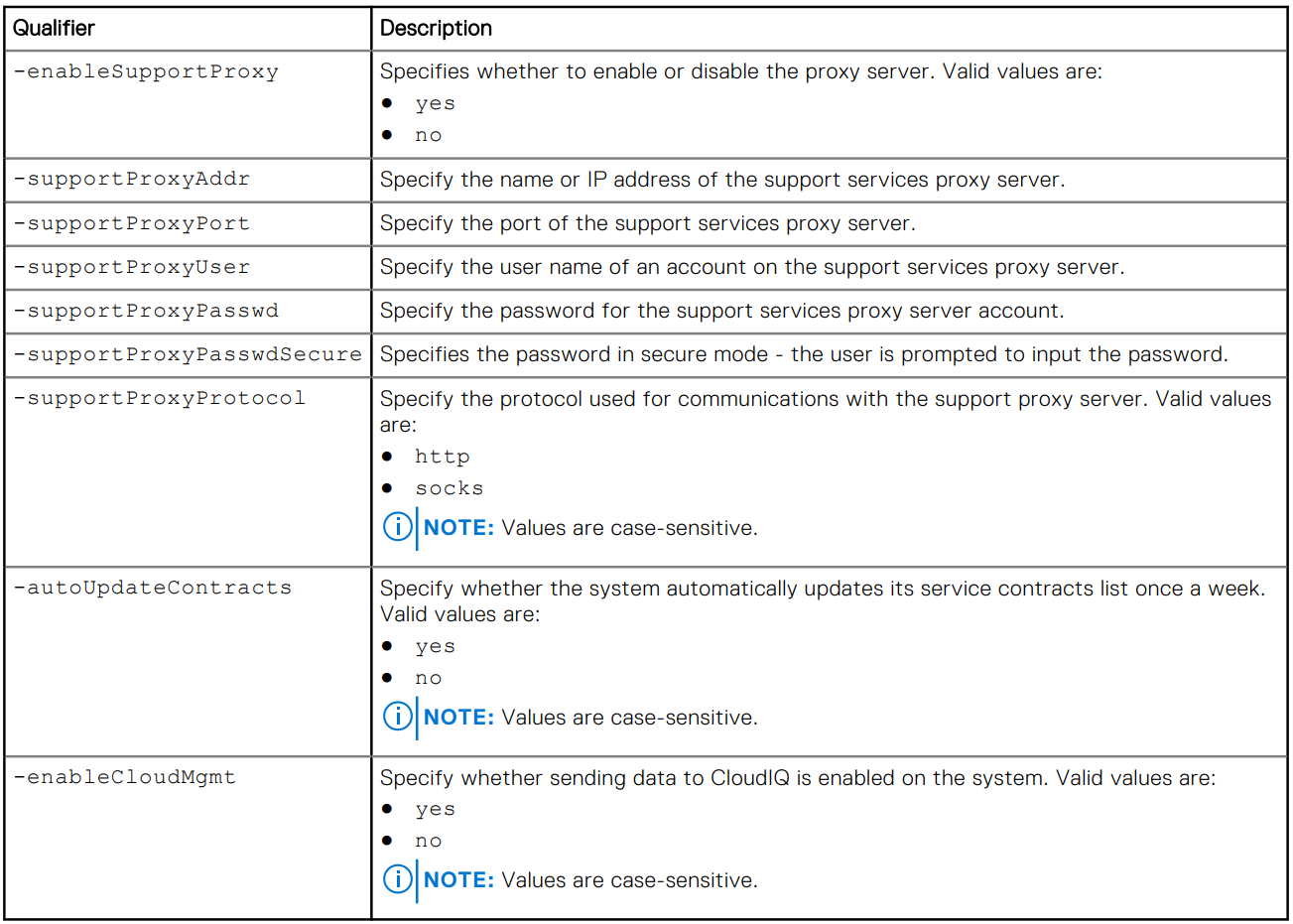
/sys/support/config set [-enableSupportProxy {yes | no }] [-supportProxyAddr <value>]
[-supportProxyPort <value>] [-supportProxyUser <value> {-supportProxyPasswd <value> |-
supportProxyPasswdSecure}] [-supportProxyProtocol {http | socks}] [-autoUpdateContracts
{yes | no}] [-enableCloudMgmt {yes | no}]
Example

Tilleggsinformasjon
The proxy server password is not visible in the array backend or the logs. The password is removed from the array because it is associated to the proxy server database-entry. This means that when the database entry is removed, the password is also removed.
Berørte produkter
Dell EMC Unity, Dell EMC Unity Family |Dell EMC Unity All Flash, Dell EMC Unity HybridArtikkelegenskaper
Artikkelnummer: 000009793
Artikkeltype: How To
Sist endret: 03 nov. 2025
Versjon: 4
Få svar på spørsmålene dine fra andre Dell-brukere
Støttetjenester
Sjekk om enheten din er dekket av støttetjenestene.