Data Domain: How to change the sync alert threshold
Sammendrag: This article explains how to change the sync alert threshold using the command line. By default, the sync alert threshold is set to 24 hours. However, based on specific requirements, it may need to be adjusted for a particular mtree to prevent the error: “Sync-as-of time is more than 24 hours ago.” ...
Denne artikkelen gjelder for
Denne artikkelen gjelder ikke for
Denne artikkelen er ikke knyttet til noe bestemt produkt.
Det er ikke produktversjonene som identifiseres i denne artikkelen.
Instruksjoner
- Use SSH to connect to the PowerProtect Data Domain with the admin privilege.
- Run the "replication option show" command to check the sync alert threshold.
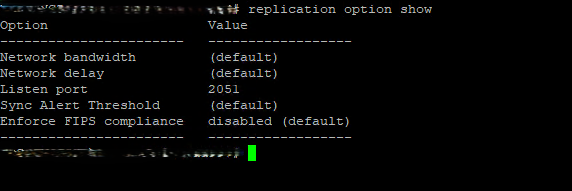
- To change the default value to different hours we need to use command "replication option set default-sync-alert-threshold <value>"
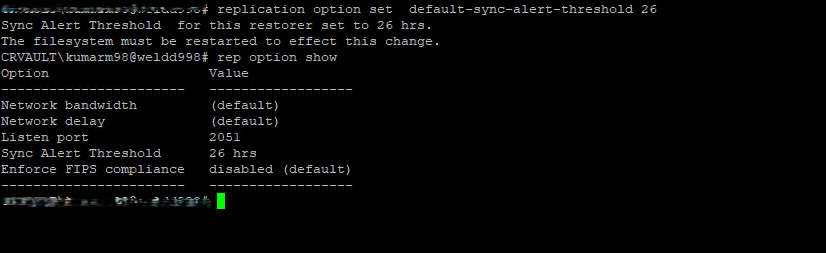
- The filesystem must be restarted to effect this change.
filesys restart
Berørte produkter
Data DomainArtikkelegenskaper
Artikkelnummer: 000462922
Artikkeltype: How To
Sist endret: 11 mai 2026
Versjon: 1
Få svar på spørsmålene dine fra andre Dell-brukere
Støttetjenester
Sjekk om enheten din er dekket av støttetjenestene.