How to Get Support for Dell Command Intel vPro Out of Band
Resumo: This article covers how to obtain support for Dell Command | Intel vPro Out of Band.
Instruções
Affected Products:
- Dell Command | Intel vPro Out of Band
Affected Operating Systems:
- Windows Server 2011
- Windows Server 2012
- Windows Server 2012 R2
- Windows Server 2016
- Windows Server 2019 Essentials
Dell Command | Intel vPro Out of Band for Windows Server 2011/2012/2012 R2/2016/2019 Essentials is an easy-to-use application that provides an out-of-band management solution. The application allows you to remotely manage client computers regardless of the computer power state.
Self-Help Options
Most technical information can be found by referencing the:
Self-Help Options
Most technical information can be found by referencing the Dell Knowledge Base.
To obtain support:
- Go to https://www.dell.com/support/home.
- To the right of the page, select Contact Support and then click either:
- Contact Technical Support: If you have a Dell service tag available.
- Contact Order Support: If you do not have a Dell service tag, and need assistance gaining access to the software.
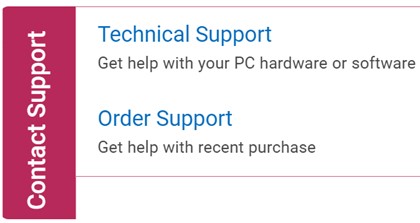
Figure 1: (English Only) Click Contact Us
- Click Enter service tag.

Figure 2: (English Only) Identify your device
- Type your client (not server) Service Tag and then click Submit.

Figure 3: (English Only) Enter your Service Tag and click Submit
- Confirm your model and Service Tag, and click Next.

Figure 4: (English Only) Confirm your model and service tag
- From the drop-down menu, select Software and 3rd party applications and then click Next.

Figure 5: (English Only) Select Software and 3rd party applications
- Select an available contact option.

Figure 6: (English Only) Select contact option
- Type your Order Number and then click Find My Order.

Figure 7: (English Only) Click Find My Order
- To the right of the page, click Contact Customer Support.
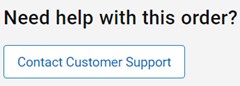
Figure 8: (English Only) Click Contact Customer Support
- From the drop-down, select Missing Items.

Figure 9: (English Only) Select Missing or Wrong Items
- Select an available contact option.

Figure 10: (English Only) Select contact option
- Contact options may differ by your region.
- Reference this article (000189148) when contacting technical support.